Create a Photo Album (iOS)
Things to Consider
Required User Permissions:
'Standard' or 'Admin' on the project's Photos tool.
Note: The 'Create Photo Album' granular permission is only supported in the Procore web application. It is not supported on the Procore mobile apps.
Additional Information:
This action can be performed in offline mode. Tasks performed in offline mode will sync with Procore once a network connection is reestablished.
Steps
Navigate to the project's Photos tool using the Procore app on an iOS mobile device.
Tap menu
 and select Album View if you aren't already in that view.
Tap Create Album.
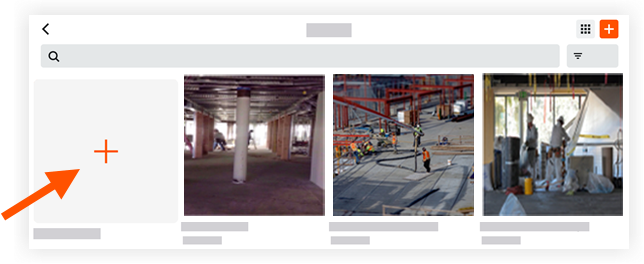
Title the new photo album.
Tap Save.
You can now save photos to this album.
See Also
Loading related articles...