在资格预审工具中自定义列显示
背景
可以自定义资格预审工具中的列,以便它显示与你相关的数据。
需要考虑的事项
所需用户权限:资格预审工具的“只读”级别或更高级别权限。
Steps
Navigate to the company's Prequalifications tool.
Click the vertical ellipsis (⋮).
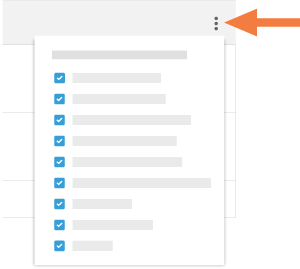
Choose from these options:
Show a Column
Place a mark in the checkbox next to a column name to have it show on the Prequalifications page. The default setting is to show all available columns.Hide a Column
Remove the mark from the checkbox that corresponds to the column you want to hide on the Prequalifications page.
See Also
Loading related articles...