Review and Manage Early Pay Enrollments as a Payee
Limited Release
Free Procore accounts are currently only available in the United States and Canada.
Free Procore accounts are currently only available in the United States and Canada.
General Contractors paying invoices with Procore Pay can create an An Early Pay Program (EPP) is a financial strategy where a payor, typically a large general contractor, agrees to make early subcontractor invoice payments, in return for a fee. and assign it to a project. They also define whether a payee is eligible to participate in their program. If you are eligible for participation, payees can review the program's details and opt-in to the program by enrolling. Once enrolled in a program, the program terms go into effect on future invoices. You can opt out of an Early Pay Program at any time.
Additional Information:
To receive an early payment, you must be enrolled in the Early Pay Program before creating an invoice.
General Contractors can discontinue Early Pay Programs at any time. If a program is discontinued, it appears on the Early Pay tab under 'Voided Early Pay Enrollments'.
You can also enroll in an early pay program when you accept your Procore Pay Agreement. See Review and Accept a Procore Pay Agreement.
The payor must:
Create an Early Pay Program and assign it to a Procore project.
Configure payees to define their eligibility for participation in Early Pay Programs.
Navigate to your company's homepage. See How do I change companies?
Navigate to the Payments tool.
Click the Early Pay tab.
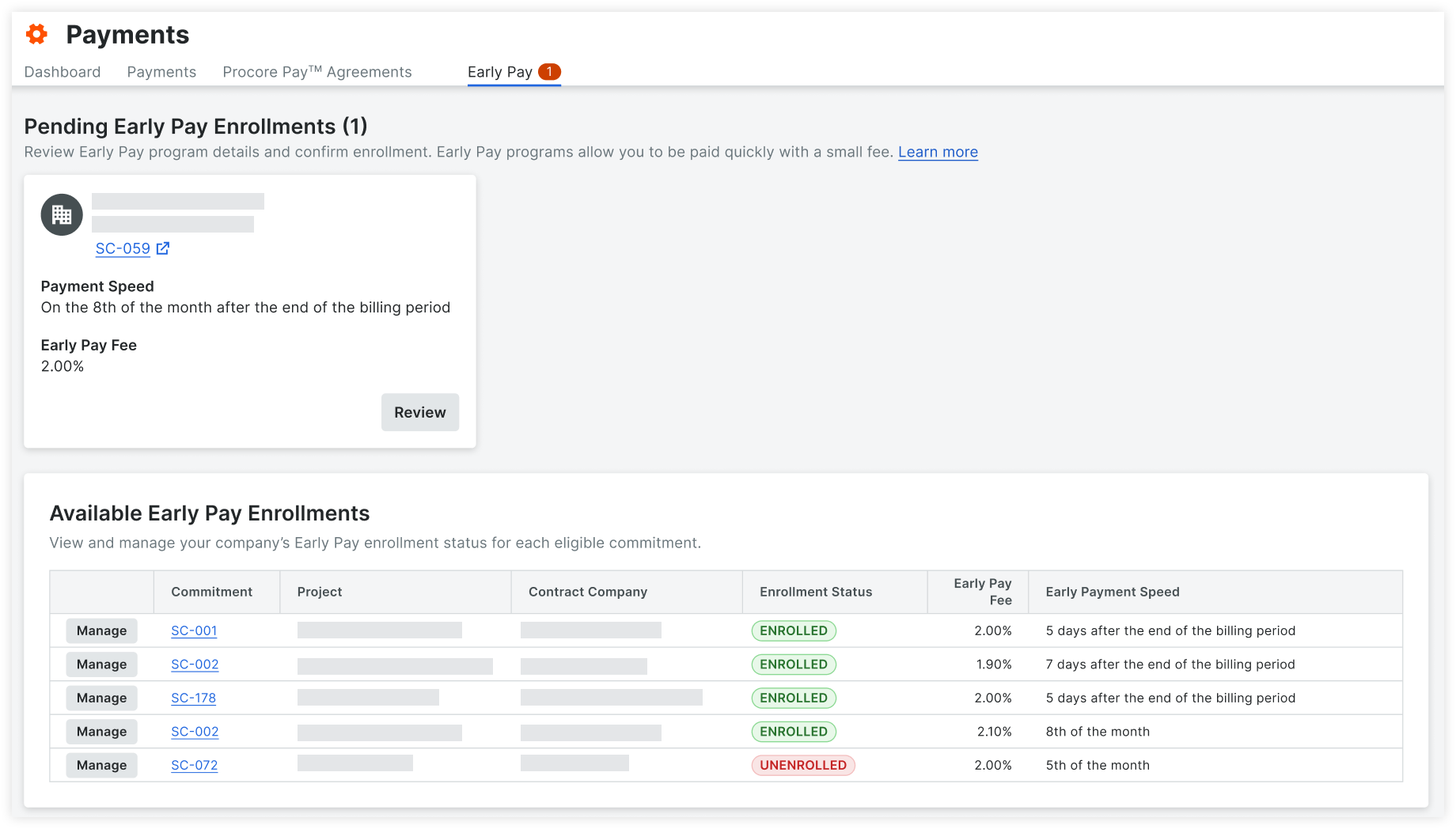
Under 'Pending Agreements,' locate the project and click Review.
OR
Under 'Available Early Pay Enrollments,' locate the project and click Manage.
Review the Early Pay program details.
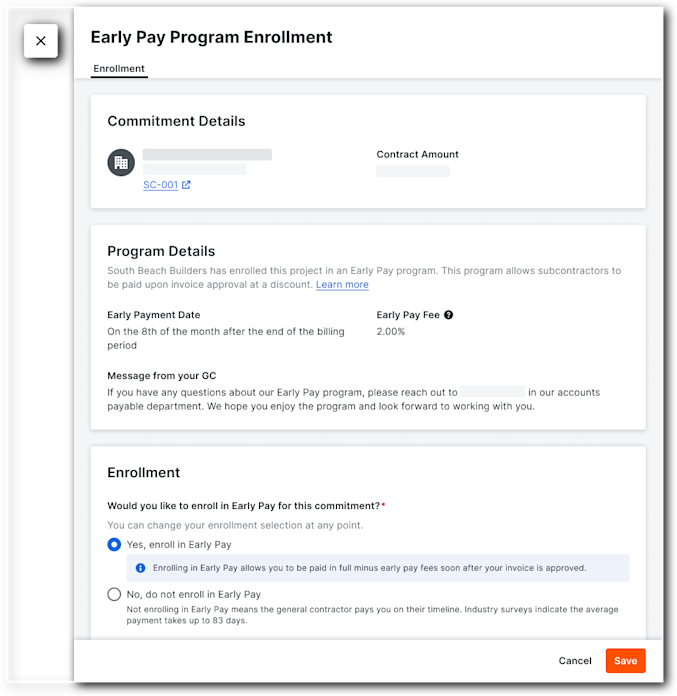
Mark one of the following selections:
Yes, enroll in Early Pay.
No, do not enroll in Early pay.
Click Save.
Loading related articles...