Customize the Column Display in the Company Level Timesheets Tool
需要考虑的事项
Steps
Navigate to the company's Timesheets tool.
Click the vertical ellipsis
 .
.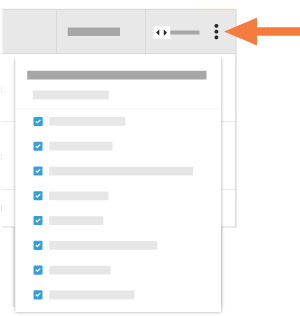
Choose from these options:
Show a Column
Mark the checkbox next to a column to make it visible on the Timesheets page.
Hide a Column
Remove the mark from the box that corresponds to the column you want to hide on the Timesheets page.
Reorder the Columns
Click and hold the column name by the reorder
 icon.
icon. Drag-and-drop the column to the position you want it in the list.
Restore the Default Settings
Click the Reset to Default link to re-select all available columns.
See Also
Loading related articles...