What is the difference between the legacy Project Home page and the new Project Overview?

New Version Available

A new version of the Project Home page is available. See Project Overview.

Company Administrators can enable the Project Overview beta in Procore Explore. (US 2 | UK)
Background

On July 21, 2026, Procore’s new Hubs-powered experience becomes Generally Available and will be enabled for all users by default. When users log into their Procore project, all users will be presented with the new Hubs-powered Project Overview, which features a card-based layout. The information users rely on will still be present, but the layout will be different.

This new interface replaces the legacy Project Home page, bringing together relevant insights, real-time risk factors, and critical daily tasks into a single, customizable workspace tailored to your company.

Project Overview offers:

  • Configurable project information and layout, consistent across all projects.

  • An enhanced view for open items.

  • The ability to quickly create different items like RFIs and Observations from a single location.

Why is Procore Migrating to Hubs?

Previously, Procore’s pages, like the Project Home, were static, limiting users’ ability to customize their experience and forcing a 'one-size-fits-all' display.

However, we know our users are diverse, and their preferences are as varied as the projects they work on. In contrast to the legacy experience, the Hubs platform, including the Project Overview, allows users to personalize their Procore experience based on their needs and preferences. The Hubs platform lays information out cleanly and simply in a card-based user interface so users can display the most important information easily, and allows users to customize their view via click-and-drag, resizing, reordering, and removing cards.

What if I don’t want to roll out the Project Overview right away?

When the Hubs-powered experience is released on July 21, Company Administrators will have the option to revert back to the legacy Project Home, with their Procore Explore settings retained. The legacy Project Home page will revert to how it looked and functioned before the new experience was enabled.

However, later this year, the legacy Project Home will be sunset and will no longer be available. If your company reverted to the legacy Project Home experience, Company Administrators can re-enable the Project Overview experience in Procore Explore. (US 2 | UK)

Can anyone make changes to the Project Overview?

Currently, only Company Administrators can configure the Project Overview, as well as take action to revert back to the legacy Project Home. These capabilities are only available to Company Administrators, as they apply company-wide and to all projects.

What additional updates are planned for the Project Overview?

In the near future, Company Administrators will also be able to make the following changes, also at the company level:

  • Add new cards from a full Card Library

  • Create new, custom views for specific projects and roles

  • Manage view assignments and changes from a dedicated interface

Eventually, we plan on releasing expanded permissions for view creation and editing, including allowing users to create personal, private views.

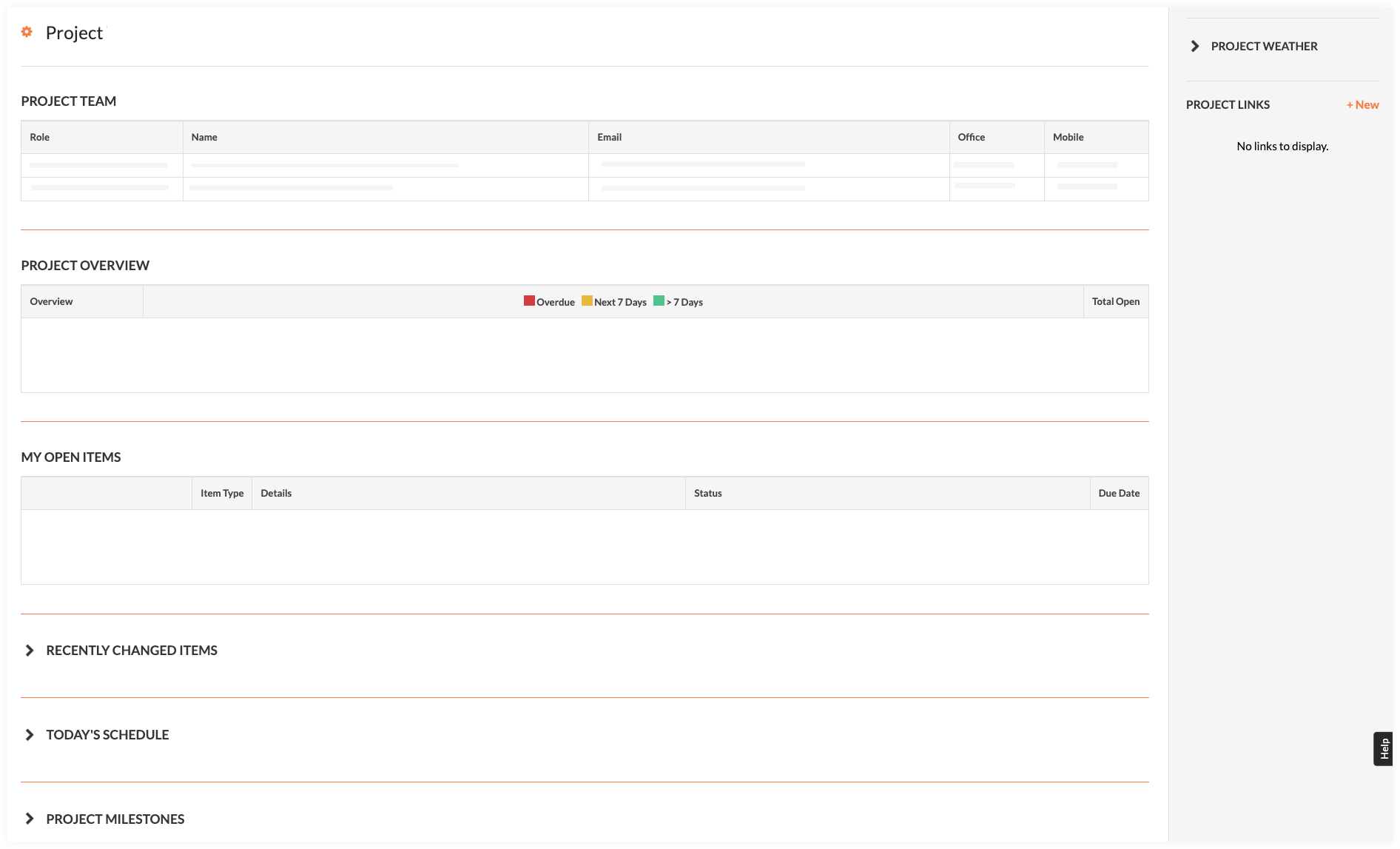
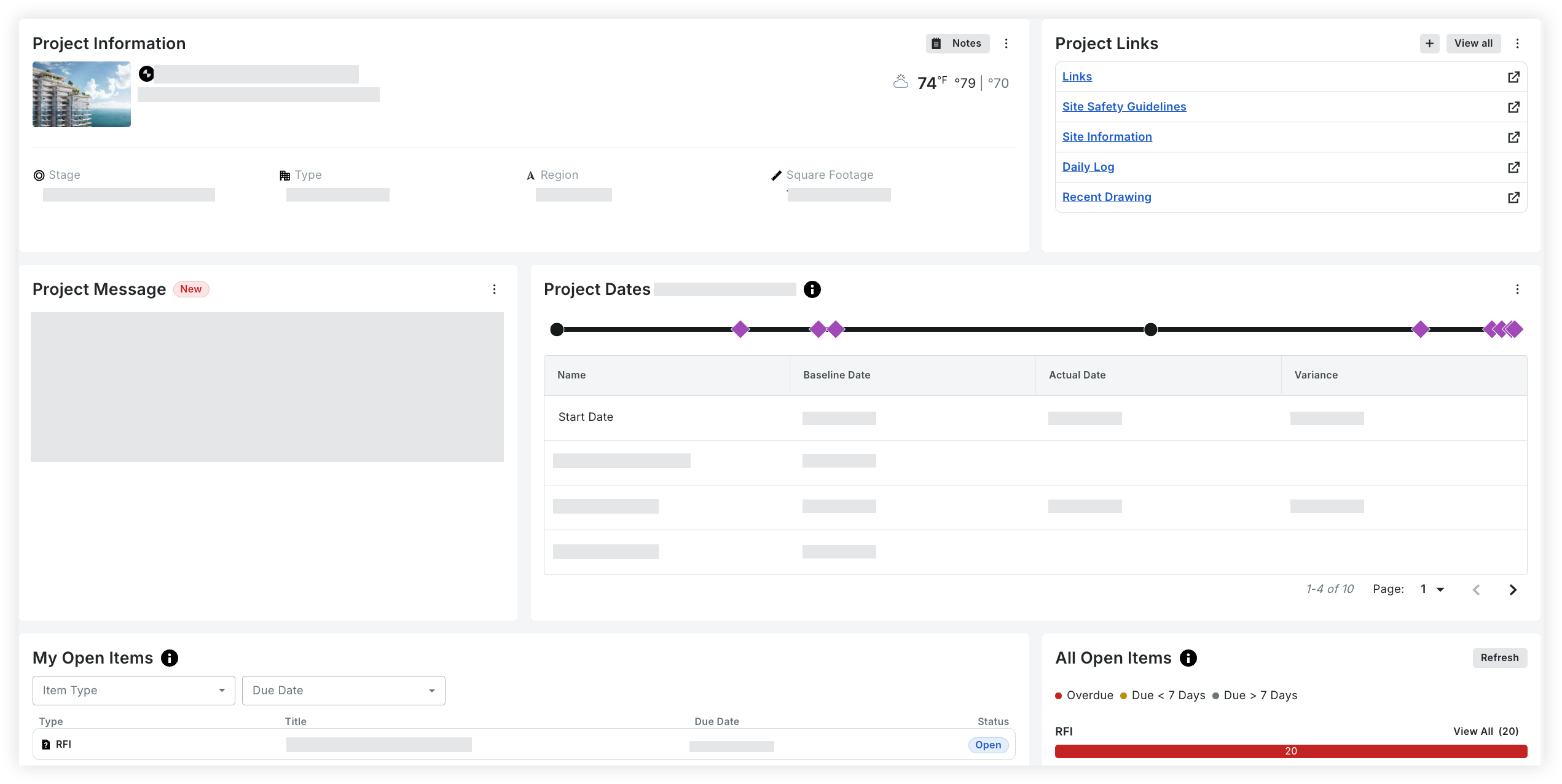
What does the Project Overview page look like compared to the Legacy Project Home page?

Your project's home page might look different depending on your company's tool set, your permissions, and other configurations.

New Project Overview

New

Legacy Project Home

Legacy

What's the difference in functionality between the legacy Project Home page, and the new Project Overview?

Function

Project Overview

Project Home (Legacy)

Configure Project Overview Information

Icon Green CheckmarkCompany Admins can configure the Project Overview. Changes are auto-applied to all projects.

Icon Permissions No Access X

Resize and Reorder Cards in Layout

Icon Green CheckmarkCompany Admins can configure the Project Overview. Changes are auto-applied to all projects.

Icon Permissions No Access X

Remove Cards

Icon Green CheckmarkCompany Admins can configure the Project Overview. Changes are auto-applied to all projects.

Icon Permissions No Access X

Open Items - All

Icon Green Checkmark

Icon Permissions No Access X

Open Items - My

Icon Green Checkmark

Icon Green Checkmark

Project Links

Icon Green Checkmark

Icon Green Checkmark

Project Milestones

Icon Green Checkmark
Now 'Project Dates'

Icon Green Checkmark

Project Name

Icon Green Checkmark

Icon Green Checkmark

Project Overview

Icon Green Checkmark

Icon Green Checkmark

Project Setup Guide

Icon Green Checkmark

Icon Permissions No Access X

Project Team

Icon Green Checkmark

Icon Green Checkmark

Project Weather

Icon Green Checkmark

Icon Green Checkmark

Recently Changed Items

Icon Green Checkmark

Icon Green Checkmark

Today's Schedule

Icon Permissions No Access X

Icon Green Checkmark

Update Project Information

  • Project Number & Name

  • Project Photo

  • Project Location

  • Project Stage

  • Project Type

  • Total Value

  • Square Footage

Icon Green Checkmark

Icon Permissions No Access X

See Also

Loading related articles...