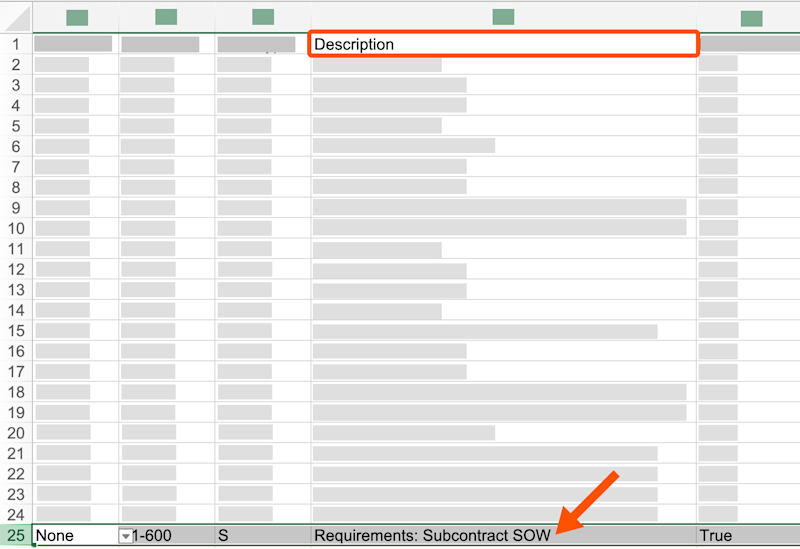
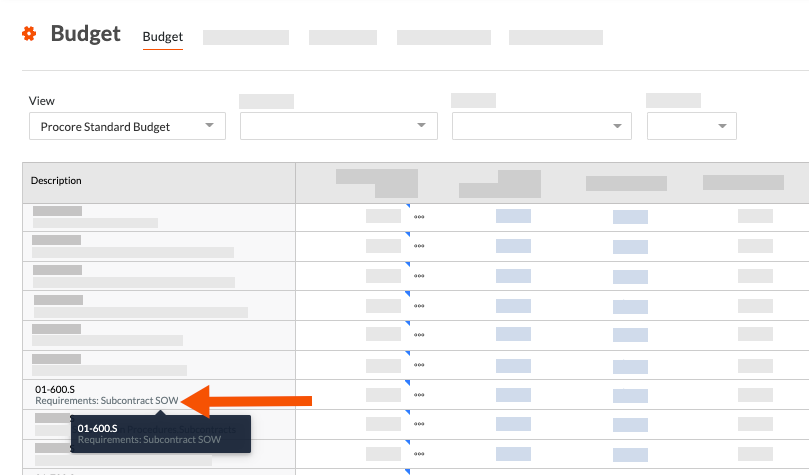
Warum und wie erstelle ich eine benutzerdefinierte Budgetschlüssel-Beschreibung für die Projekt-Finanzwerte-Tools von Procore?
Hintergrund
Mit der Funktion "Budgetschlüssel erstellen" in Procores Projekt-Finanzwerte-Tools kann Ihr Team benutzerdefinierte Budgetschlüssel-Beschreibungen erstellen, um verschiedenen Anwendungsfällen gerecht zu werden. Einige Beispiele sind:
Erfassen detaillierter Informationen zu einem einzelnen Budgetschlüssel
Verbessern Sie die Lesbarkeit der Beschreibungen Ihrer Budgetschlüssel
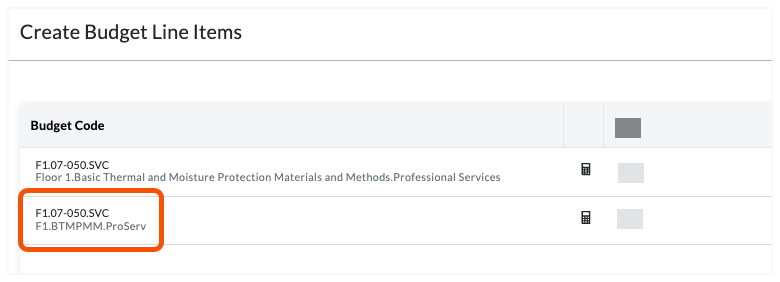
Kürzung von Budgetschlüssel-Beschreibungen, um Platz zu sparen
Wie Sie benutzerdefinierte Budgetschlüssel-Beschreibungen erstellen können, erfahren Sie in der folgenden Antwort.
Erfassen detaillierter Informationen zu einem einzelnen Budgetschlüssel
Wenn Sie detailliertere Informationen zu einem einzelnen Budgetschlüssel erfassen möchten, lesen Sie dieses Beispiel.
Example
Let's assume your Procore project is using only the default segment items in Procore's Work Breakdown Structure (WBS). In the 'Cost Code' segment, which is based on the CSI The MasterFormat is an organization standard that defines the master list of Divisions, Sections, and Section Titles for construction project specifications in the United States and Canada. It is authored by the Construction Standards Institute (CSI) and Construction Specifications Canada (CSC). See CSI MasterFormat®.
When the budget code for a financial line item is associated with an allowance
An allowance is an amount included in a contract sum to cover the costs of any items not specified in the contract.When the budget code for a financial line item is associated with a contingency
A contingency is an amount set aside in a contract to cover the costs of any additions to the scope of work due to unknown risk factors.
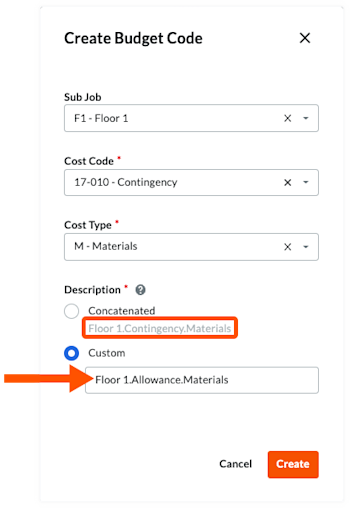
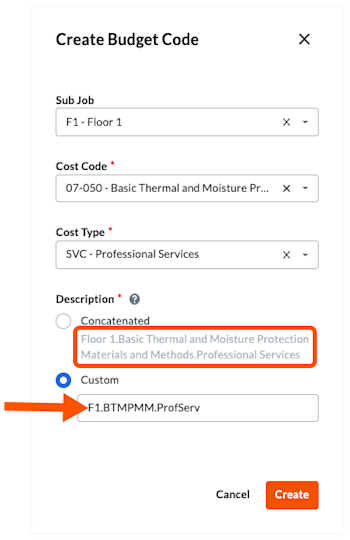
To address this scenario, you can use Procore's custom budget code description option to create two (2) descriptions for a single budget code. This allows your team to distinguish between the budget code is used for an allowance versus when its used for a contingency. In the illustration below:
The budget code is: F1.17-010.M
The custom budget code description is: Floor1.Allowance.Materials
The default budget code description is: Floor1.Contingency.Materials
You can also create additional budget code descriptions for each budget code to suit your organizations specific needs.

Verbessern Sie die Lesbarkeit der Beschreibungen Ihrer Budgetschlüssel
Bei der Erstellung von Segmenten mit Procore Eine Budgetschlüssel-Struktur ist eine Abfolge von Segmenten, die dazu dient, aussagekräftige Budgetschlüssel in Übereinstimmung mit dem von Ihrer Organisation festgelegten Muster zu erstellen. Im Projektstrukturplan von Procore kann die Budgetschlüssel-Struktur für ein Unternehmen oder ein Projekt aus mehreren Segmenten bestehen.
Example
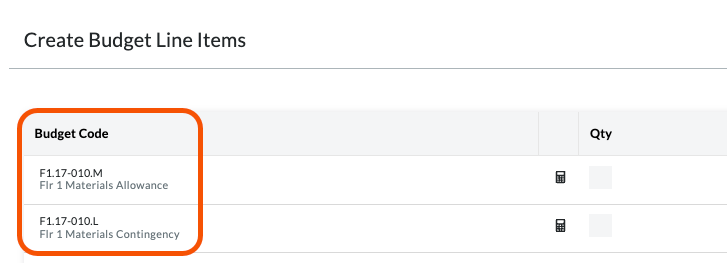
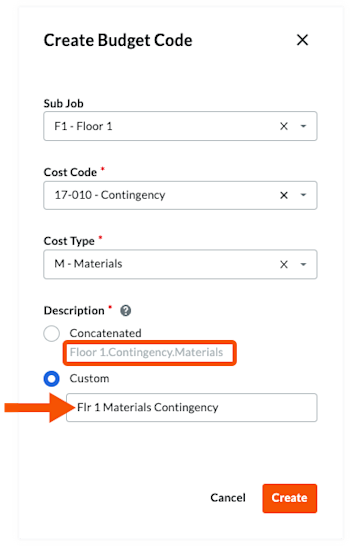
Using the same example as above, you can also use Procore's custom budget code description option to simplify and improve readability of your budget codes. This can improve readability of your budget codes, as shown in the illustration below:
The budget code is: F1.17-010.M
The custom budget code description is: Flr 1 Materials Allowance
The custom budget code description is: Flr 1 Materials Contingency
The illustration below shows you how the custom descriptions can improve readability.