Change Snapshot Status
Steps
Change Status from the Budget Tab in the Budget Tool
Navigate to the Project level Budget tool.
On the Budget tab, select the desired snapshot from the Snapshot drop-down list.
Click Edit in the top-right toolbar of the budget view.
In the Edit Snapshot modal, click the Status drop-down list and select a custom status.
Click Update to save your changes.
Change Status from the Project Status Snapshots Tab in the Budget Tool
Navigate to the Project level Budget tool.
Click the Project Status Snapshots tab.
Locate the desired snapshot in the table.
Click the snapshot's Status cell and select a custom status.
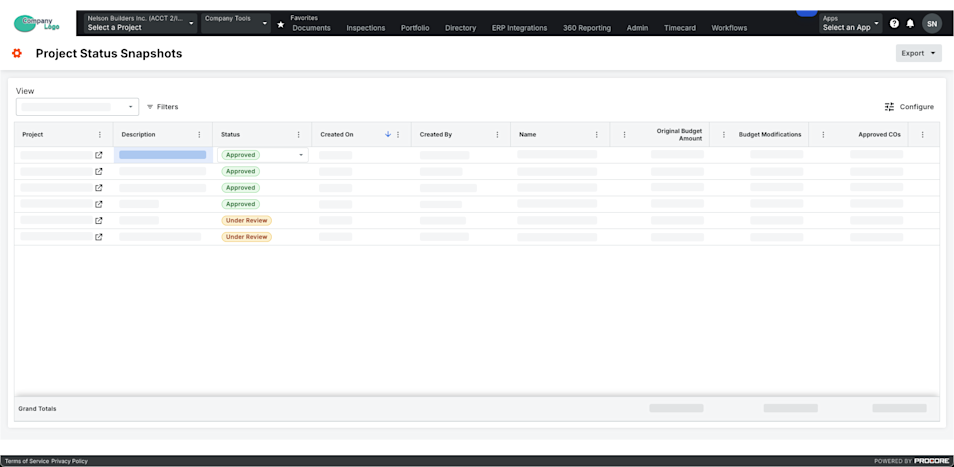
Change Status from the Project Status Snapshots Tool
Navigate to the Company level Project Status Snapshots tool.
Locate the desired snapshot in the table.
Click the snapshot's Status cell and select a custom status.