Project Tool Utilization
Summary
The Project Tool Utilization page is part of the Procore Analytics Project Management Report. It also includes a summary of your company's Projects By Stage, with a count of the project(s) in each stage of construction. By applying the Project, Project Role, and Project User filters, you can include all available data or narrow the data plotted.
The Project Tool Utilization table groups your WBS cost code segment data by office location. See Add an Office Location and Assign an Office Location to a Project.
Tipps
Warum gibt es in Procore kein Konzept des "Fachbereichs"? Im PSP von Procore ist das Segment "Kostenschlüssel" ein gestuftes Segment und es gibt kein Konzept des "Fachbereichs". Stattdessen wird ein "Fachbereich" als eine Stufe in einem gestaffelten Segment behandelt. Die Ebenen innerhalb eines Segments werden immer durch einen Bindestrich (-) abgegrenzt. Procores Standard-Kostenschlüssel-Liste hat zwei (2) Stufen. Ihre Umgebung kann jedoch eine, zwei oder mehrere Ebenen haben. Weitere Informationen finden Sie unter Projektstrukturplan: FAQ.
Kann ich eine Kopie der Liste der Kostenschlüssel erhalten? Um eine Kopie der Standard-Kostenschlüsselnamen als Referenz herunterzuladen, klicken Sie auf Procore_Default_Cost_Codes.csv.
Anmerkung: Diese CSV-Datei dient nur als Referenz und ist nicht für den Import in Procore formatiert.
The columns in the Project Tool Utilization table provide counts and a color-coded heat map to show the number of items created.
Sample Report Page
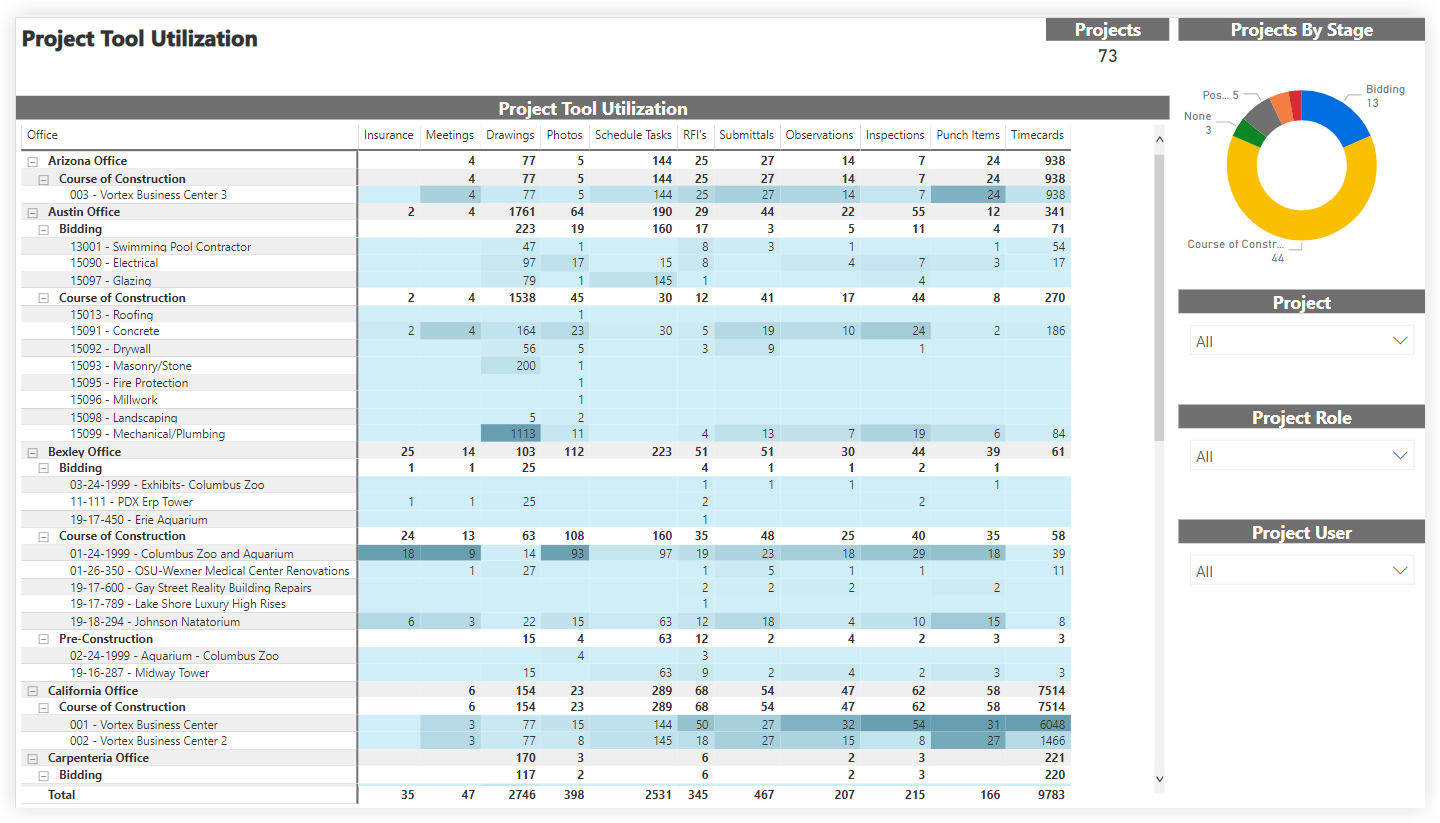
This sample report page was created using mock data for demonstration purposes only.