Create Purchase Orders
Background
In Procore, a Purchase Order (PO) is a formal financial commitment documenting the specific types, quantities, and agreed-upon prices for products or services. These orders are an essential part of the procurement process. A buyer (for example, a General Contractor) creates and issues a PO to a seller (for example, a Subcontractor) to cover the cost of a contract. Once the seller accepts the PO, it represents an agreement between both parties.
Things to Consider
Required User Permissions:
To create a Purchase Order and view or enter data on the Schedule of Values (SOV) tab, you must meet one of the following requirements:
Admin level permissions on the project's Commitments tool.
ORStandard level permissions on the project's Commitments tool, AND the Allow Users to See SOV Items setting must be enabled with your name selected in the Select a Person drop-down list.
For companies using the
 ERP Integrations tool: Prerequisites, requirements, limitations, and specific considerations may be applicable, depending on the particular ERP system integrated with your Procore account.
Prerequisites
Steps
Navigate to the project's Commitments tool.
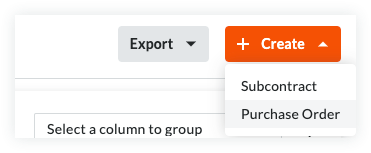
On the Contracts tab, click the Create button and choose Purchase Order from the drop-down list.
Note
The Create button is available when you are viewing the Contracts and Recycle Bin tabs. New purchase orders are always added to the Contracts tab.
The Export button is only available on the Contracts tab. To learn more, see Export a Commitments List.
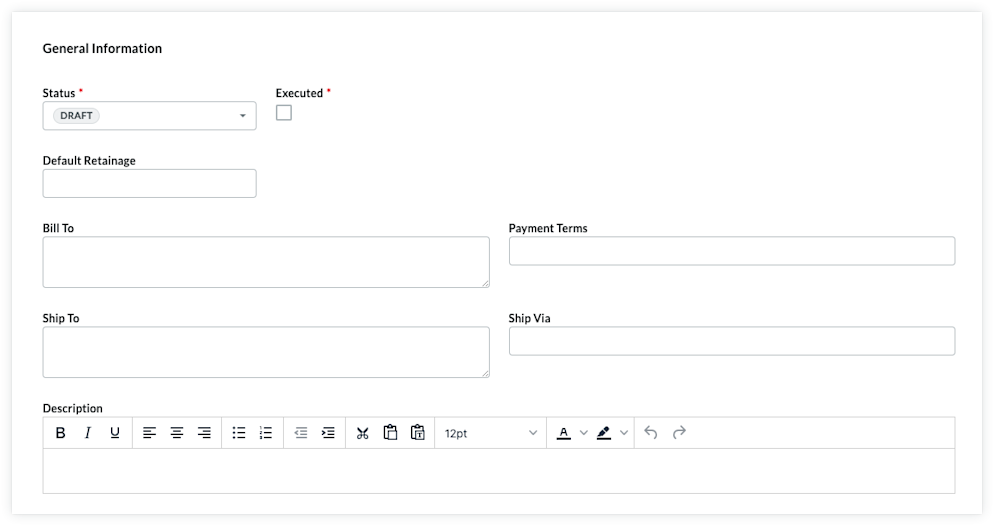
Enter the following information and save the contract.
Update the Basic Information.
Show/Hide Fields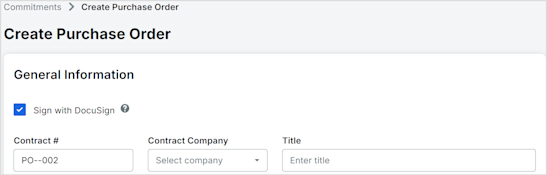
Notes
There are no required fields when adding the basic information.
If you click the Create button without completing any data entry, Procore saves the contract, lists you as the creator, and automatically places it in the Draft status.
Optional: Sign with DocuSign®
Place a check mark in this box if you want to request electronic signatures on this item using the Procore + DocuSign® integration. To learn how to activate the integration on your project, see Enable or Disable the DocuSign® Integration on a Procore Project.Tip
How do you collect signatures with DocuSign? After the data entry for the item is complete, Procore recommends changing the item's status to 'Out for Signature' before clicking the Complete with DocuSign button to launch the DocuSign® application. If you have not previously signed in, you will be prompted to Log In to DocuSign®. Once you are signed in, you can prepare the DocuSign_®_ envelope for signatures. After the signature process is complete, Procore automatically changes the status of the item to 'Approved' and marks the item as 'Executed'. To learn more, see DocuSign®.
Contract Number
To number your contract(s), choose from these options:If you number your contracts using a sequential numbering system, you can enter any combination of alpha-numeric characters in this box. For subsequent contracts, Procore automatically applies consecutive numbering in ascending order.
Example
The examples below show you how Procore's ascending consecutive numbering works:
If the previous contract was 1, the next contracts are 2, 3, and so on.
If the previous contract was PC-0001, the next contracts are PC-0002, PC-0003, and so on.
If the previous contract was DCA00010-12-G-0001, the next contracts are DCA00010-12-G-0002, DCA00010-12-G-0003, and so on.