Reactivate a Contact in the Company Directory
Hintergrund
Einige der Projekttools von Procore bieten Ihren Projektteam-Mitgliedern die Möglichkeit, einen "Kontakt" zu erstellen. In Procore ist ein Kontakt eine Person, deren Name als Teil eines Dateneintrags erforderlich sein kann, die aber kein Benutzerkonto hat, um sich bei Procore anzumelden.
Beispiele für Kontakte sind Handwerker, Zeitarbeiter oder Saisonarbeiter oder Besucher vor Ort, die keinem der Projektteams angehören. Weitere Informationen zu Kontakten in Procore finden Sie unter Was ist ein "Kontakt" in Procore und welche Projekttools unterstützen das Konzept?
Things to Consider
The 'Contacts' and 'Inactive Contacts' tabs are populated with contacts created from one or more projects on supported tools.
Reactivating a contact moves the inactivated contact's record to the 'Contacts' tabs in the Company level Directory tool and in any Project level Directory tool for projects the contact associated with on before being inactivated.
Steps
Navigate to the Company level Directory tool.
Navigate to the Inactive Contacts tab.
Mark the checkbox next to one or more inactive contacts you want to reactivate.
Click Bulk Actions and select Reactivate.
In the 'Reactivate Contacts' window, click Reactivate.
Note: Click the X next to a contact's name to remove them from the list of contacts to reactivate.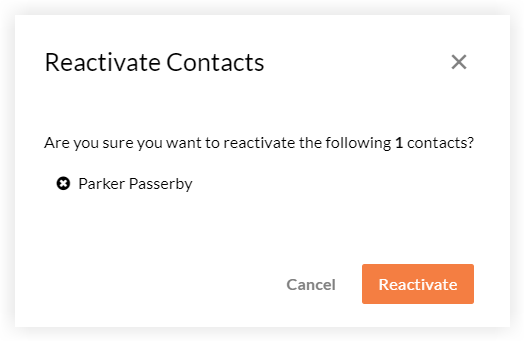
See Also
Loading related articles...