Is there a way to see all the open items in Procore assigned to me?
Answer
Yes, there are several ways to see what tasks have been assigned to you in Procore.
There are many ways to access the My Open Items workspace at the Company level:
From the My Open Items
 icon in the navigation bar: Show / Hide Steps

Company Portfolio
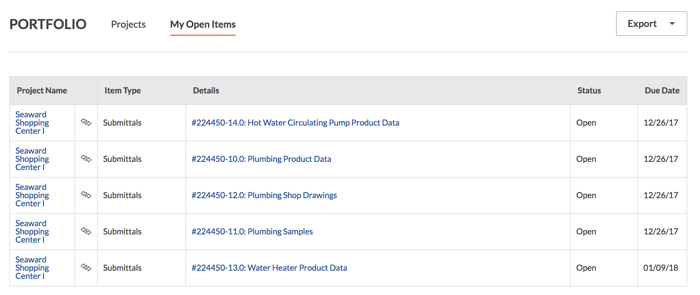
Users with 'Read Only' level permission or higher on the company's Portfolio tool can click the My Open Items link to view a list of all the tasks that have been assigned to you in the company's projects. See View My Open Items in the Portfolio Tool.
Project Home: My Open Items
User's with 'Read Only' level permission or higher on the project's Home page can scroll to the My Open Items area. If you are not seeing an item in your My Open Items list, see Why is the "My Open Items" list not showing tasks that have been assigned to me?
Assignment Report
User's with permission to the company's 360 Reporting tool can view the Assignment Report that will break down all items assigned to the specific user. Among other things, the report provides the project name, tool, link to the item, and the status of that item. This is a great way to manage all of your action items across your different projects.