What is the difference between SP- and IdP-Initiated SSO?
Background
Single Sign-On (SSO) allows you to use one set of login credentials to access multiple applications, including Procore. Depending on how your organization configures access, you can initiate the login process either directly from the Procore login page or from your organization's internal portal. Knowing where to start helps ensure a seamless authentication experience.
Answer
The primary difference is where the authentication workflow begins: at the Procore Login page (Service Provider) or inside your organization's sign-in dashboard (Identity Provider).
Feature | IdP-Initiated | SP-Initiated |
|---|---|---|
Where users sign in | You company's SSO portal |
|
How users sign in | Click the Procore app tile in your company portal | Enter your SSO email at |
Traffic flow | IdP → Procore | Procore → IdP → Procore |
See the Difference
These diagrams illustrate each flow.
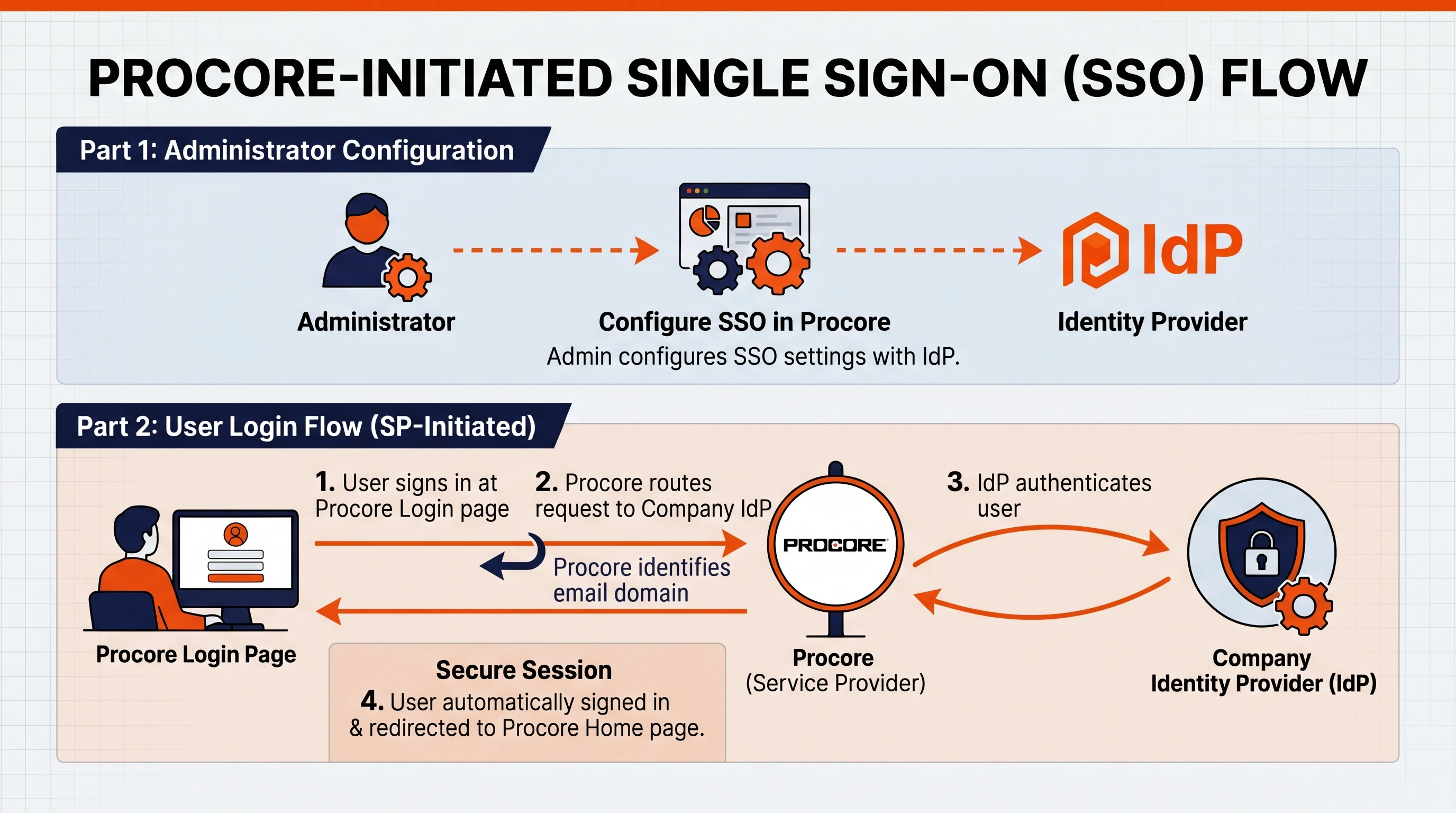
SP-Initiated Authentication Flow
An SP-initiated flow starts at the Procore Login page.
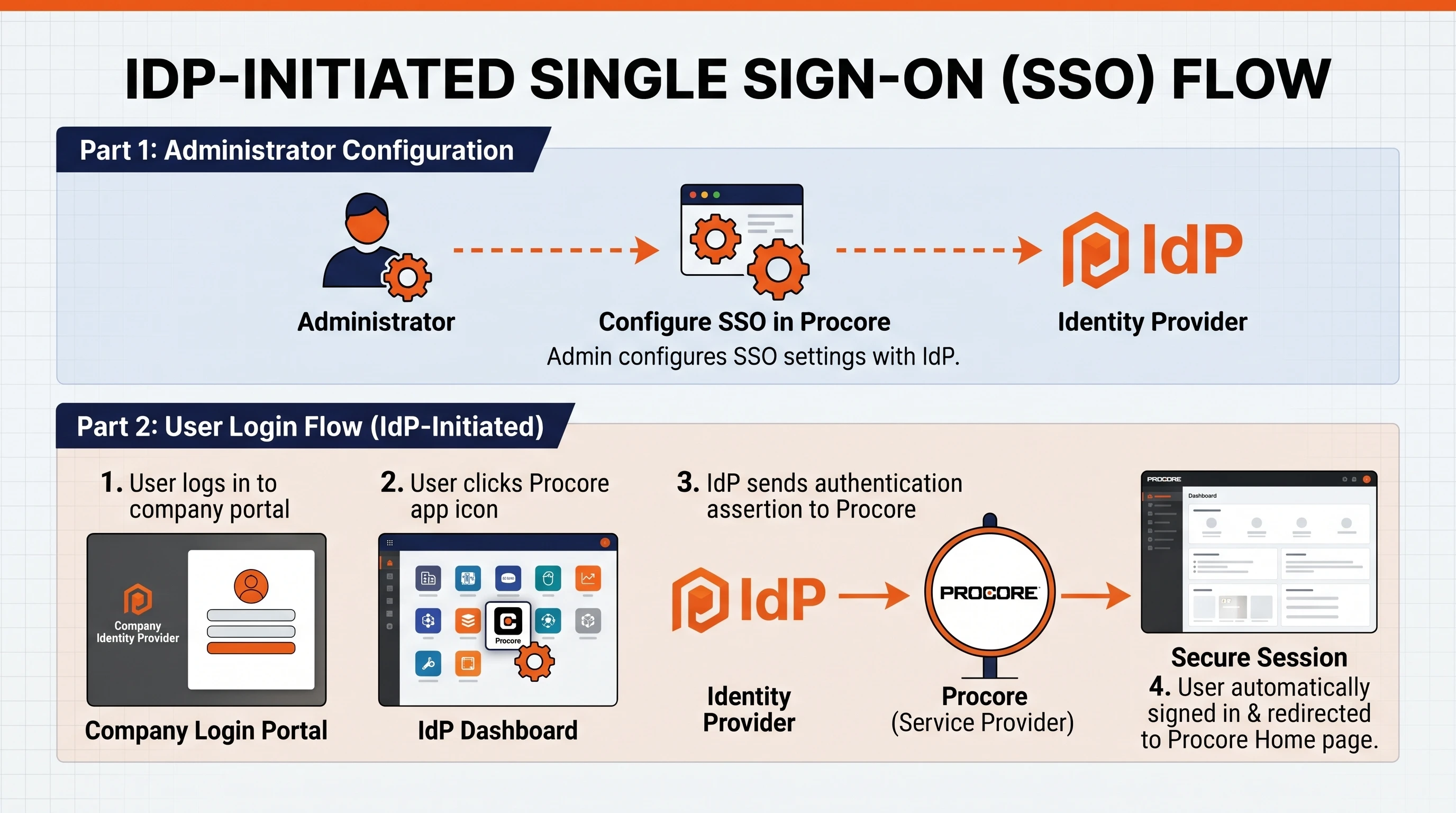
IdP-Initiated Authentication Flow
An IdP-initiated flow starts at your company's IdP portal.
See Also
Loading related articles...