Create a Concept Project
Background
Concept projects allow you to estimate costs, build preliminary budgets, and track pre-construction data without affecting active project analytics. Using these temporary project shells ensures your financial reporting remains accurate while you plan upcoming workloads.
Things to Consider
Required User Permissions on the Company Portfolio tool.
Additional Information:
Financial data recorded within a concept project does not aggregate into active company-level financial overview tools.
After a contract is awarded, you can update the project status from concept to active to begin construction tracking.
Concept projects have access to limited tools. For more information, refer to What are Concept Projects?
Steps
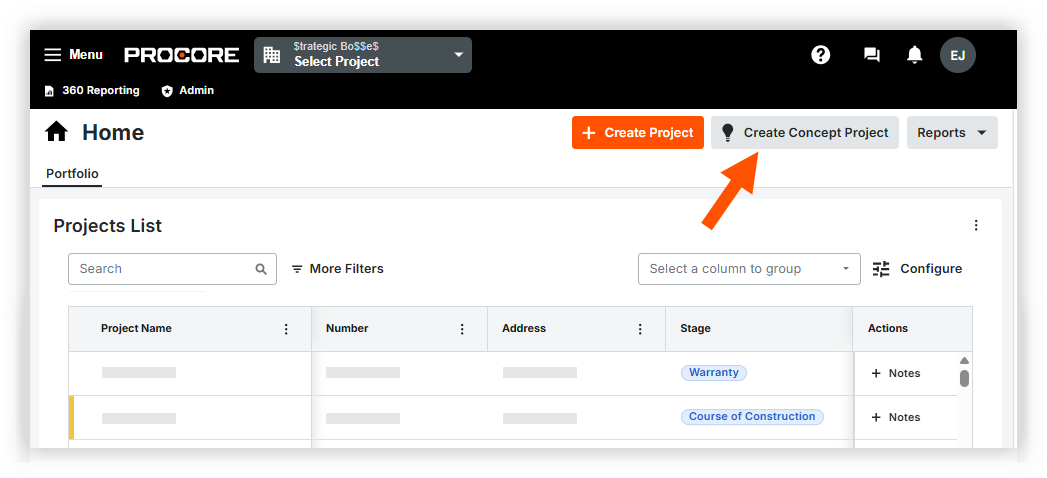
Navigate to the company's Portfolio or Home tool.
Click Create Concept Project.
Optional: Select a Project Template from the dropdown menu.
Enter a Project Name.
Optional: Enter a Description.
Click Create Concept Project.


See Also
Loading related articles...