How are financial line items and budget codes updated across change objects?
Answer
Maintain budget codes across line items in sync
When creating variations from change events, the budget code(s) in the variation's A bill of quantities (BOQ) is a list of line items that details all the agreed-upon costs (for example, labour, materials and so on) on a project. Abbreviated as BOQ, it itemises the contract amount into individual pay items to show how the entire contract sum is allocated to all of the project’s work. A BOQ is also based on the project’s approved budget and commonly used to determine progress payments to the contractor(s).
Impacted change objects include:
Main contract PV BOQ
Main contract variation BOQ (if using one (1) tier variations. See What are the different variation tier setting in Project Financials?)
Change Events
Change event line item view (See View the change event line item view.)
Commitment variation & commitment potential variation BOQ
Commitment BOQ
When the 'Maintain budget codes across all line items in sync' setting is enabled at a Company level, all current and new projects will have this setting turned on. If you do not want this setting enabled, it can be turned off for a project within change event settings.
Procore does NOT apply setting changes to existing objects retroactively.
When setting is turned off
When change event line items are linked to both commitment variations and/or potential variations, those change event line item's budget codes, vendor and contract become locked and cannot be edited.
When budget codes are updated and line items are added from the commitment variation/potential variation BOQ, those changes do NOT update the information in the change event. In the case the change event is linked to a commitment variation, vendor and contract fields are also locked along with the line item.
When setting is turned on (default when enabled)
When change event line items are linked to editable variation BOQ, those change event line item budget codes, vendor and contract will become editable. However, when linked to a commitment variation or commitment, vendor and contract will remain locked until disassociated with current commitment.
If all linked change objects are ‘editable’, when budget codes are updated and/or line items are added from the variation BOQ, those changes will update the line item in the connected change object.
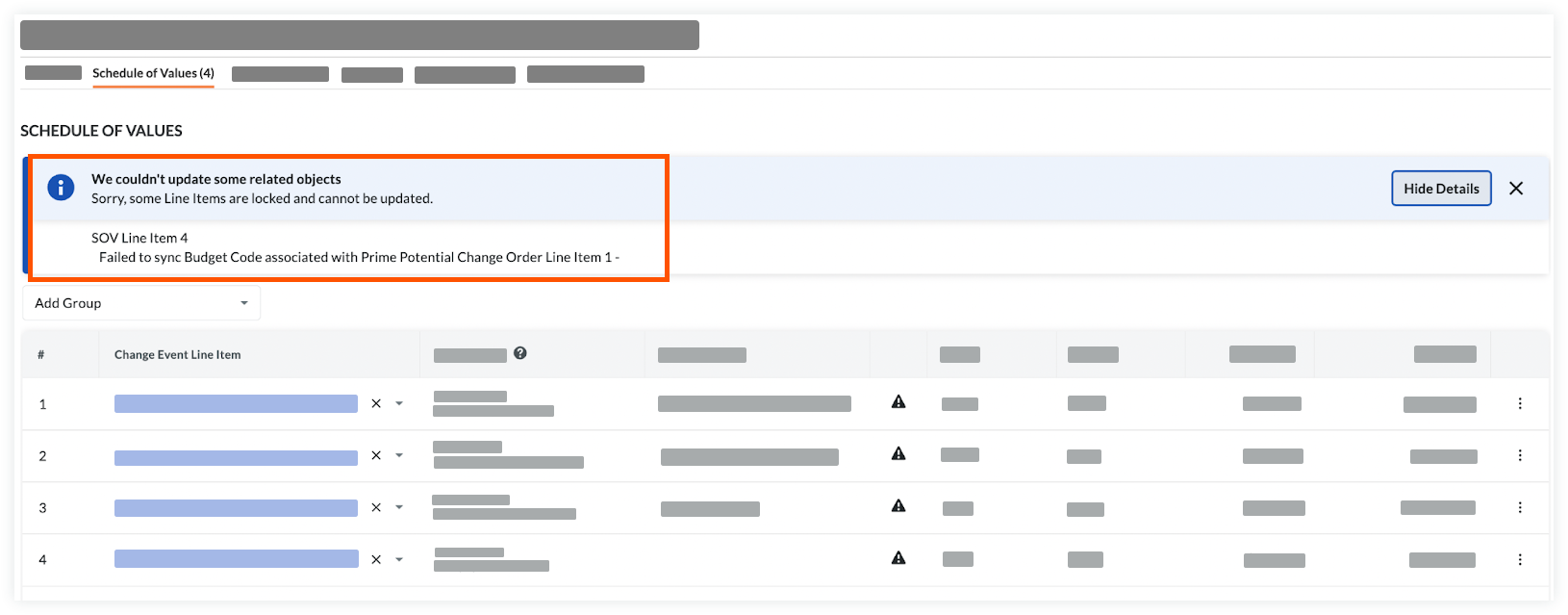
If change events are linked to approved or ‘uneditable’ change objects, the budget codes for both the change event line item and approved variation will remain locked. If then connected to another ‘editable’ change object (ex. CV), when the user updates linked line items’ budget code, they will be informed that, “some line items are locked (on the change event and PV) and could not be updated”
A line item in a change event is editable when:
The change event is linked to draft or unapproved variations.
The corresponding contract or variation is in an unapproved status. See: What are the default statuses for variations in Procore? What are the default commitment status in Procore?
A line item in a variation bill of quantities is editable when:
The status is in an unapproved state.
The 'Enable always editable bill of quantities' setting is turned ON. See Configure advanced settings: Commitments and Configure settings: Main contract.
Change objects are not editable when:
The object is in an 'Approved' status.
The project has a custom approval workflow. See Workflows.
The project's contract and variation data is synced with an enterprise resource planning integration.