Which email are affected by the update inbound email communication setting in Procore?
Background
Each project has several unique email addresses that users can reply-to while in the tool. You can view them from the individual tools associated with the email address. There are three types of email that can be used at the tool-level:
Inbound email
Email button
Project level email
Forwarded object email and tool-level inbound email addresses
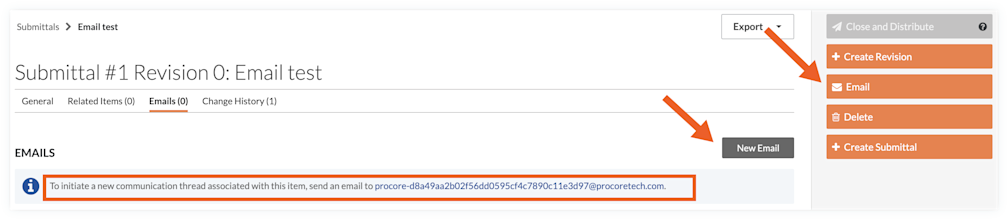
Forwarded object email are email sent within an object's in tool using the ‘Email’ button in the object’s sidebar or the 'New email' button within the object’s subtab. These email take the form 'communication-xxxx@procoretech.com'.
Each tool within Procore has it’s own tool-level inbound email address found in the ‘email’ subtab of the object. This email takes the from 'procore-xxxx@procoretech.com' as pictured below.
You can use this email address by clicking the 'Email' button in the sidebar, clicking the 'New email' button or clicking the email address linked under the 'Email' heading.
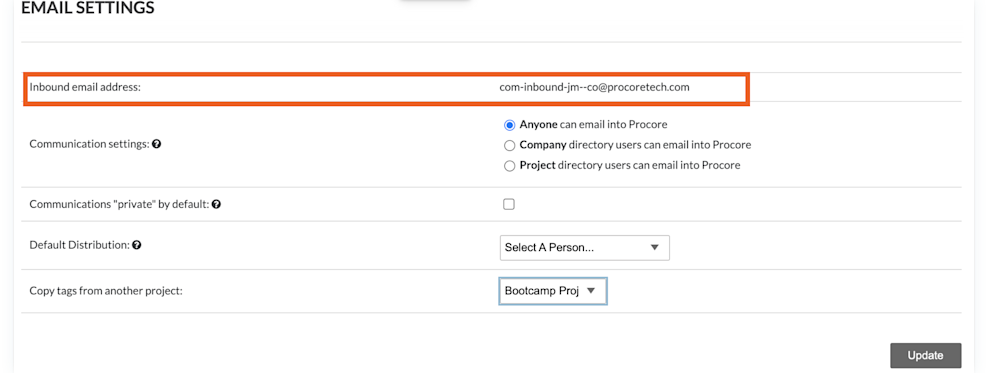
Project level inbound email address
This email is available within the Email tool and is used to send email into the Email tool in Procore.
See Also
Loading related articles...