Preconstruction report (Beta)

The Analytics Preconstruction report provides immediate insight into the effectiveness of your tendering and estimating processes. It highlights packages with low coverage, allows for side-by-side tender comparisons, evaluates vendor reliability and tracks estimate accuracy throughout different design phases. With direct links to Procore for quick actions, this report enhances competition, improves cost control and supports more confident decision-making.

Current versions

  • 1.0

Procore tools used in the Preconstruction report

  • Tendering

  • Estimating

Report pages

Tender coverage

The Tender Coverage report page provides Preconstruction teams with a real-time overview of tendering activity across all projects. This helps them quickly identify areas with strong, weak or at risk coverage. By highlighting under-covered packages and indicating which vendors have submitted or committed to tenders, the report enables teams to take prompt action to enhance participation, ensure healthy competition and minimise risk exposure. This page helps Preconstruction managers to stay ahead of potential issues by making it easy to monitor open tender packages, track vendor engagement and prioritise follow-up actions in areas that need immediate attention.
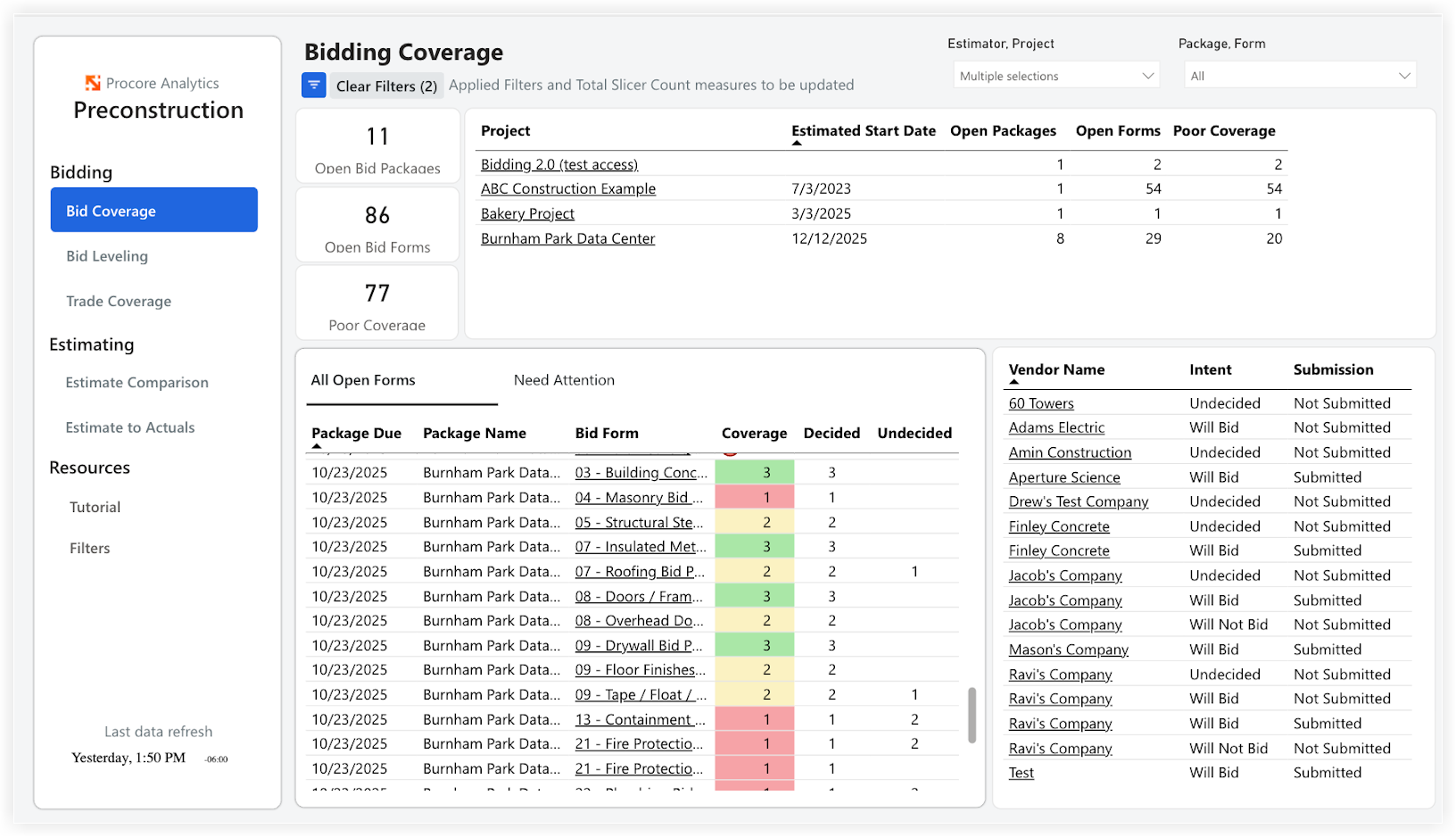
Procore Analytics Preconstruction Report - Bid Coverage Page

Tender levelling

The Tender Levelling report page provides Preconstruction teams with a centralised view of all vendor tenders. This page allows them to compare pricing across different package, identify outliers and evaluate vendor performance with confidence. By combining current tender data with historical trends in responses and awards, this page helps teams confirm that the scope is complete, ensure fair competition and make informed decisions about awards.

Note

By default, the page displays a company-wide overview across all projects. Use the estimator or project filters to narrow down to a specific project and review the tender packages and estimate forms relevant to that project.
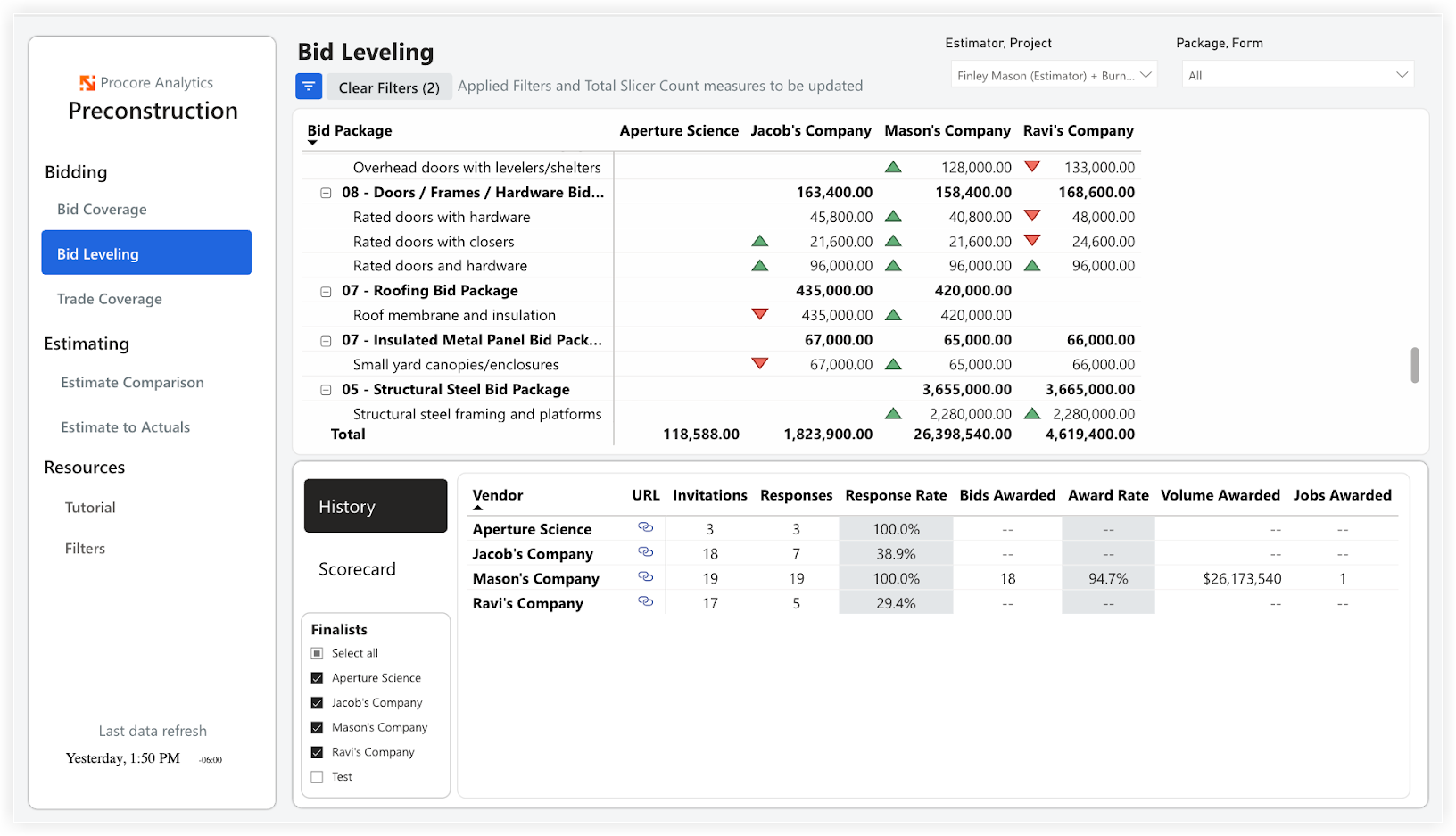
Procore Analytics Preconstruction Report - Bid Leveling Page

Trade coverage

The Trade coverage report page highlights trades and regions with low vendor participation, enabling teams to quickly spot coverage gaps and understand where competition may be scarce. From this page, users can also access the Procore Construction Network to find additional vendors for the chosen trade and region.

Note

The number at the intersection of a trade and region indicates the average number of vendors submitting tenders per project for that trade and region. Use this metric to identify areas with limited competition. Click on the value to access the Procore Construction Network and explore more vendors.
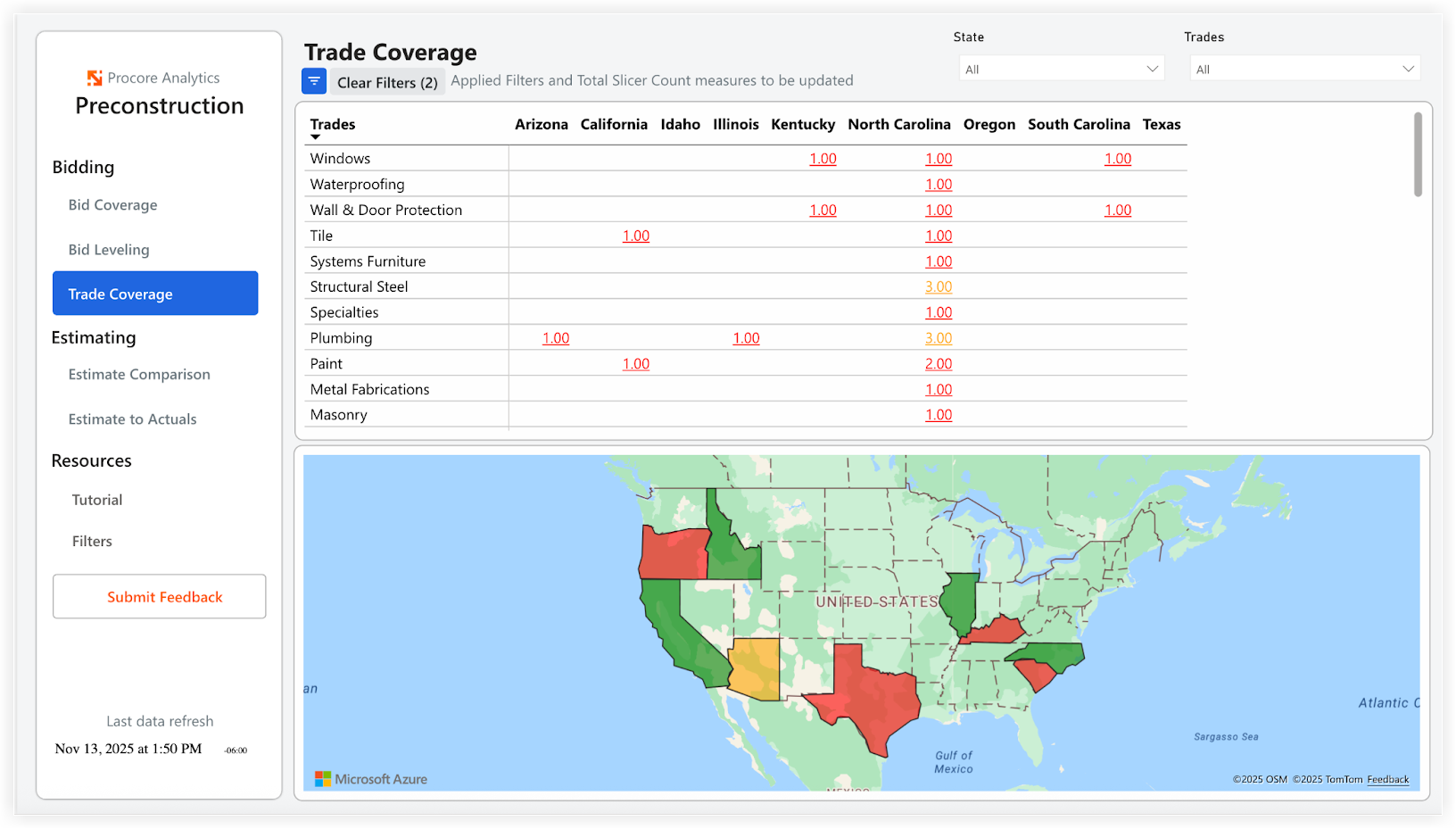
Procore Analytics Preconstruction Report - Trade Coverage Page

Estimate comparison

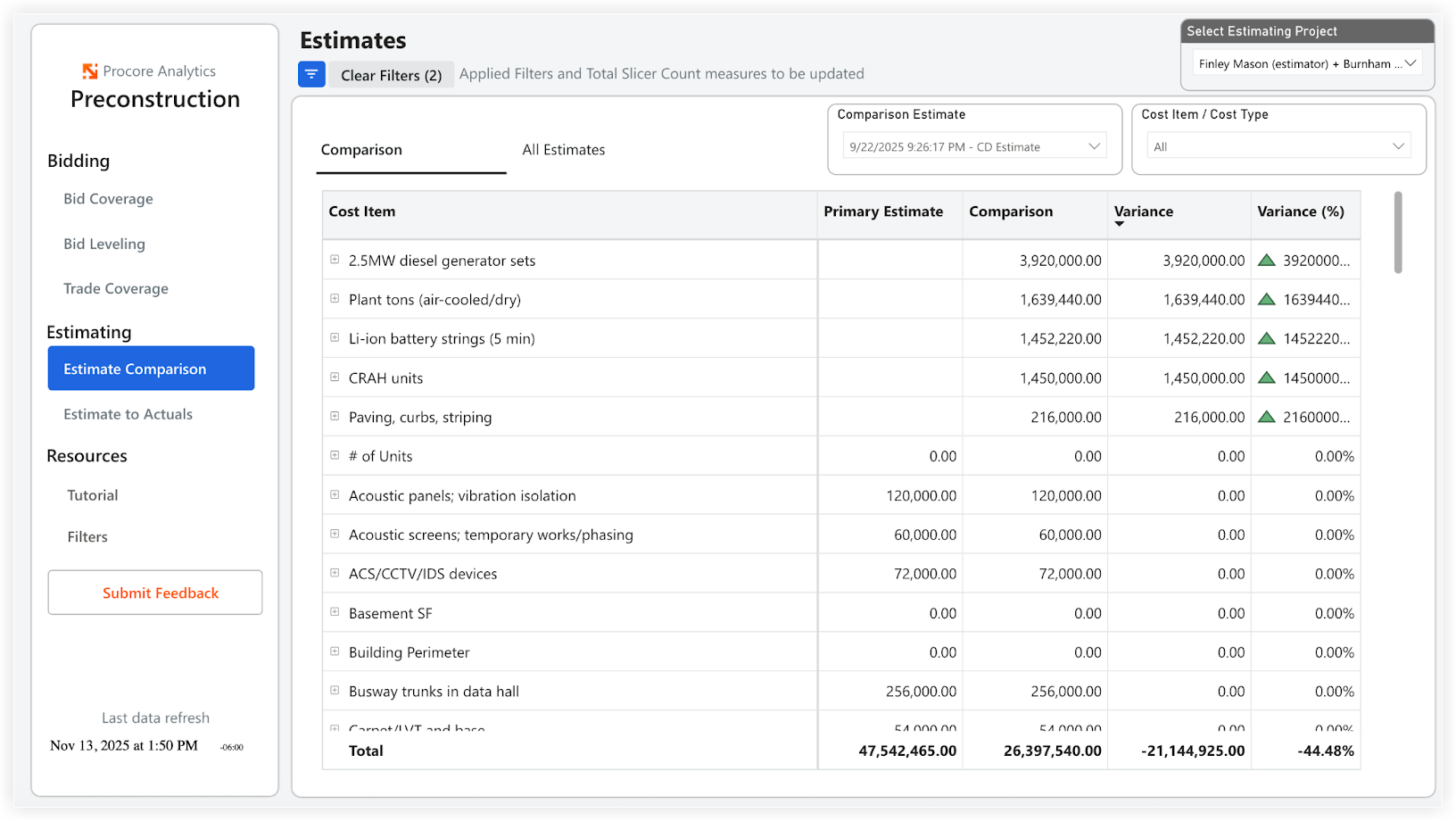
The Estimate Comparison report page helps you understand how your project estimates evolve and develop across different design phases. By comparing any two versions of estimates side by side, you can quickly identify scope changes, cost fluctuations and variances at both high and detailed line-item levels. This page provides you with clearer insights into why estimates change, where significant differences arise and how closely your estimates align with the final Budget. It ultimately support better forecasting, scoping and decision-making for future projects.

Note

To get started with the Estimate comparison page, select the estimating project using the slicer on the page. Then choose the estimate you wish to compare against the primary estimate.

Procore Analytics Preconstruction Report - Estimate Comparison Page

Estimate to actuals 

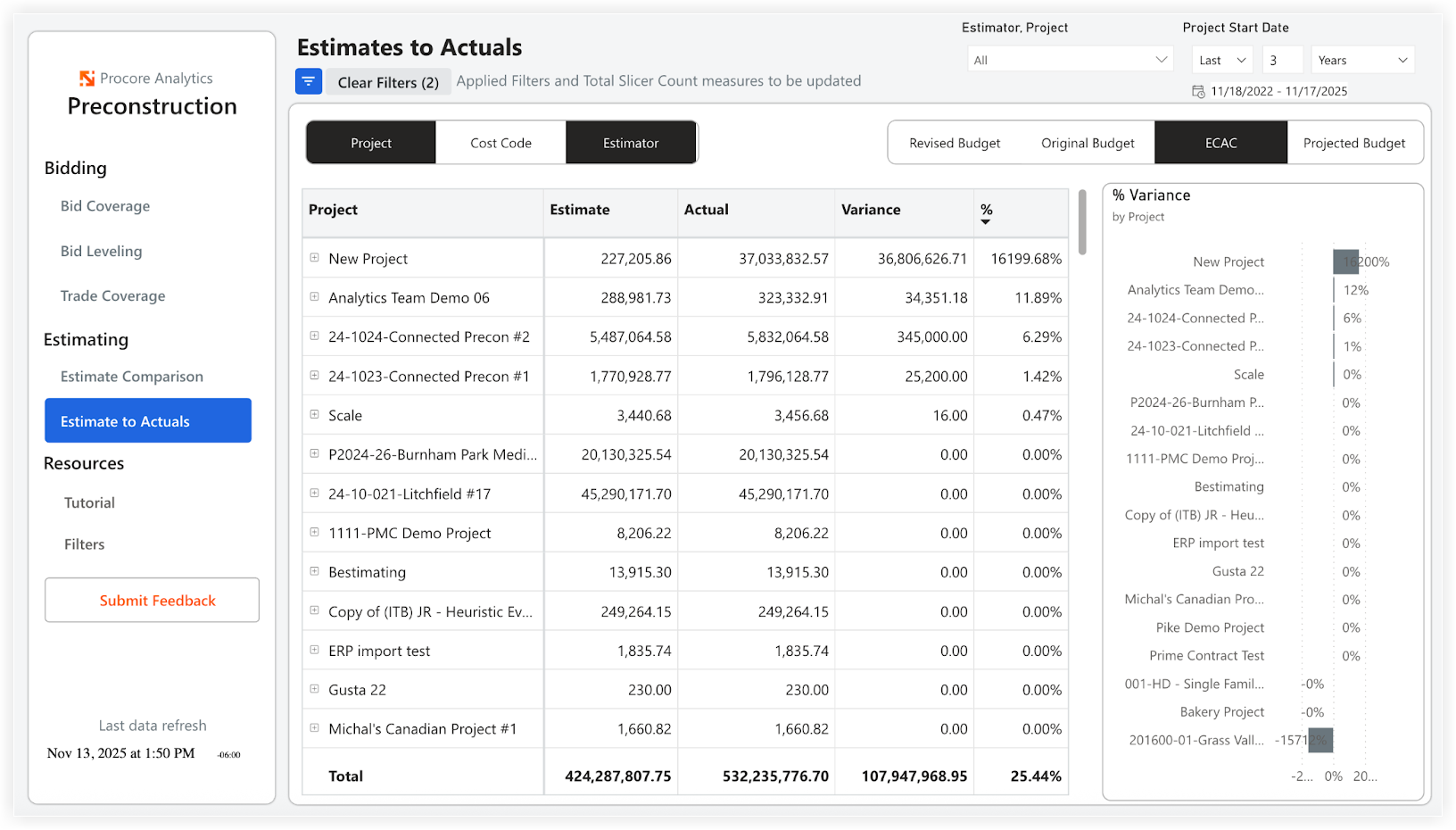
The Estimates to Actuals report page provides a summary of the differences between your final estimates and the actual cost of the project. You can analyse this variance by project cost code or estimator, allowing you to identify who is the most and least accurate in their estimates. The charts highlight the top projects, cost codes or estimators with the largest variances.

Note

You can define what “Actual” means by selecting either the Revised Budget, Original Budget, ECAC or Projected Budget.

Procore Analytics Preconstruction Report - Estimate To Actuals Page

Tender win/loss

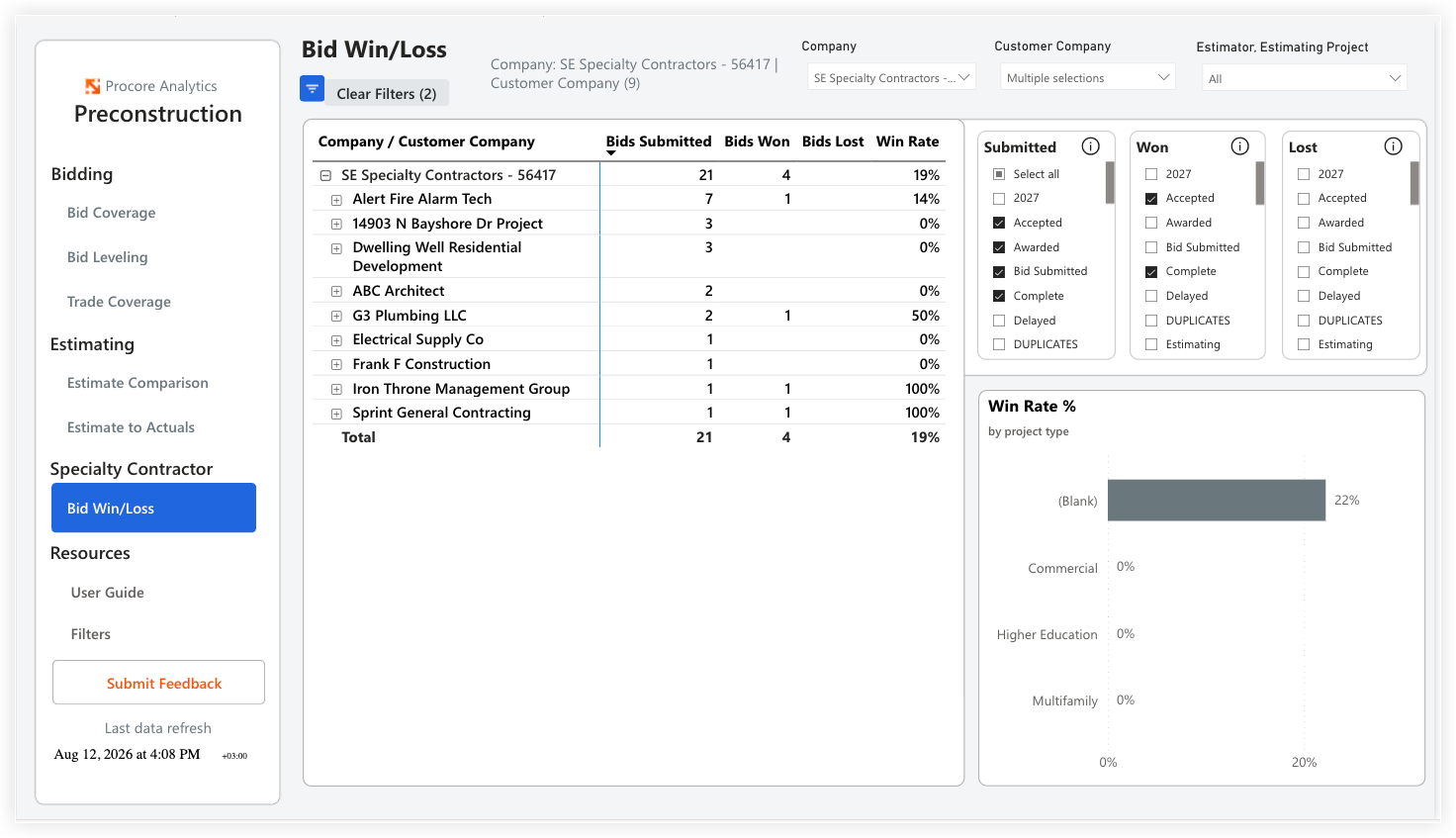
The Tender Win/Loss page provides speciality contractors with a summary of their tendering performance across the main contractors and customer companies they pursue work with. You can analyse performance by company, trade or project type to identify your most consistent customer relationships and market segments. The visuals highlight the companies you tender to most frequently along with your win rate for each and break down your overall win rate by project type.

Note

You can define what counts as a "Tender submitted", "Tender won" and "Tender lost" by selecting the tender status that map to each outcome. Because tender status are customisable for each company, this serves as an on-the-fly configuration so the report accurately reflects your organisation's tendering workflow.

Procore Analytics Bid Win/Loss dashboard showing bid statistics table and win rate chart by project type for SE Specialty Contractors.