Configure tool settings from the Company Admin tool
Background
The tool settings area in the Company level Admin tool's sidebar lets you configure a variety of options for the project tools being used with your company's Procore account.
Things to Consider
Additional Information:
To configure setting for a Procore project, see Configure setting: Project admin.
Tasks
Navigate to the Company level admin tool. This reveals the admin page.
Look for Tool settings in the side panel.
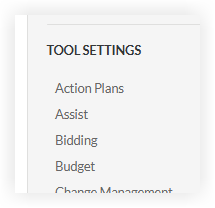
Once you've located Tools settings, click a tool link (i.e., Budget, Directory or Drawings) to customise how your team interacts with that specific tool. Available setting depend on each tool, you will generally see options to:
Configure default: Set naming conventions or default distribution list.
Permissions: Manage who has access to what within that specific tool.
Custom fields: Add unique data points that your company wants to track.

Want to learn more? To learn about the specific settings and advanced configurations for a tool, search for the tool's product manual on the Support Site.