Enable participation in Procore user surveys
Background
Procore will periodically send you a survey to request feedback about your user experience if you enable participation in the survey programme.
Things to Consider
Required User Permission:
'Admin' level permission on the Company level Admin tool.
Steps
Navigate to the Company level Admin tool.
Under 'Company setting', click General setting.
Mark the Enable Surveys in Procore tickbox.
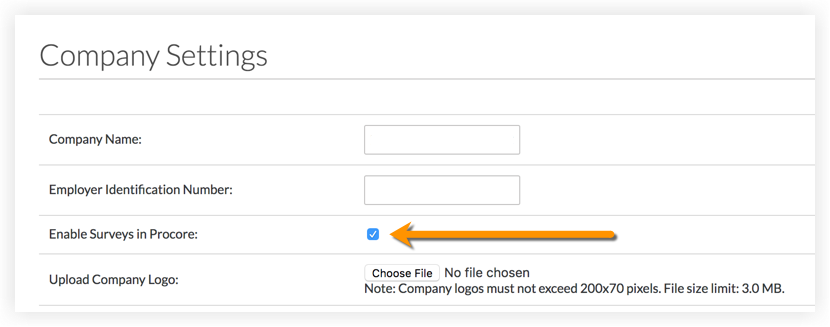
This indicates that your company wants to participate in Procore's user survey programme.
See Also
Loading related articles...