Submit a pre-tender question
Things to Consider
If you reply to an email, it is saved in the Planroom's tender package.
If you are invited to tender on a project that is being managed using Procore, you should have received an email invitation in your inbox like the example given below.
Make sure to log into Procore using the email address where you received the invitation.
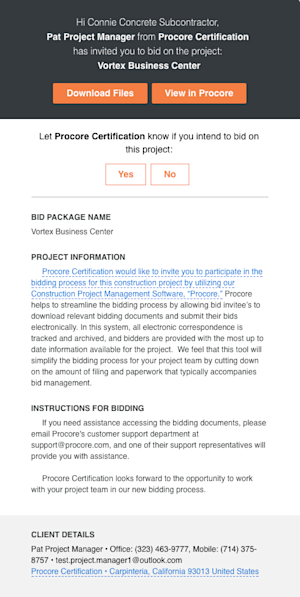
Prerequisites
You must be invited to submit a tender. See Search for and invite tenderers.
Steps
There are two ways you can submit a question/RFI to the project's main contractor:
Reply to the invitation email
Respond to the invitation email with your question or RFI and the main contractor will receive an email. They can respond directly back to your email.
Send an email from the Planroom tool
Navigate to the project's Planroom tool after you log into Procore.
Click on the tender package you want to submit a pre-tender question/RFI about.
In the 'Contact information' section, click Email.
Important!If your external email client does not open after clicking Email, ensure your browser's protocol handlers are configured correctly. The steps below are for Google Chrome, our recommended browser.
Show / hide details
In Google Chrome click the ellipsis
 icon in the upper right corner.
Click settings.
Click Privacy & security in the left hand column.
Click Site settings.
Click Additional permissions to expand the menu.
Click Protocol handlers.
Ensure Sites can ask to handle protocols is selected.
If your email client is listed under 'Not allowed to handle protocols', click the X to remove it.
Gmail
Navigate to mail.google.com in your Chrome browser. Refresh the page if Gmail was already open.
Click the Protocol Handler (intertwined diamonds) icon in the address bar.
Select Allow.
Click Done.
In your email client, write your pre-tender question and send the email.