Create a template collection for tendering
Background
A template collection serves as an internal library of standardised tender form. Instead of project team building scopes of work or line item breakdowns from scratch for every single project, they can pull pre-configured form directly from a central collection. This ensures that cost item, alternates and custom questions are captured consistently across your entire organisation.
Things to Consider
Required user permissions on the company's Tendering tool.
Additional Information:
At least one (1) template collection must be created before tender templates can be created.
Steps
Navigate to the company's Tendering Templates tool.
Select the Template collections tab.
Click + Create in the 'Template collections' section.
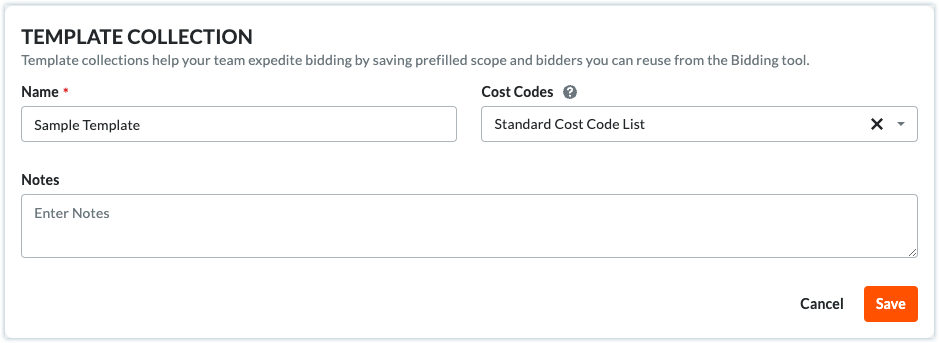
Enter the following information:
Note: Required fields are indicated by an asterisk (*).Template collection:
Name*: Enter a name for the template collection.
Cost code: Select the cost code list to use in this template collection.
Notes: Enter any notes associated with the template collection.
Click Save.

Next Steps
See Also
Loading related articles...