Enable financial markup on a commitment

Background

You can enable financial markup capabilities on individual commitments. This gives your project user's ability to apply financial markup to commitment variations (CVs) as described in Add financial markup to commitment variations.

 Note

Keep in mind that your user can only apply financial markup to CVs. Although the setting to turn the feature on set on a commitment, user cannot apply financial markup to a commitment's original bill of quantities (BOQ).
Things to Consider

  • Required User Permissions:

    • 'admin' level permission on the project's commitment tool.

Prerequisites

Steps

  1. Navigate to your project's commitment tool.

  2. Under the Contracts tab, locate the purchase order or subcontract.

  3. Click the contract's Number link to open it.

  4. Click the Advanced settings tab.

  5. Click the Edit button.

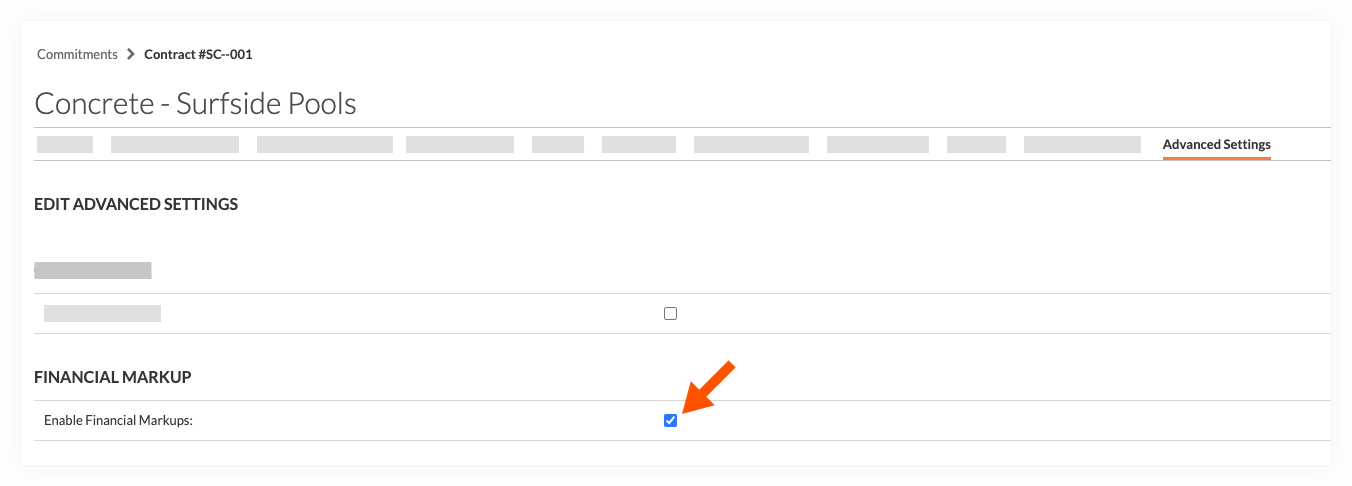
  6. Under the Financial markup section, click the Enable financial markups tickbox.

    Enable Financial Markups

  7. Click Save.

See Also

Loading related articles...