Export object data from a model file
Things to Consider
Required User Permissions:
'Read Only' or higher permission to the project's Documents tool and model tools.
Additional Information:
Currently, only Revit® files are supported.
After the export is complete, you will receive an email with a CSV file containing the object data.
Prerequisites
This feature is only available in accounts with Procore's Building Information Modelling product.
The file you want to export object data from must have successfully processed in the Documents tool (shown with a green tick
 ).
Steps
Navigate to the Project level Documents tool.
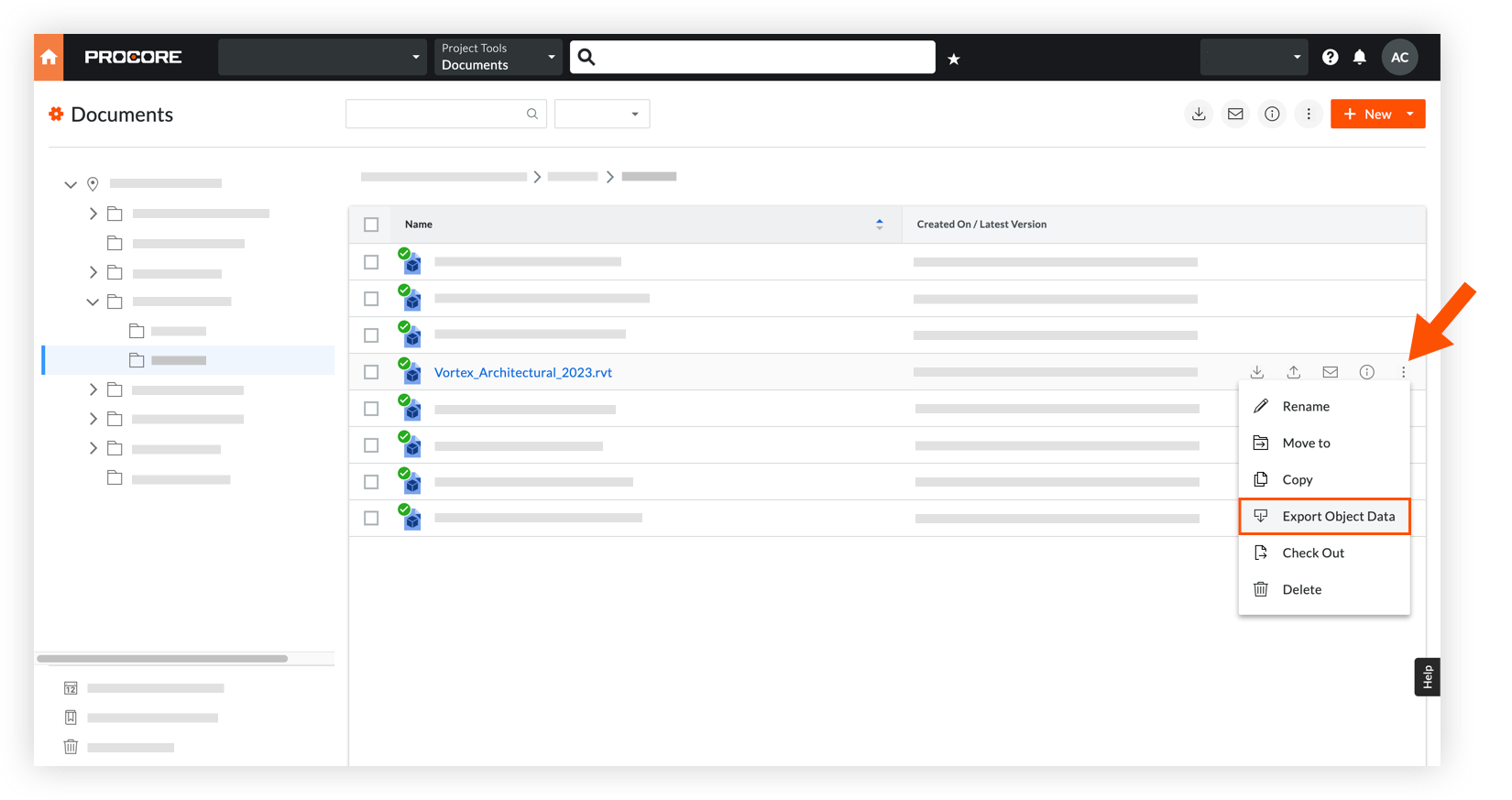
Right-click on the file and select Export object data.
Note: You can also click the vertical ellipsis icon while the file is selected.
After the export is complete, you will receive an email with a CSV file containing the object data.
See Also
Loading related articles...