Configure default payment application methods for commitments
Background
Project administrators can set a default payment application method either Simplified Payment Applications or Construction Progress Payment Applications for new subcontracts and purchase orders. This ensures that new contracts will automatically use the preferred payment application style for your project.
Things to Consider
Required User Permissions:
'Admin' level permissions on the project's Payment Applications tool.
Steps
Navigate to the project's Payment Applications tool.
Click the settings icon.
Under Default, locate the Subcontract payment applications or Purchase order payment applications section.
Select Simplified Payment Applications from the Default Payment Applications method drop-down menu.
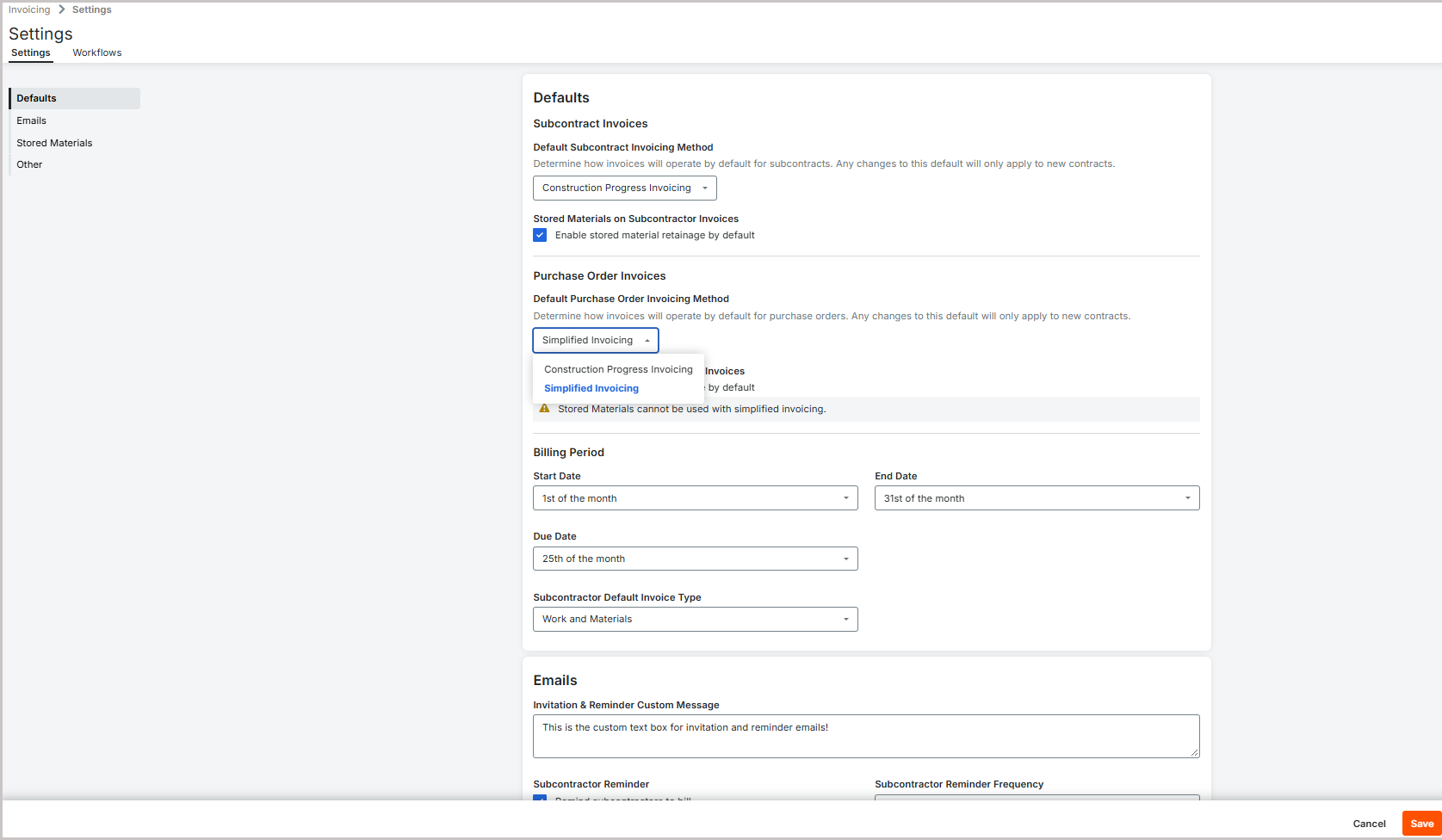
Click Save.

Changes to these defaults only apply to new contracts created after the setting is updated.