Publish a new version of a model
Publishing a new version of a model to Procore is necessary when any changing any of the published model geometry, such as altering sectioning. If you only need to edit information for a model, you can edit it in the model tool. See Edit information for a model.
Things to Consider
When publishing a Navisworks® model to Procore:
File formats: support NWD and NWF only
Section boxes: support specific views of your model. See Add a section box to a model.
Section planes: not supported
Steps
Open the source file in the Navisworks® application on your computer.
Click the Procore tab.
Click Publish to open the model window.
In the model window, hover over the model that you want to publish a new version of and click Publish version.
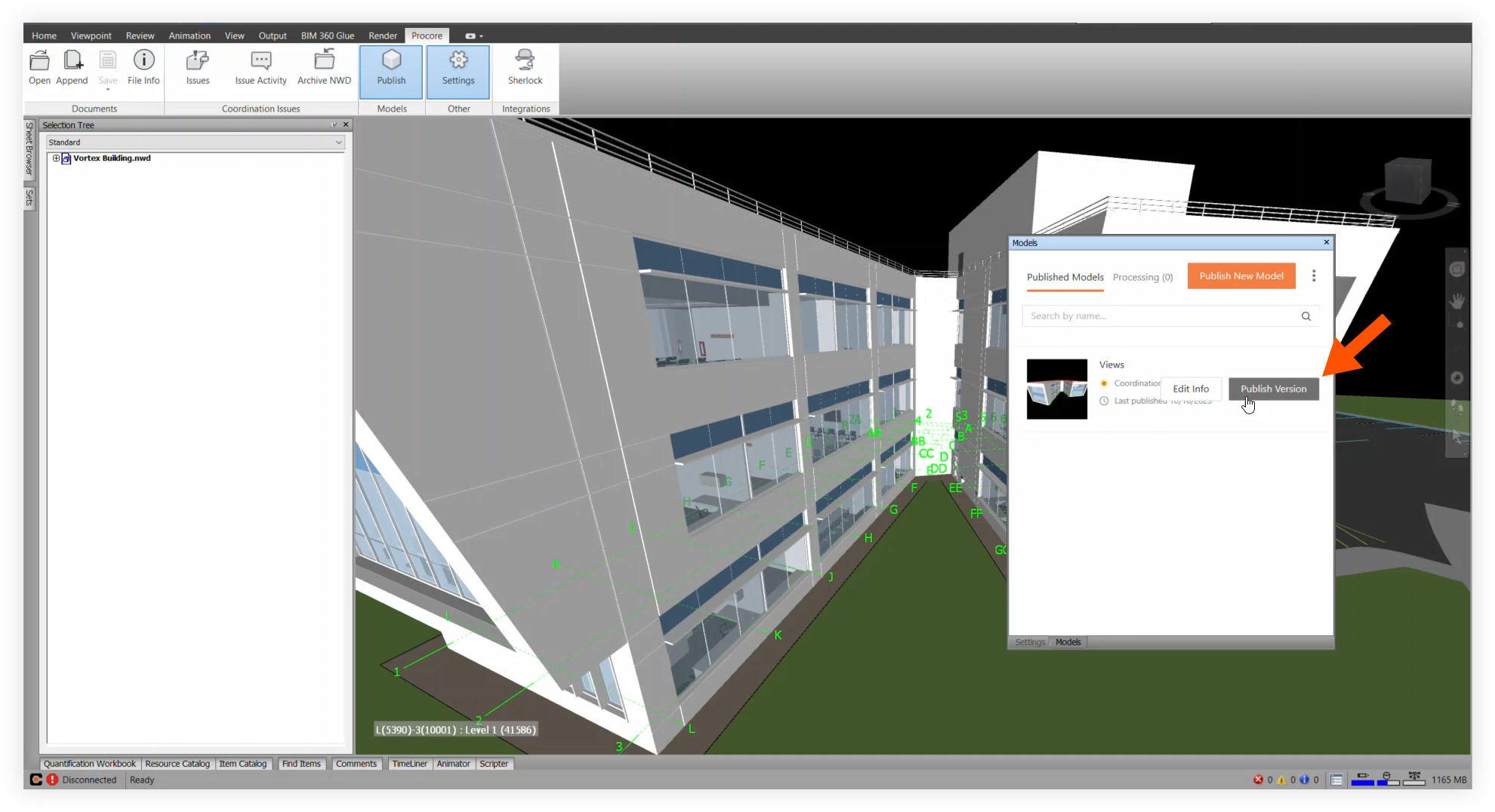
Make any necessary adjustments for the new version of the model.
Click Publish to publish the new version.
See Also
Loading related articles...