Cancel disbursements before authorisation as a payor

 General availability in select markets (United States)

Flag Us Procore Pay is available in the United States. It is designed for main contractors and owner-builders who act as their own main contractors on a job. Procore Pay extends the payment application management functionality in the Procore web application to handle the payment process between main and specialty contractors.
Background

Payment admins and payment disbursers can only cancel disbursements before they are authorised for payment processing. The steps that you use to cancel a disbursement depend on whether your team has configured a custom payment workflow to authorise disbursements:

  • If your team is using a workflow, user can cancel disbursements at any time during the steps in the payment workflow before the disbursement is authorised.

  • If your team isn't using a workflow, users are permitted to cancel disbursements before clicking the Authorise button.

Things to Consider

Prerequisites

Video

Steps

  • Cancel a new disbursement before authorising it with a payment workflow

  • Cancel a new disbursement before authorising it without a payment workflow

Cancel a new disbursement before authorising it with a payment workflow

If your company is using a custom payment workflow, payment admins and payment disbursers can cancel a disbursement while the workflow is in progress, as long as has not been authorised for payment processing.

  1. Create a new disbursement. See Create disbursements.
    When Procore Pay is configured to use a custom payment workflow, you'll see the Show workflow button in the top-right corner of the window.

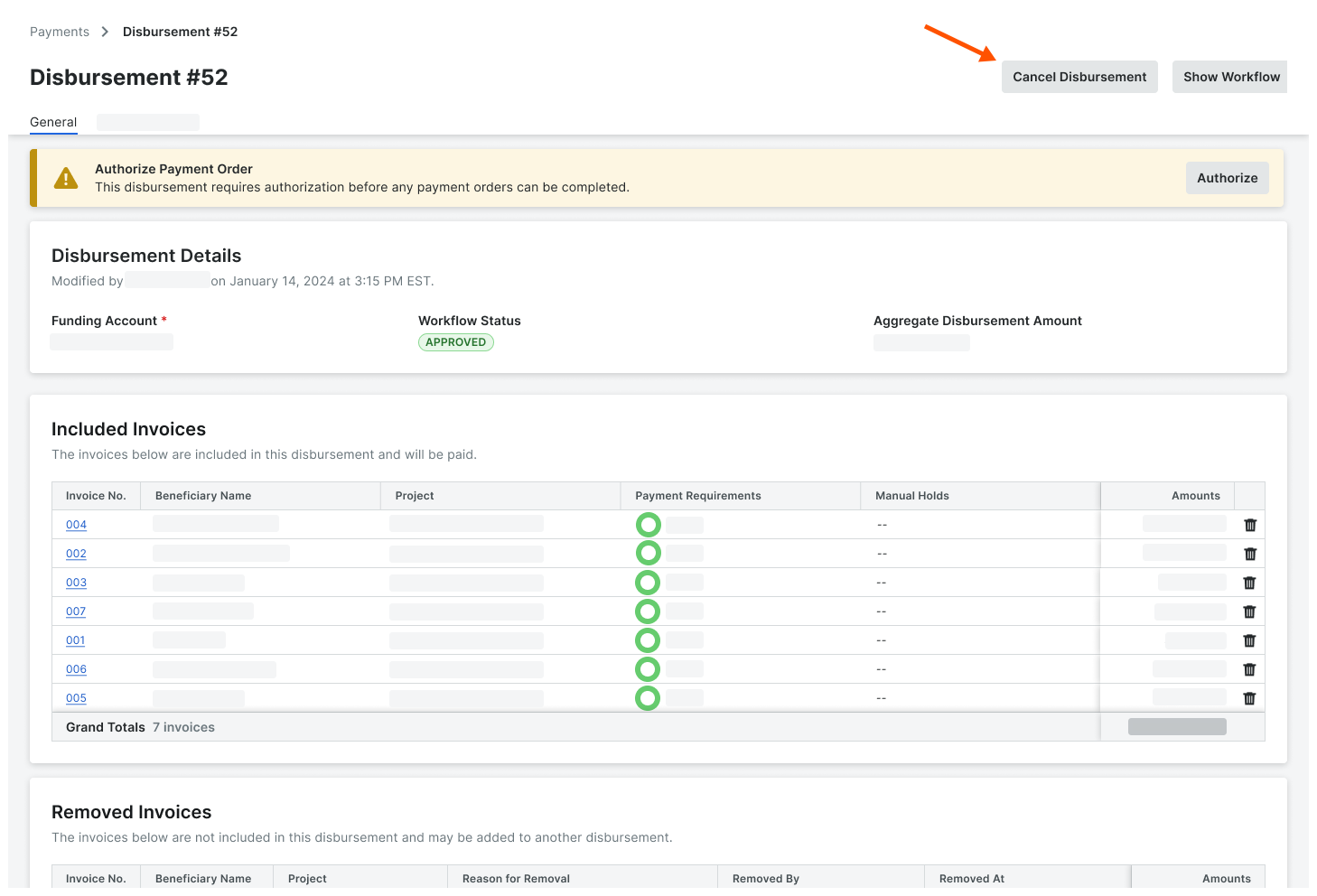
  2. In the General tab, click Cancel disbursement.

    Cancel Disbursement Button

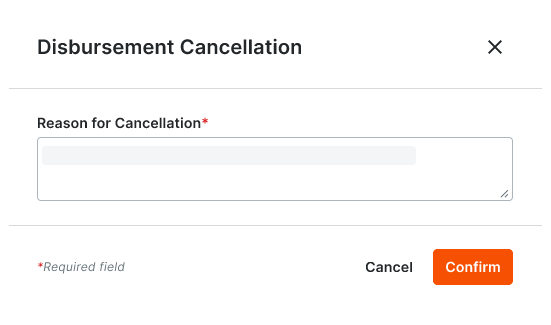
  3. In the Disbursement cancellation prompt, type your reason in the Reason for cancellation box.

    Confirm Disbursement Cancellation

  4. Click Confirm.
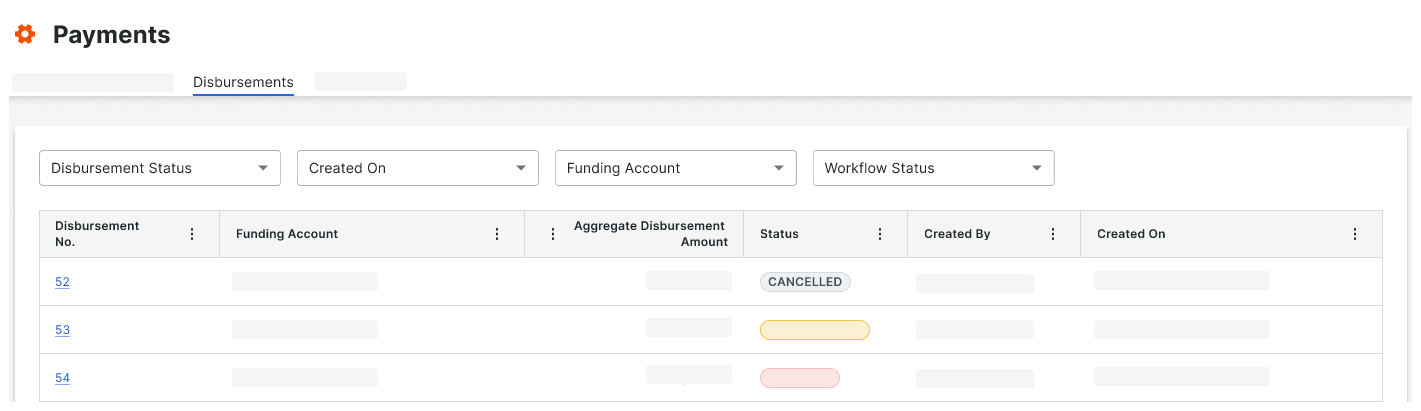
    Procore Pay changes the disbursement's status changes to Cancelled in the Disbursements tab. If you click the Payment application No. link the Workflow status also changes to Cancelled. In addition, the workflow history is cleared. To learn more about disbursement status, see What are the default workflow status for disbursements in Procore Pay's custom payment workflow?

    Disbursement Cancelled

Cancel a new disbursement before authorising it without a payment workflow

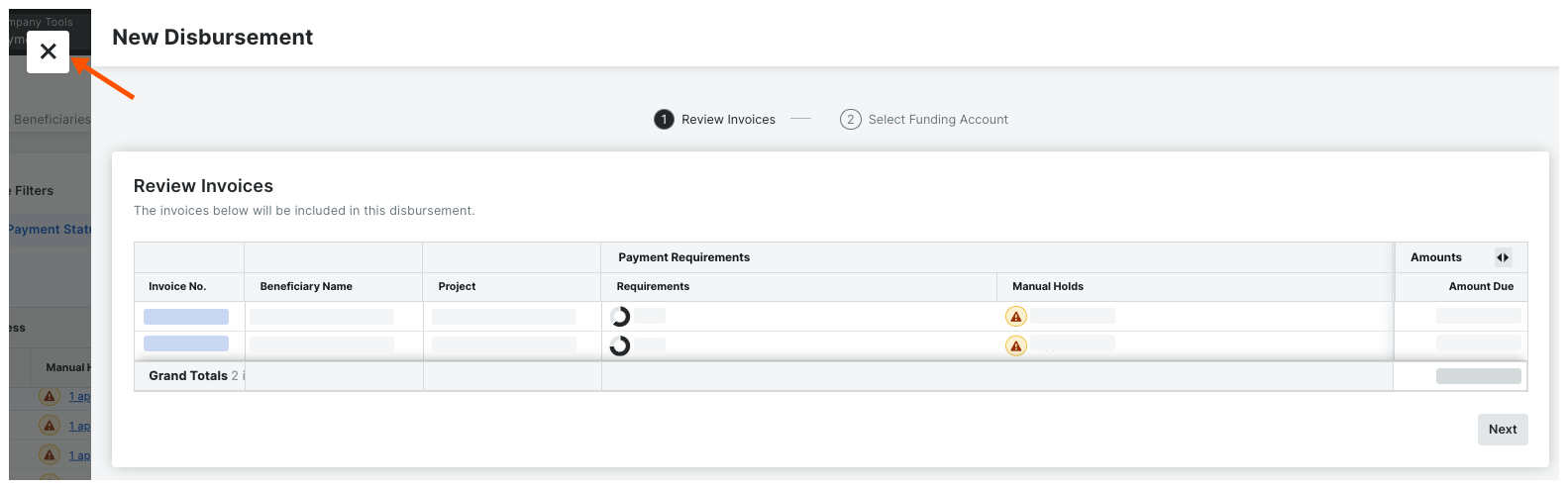
When creating a new disbursement, payment admins and payment disbursers can cancel it before authorisation. Simply click the X to close the New disbursement form. This closes the New disbursement form without saving the disbursement. You do not need to enter a cancellation reason.

Cancel New Disbursement

See Also

Loading related articles...