Delete lien waiver templates

 General availability in select markets (United States)

Flag Us Procore Pay is available in the United States. It is designed for main contractors and owner-builders who act as their own main contractors on a job. Procore Pay extends the payment application management functionality in the Procore web application to handle the payment process between main and specialty contractors.

Background

Only payment admins and payment disbursers can delete a custom lien waiver template in the payor environment. This permanently removes any custom lien waiver templates from Procore Pay and the system no longer uses it to generate lien waivers on new project payment applications. Any previous lien waivers generated from the template on the project's existing payment applications can continue to be previewed, signed and viewed.

Things to Consider

  • Required User Permissions

  • Additional Information:

    • Lien waivers are powered by Levelset, a Procore company.

    • You do not need to create a Levelset account with Procore Pay. See Do I need to create a Levelset account for use with Procore Pay?

    • Before deleting a template, be aware that:* The default lien waiver templates included with Procore Pay cannot be deleted. You can only delete your own custom lien waiver templates.* A delete action is permanent and cannot be recovered.* If you delete a lien waiver template before any project lien waivers based on that template are signed by a specialty contractor, signatures will be collected using a lien waiver based on the default template provided by Levelset for the specific project scenario.* If you delete a lien waiver template after a lien waiver is signed, users can continue to preview and view the signed lien waiver based on that template.

Prerequisites

Video

Steps

  1. Navigate to the Company level Payment tool.

  2. Click the Payment setting Icon Settings Gear Android icon.

  3. Click the Payment requirements tab.
    The lien waivers page is active by default.

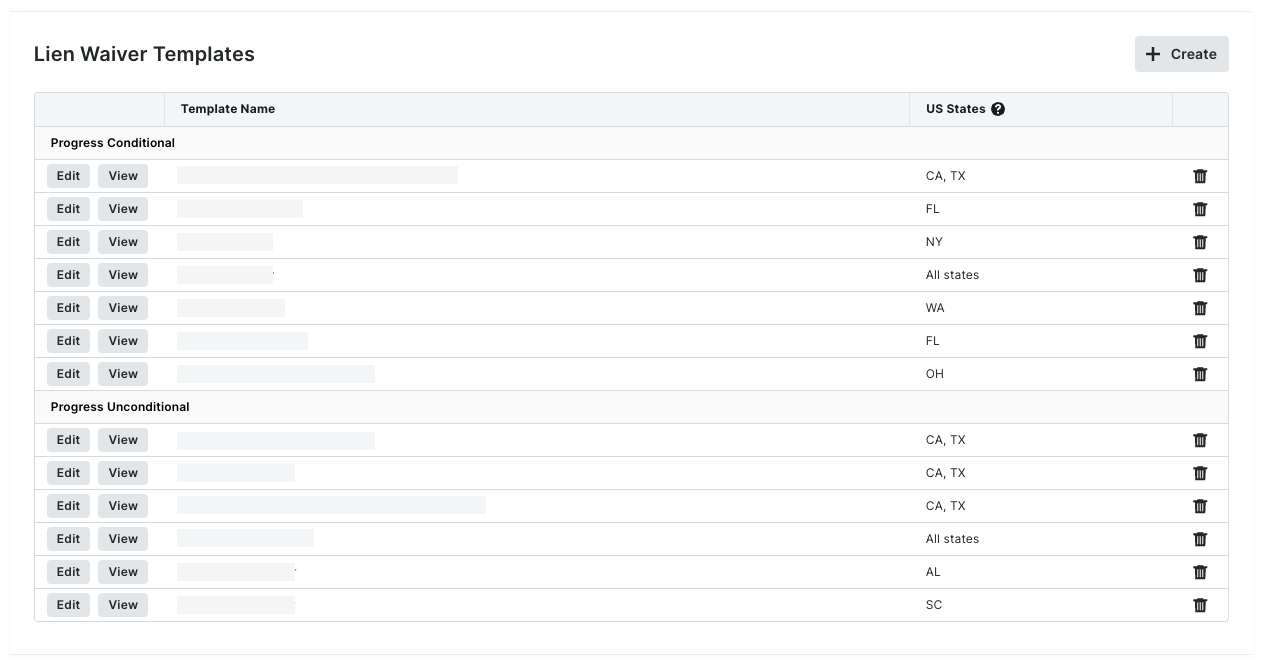
  4. Locate the template to delete in the table. Lien Waiver Templates

     Tip

    How is the data grouped? By default, Procore groups lien waiver templates by type. To learn more, see What types of lien waiver templates can you create in Procore?

  5. Click the delete Icon Delete Trash6 icon to delete the template.

  6. In the Delete lien waiver template? message, choose an option:

    • To keep the template, click Cancel.

    • To permanently remove the template, click Delete.

Once deleted, the template no longer appears as a selection in the payment application settings. See Enable lien waivers & set default templates on projects. Any previous lien waivers generated from the template on the project's existing payment applications can continue to be previewed, signed and viewed.

See Also

Loading related articles...