View payment application payment status

 General availability in select markets (United States)

Flag Us Procore Pay is available in the United States. It is designed for main contractors and owner-builders who act as their own main contractors on a job. Procore Pay extends the payment application management functionality in the Procore web application to handle the payment process between main and specialty contractors.
Background

Payment admins can quickly view the payment status of a payment application using the Company level payment tool. A payment application is marked 'Paid' when its corresponding payout in a disbursement is set to 'Payout Completed' by the disbursement feature in the payment tool.

Things to Consider

Prerequisites

Steps

  1. Navigate to the Company level Payment tool.

  2. In the Subcontractor payment applications tab, view the list of payment applications.

  3. Choose from these options to view a payment application's payment status:

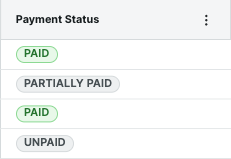
    • In each line item, the 'payment status' column shows: Paid, Partially Paid or Unpaid.

      Payment Status Pill

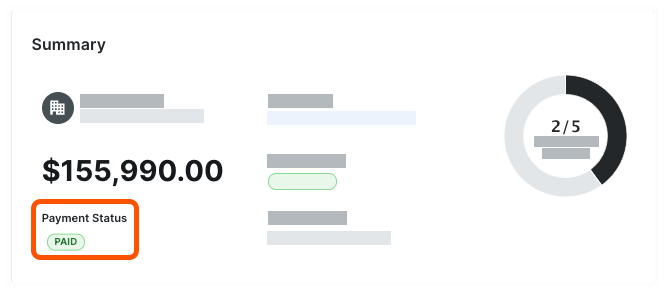
    • Click the info icon to open the payment requirements panel. In the 'Summary' card, view the 'payment status' field: Paid or Unpaid. Click x to close the panel.

      Payment Status Summary Card

See Also

Loading related articles...