View signed lien waivers on subcontractor payment applications

 General availability in select markets (United States)

Flag Us Procore Pay is available in the United States. It is designed for main contractors and owner-builders who act as their own main contractors on a job. Procore Pay extends the payment application management functionality in the Procore web application to handle the payment process between main and specialty contractors.

 Procore Pay integrates with the modernised Payment Applications experiences

In Procore Pay, lien wavers are powered by Levelset, a Procore company. To manage lien waivers with the payment application management tools in Procore, your Procore users must be using the modernised Payment Applications experience.

Background

After a lien waiver is signed by the payee's payment application contact, both payment application administrators and payment application contacts have the option to view the lien waiver.

Things to Consider

Prerequisites

Steps

  1. Create a new payment application or open an existing one.

     Tips

    How do you create a new payment application? The steps you follow in your environment depend on your role and the permissions you've been granted to the payment application management tools in the payor's Procore project. See Create a subcontractor payment application.

  2. In the payment application, scroll to the lien waiver card.

  3. Locate the 'Signed' lien waiver to preview in the table.

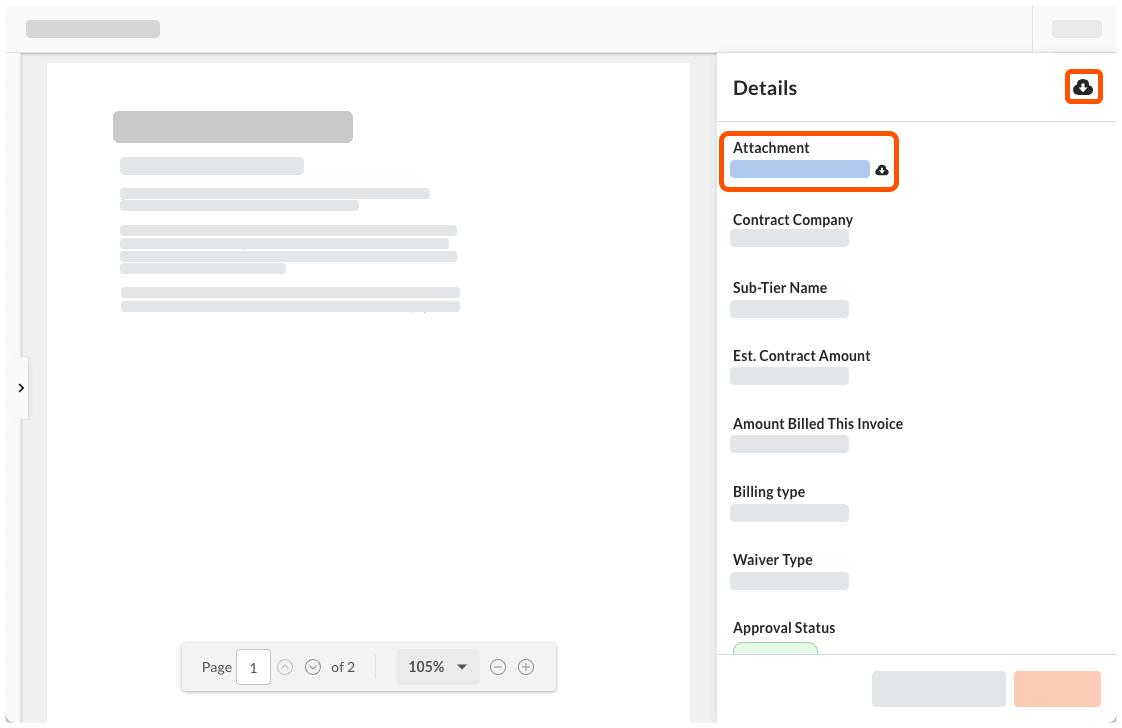
  4. Optional. Download the file as follows:

    • Click the download Icon Download Cloud icon.
      OR

    • Click the attachment link Viewer Download Button to download a PDF copy of the lien waiver to your computer.

       Tip
      • Where is the downloaded file? Most web browsers save files to a Downloads folder on your computer. To find this location, Procore recommends checking your web browser's setting. You can also search for instructions online or contact your IT department for assistance.

      • Why is the downloaded file opening automatically? Your computer's operating system or your web browser is most likely configured to open PDF files in a specific software program. If you want to change this setting, search for instructions online or contact your IT department for assistance.

      • Why is a 'Certificate of Signature' appended to the file download? If the e-Sign method was used to sign the lien waiver, a 'Certificate of Signature' is appended to the PDF file when you download it. Click here to see an example.

See Also

Loading related articles...