Clear an integrated programme
Things to Consider
Required User Permissions:
'Admin' on the project's Programme tool.
Additional Information:
When you clear a programme from the Programme tool, you are removing the integrated programme from the project. However, any calendar items that were manually created under the Programme tool using Procore's Programme tool will not be deleted when you clear the programme.
Steps
Navigate to the project's Programme tool.
Click the Configure settings
 icon.
Click File management.
Click the ellipsis
 icon next to the Upload via browser option.
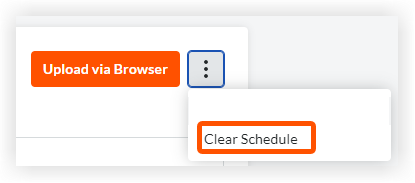
Click Clear programme.
Note: A confirmation message appears and you must confirm the deletion to proceed.Choose from the following options:
To proceed with the delete action, click Clear.
To cancel the delete action, click Cancel.
See Also
Loading related articles...