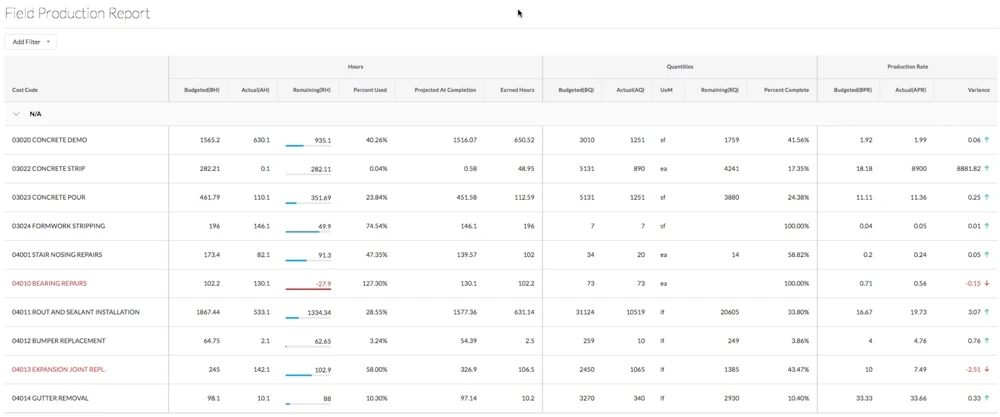
View a field production report
Background
Production quantities are a measurable amount of work on a construction project. For example, cubic yards of concrete, number of light fixtures or linear feet of piping. In Procore, there are two types of production quantity:
Budget production quantity refers to the measurable amount a team plans to install on a project.
Installed production quantity refers to the actual amount installed on a project by a point in time.
The Field Production report compares a construction project's Budget production quantity with its installed production quantity.
Things to Consider
For customers using Procore's Resource tracking and Project Financials tools, production quantities and hours entered on your project's variations automatically update data in these Procore features, when variations are placed in the 'Approved' status:
The Procore labour productivity cost budget view.
The field production report. See Which data columns are in a field production report?