Este sitio web aún no se ha lanzado completamente en tu configuración regional preferida
La única página disponible en tu configuración regional preferida del sitio de soporte V2 es la página de la biblioteca de videos. El lanzamiento completo del sitio web llegará pronto.
¿Buscas otro contenido? Vuelve al sitio de soporte V1.
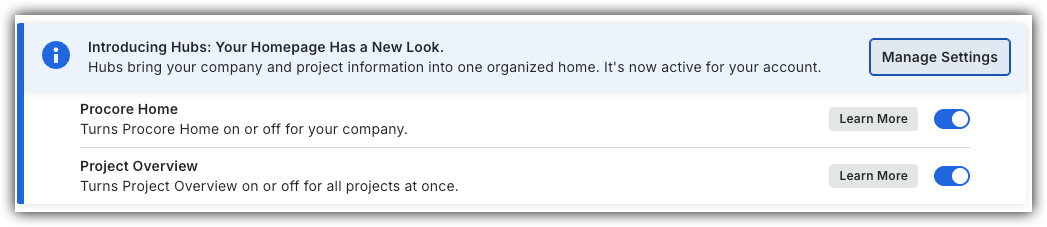
To return to the legacy Project Home, Company Administrators can navigate to the Company Portfolio / ProcoreHome tool, click Manage Settings and toggle Project OverviewOFF.
However, later this year it will be sunset and will no longer be available. If your company reverted to the legacy Project Home experience, Company Administrators can re-enable the Project Overview by switching Project Overview toggle ON.
Every project created in Procore has a Home page. This page serves as a project dashboard and gives users a high-level overview of a project. A project's Home page lists basic information and provides an overview of the project tasks that still need to be completed.
 OFF.
OFF.
 ON.
ON.