Project Management Report
The Analytics Project Management Report is a robust reporting tool designed to provide comprehensive insights into various aspects of project management within the Procore platform. This report helps project managers, stakeholders, and team members track, analyze, and improve project performance by leveraging data from multiple project management tools within Procore.
Current Versions
2.0 - 25.03.13
Procore Tools Used in the Project Management Report
Correspondence
Directory (Project level)
Drawings
Meetings
Photos
Punch List
RFIs
Schedule (Project level)
Submittals
Report Pages
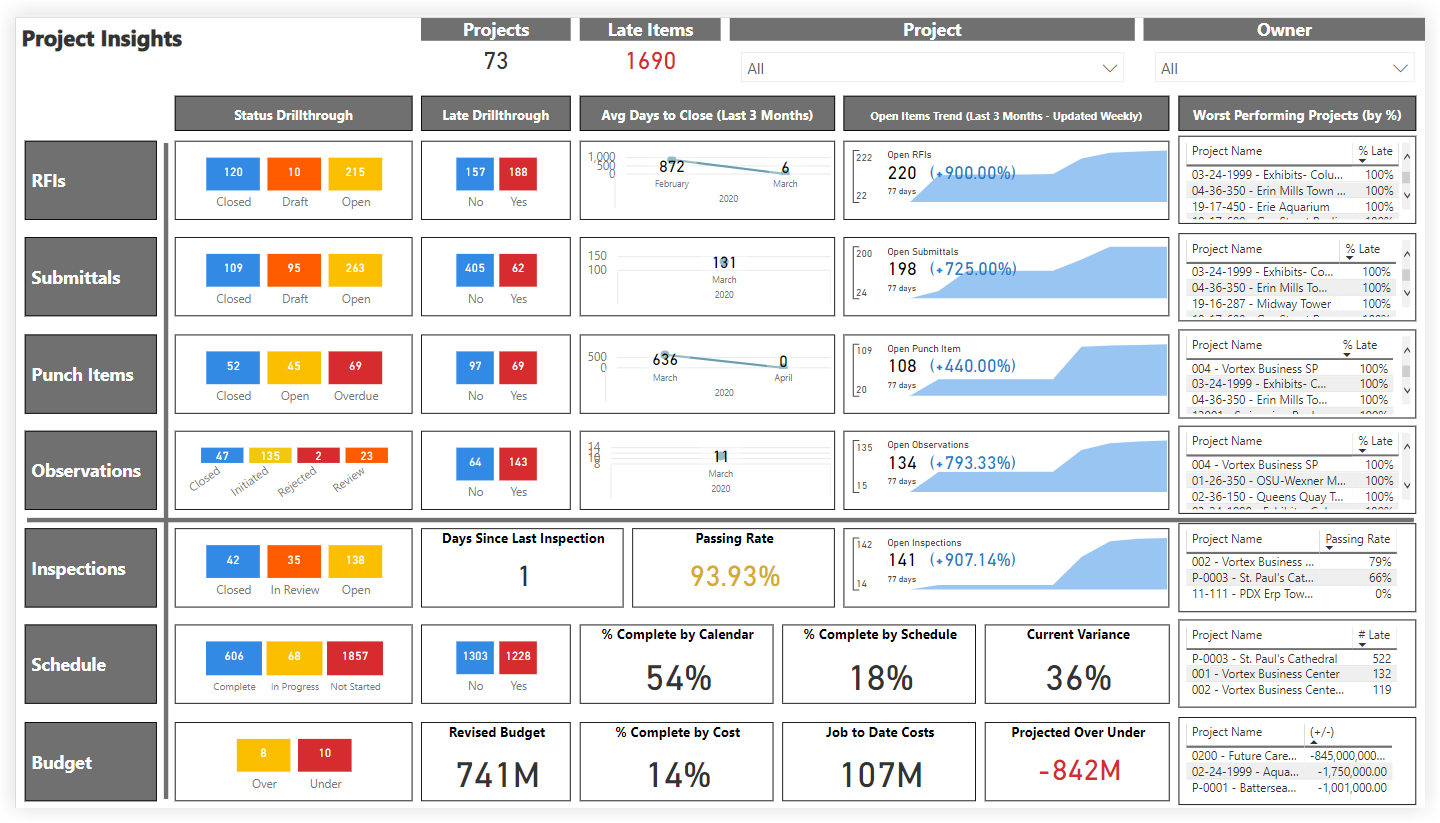
Project Insights
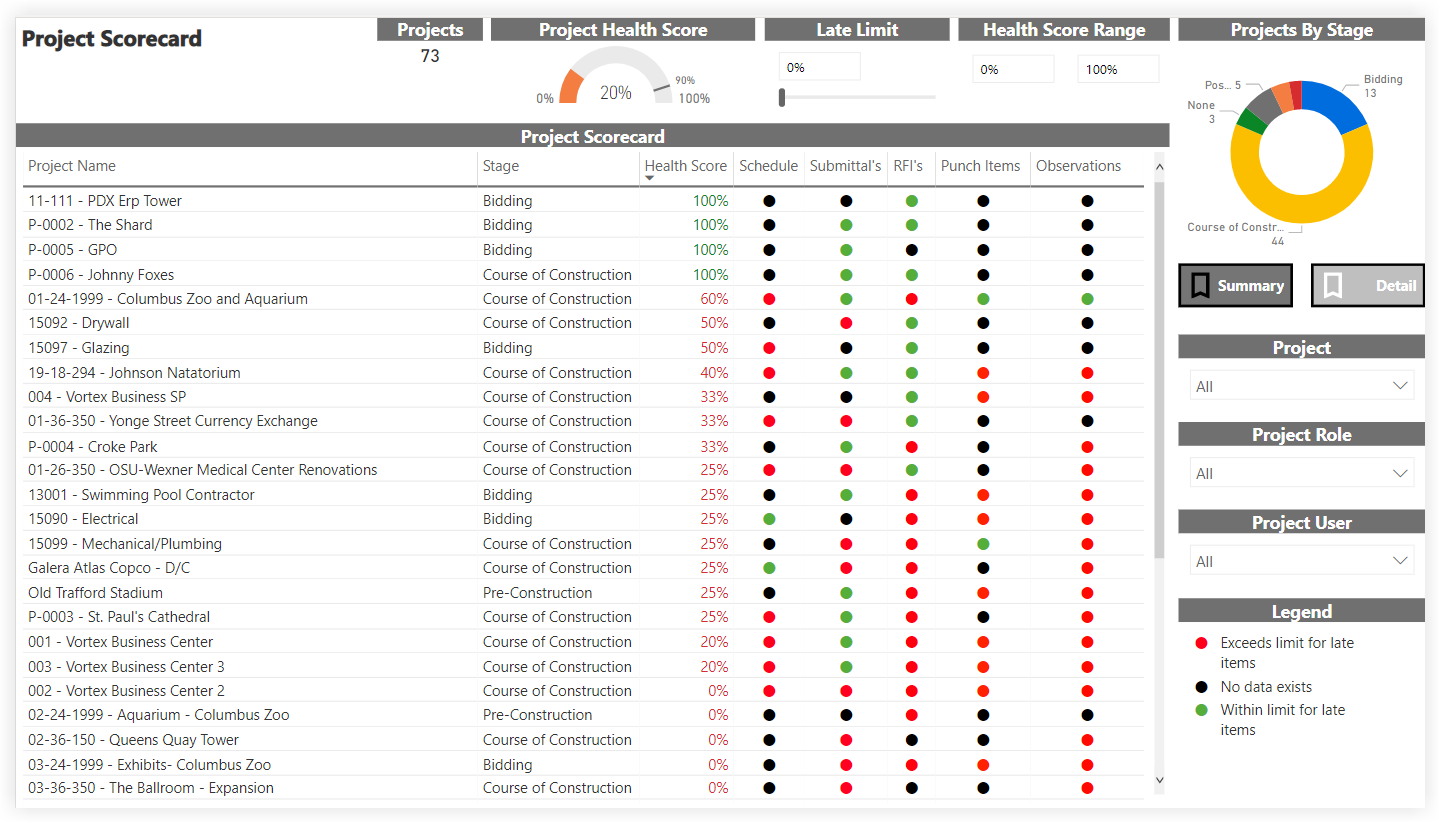
Project Scorecard
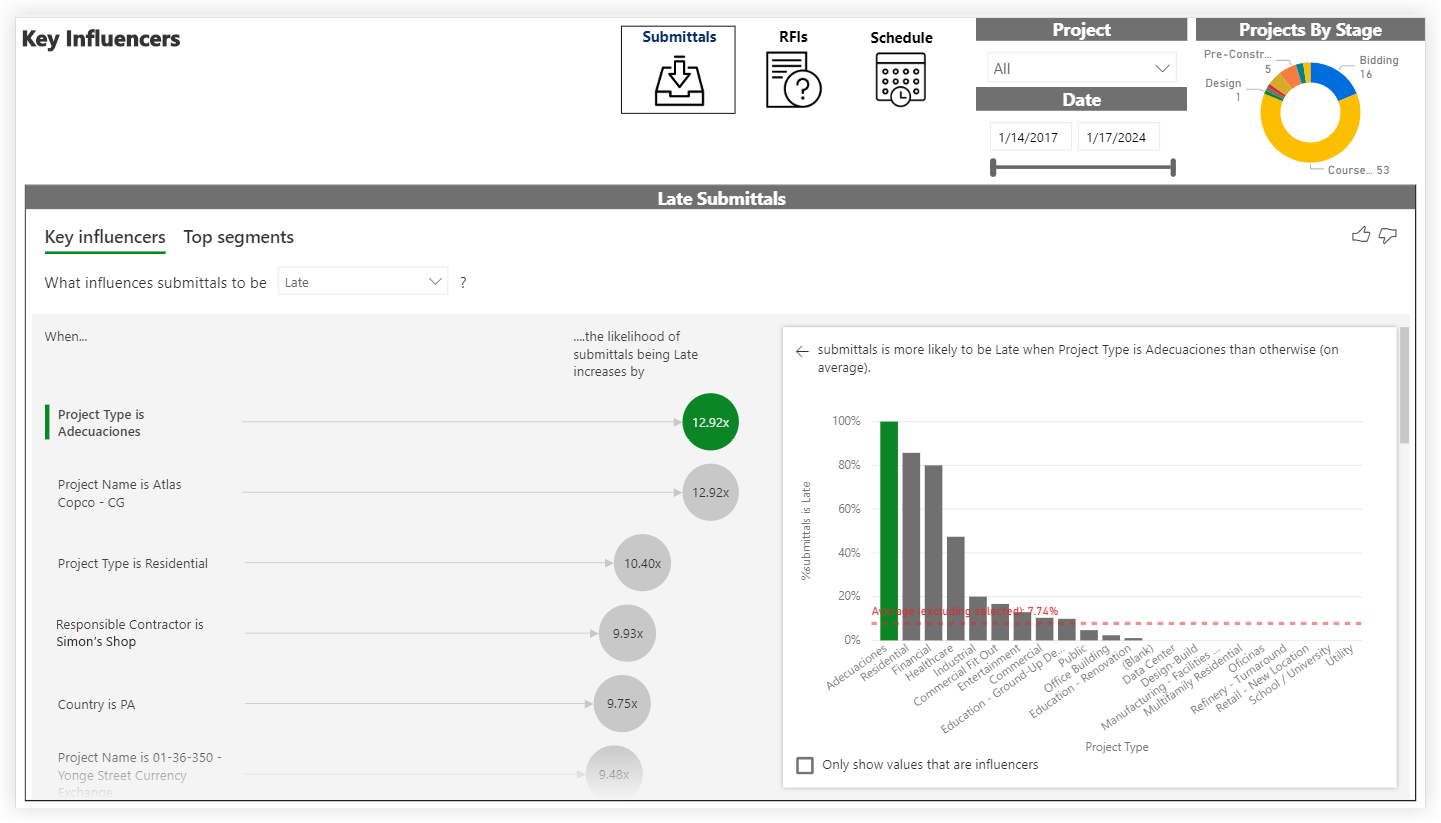
Influenciadores clave
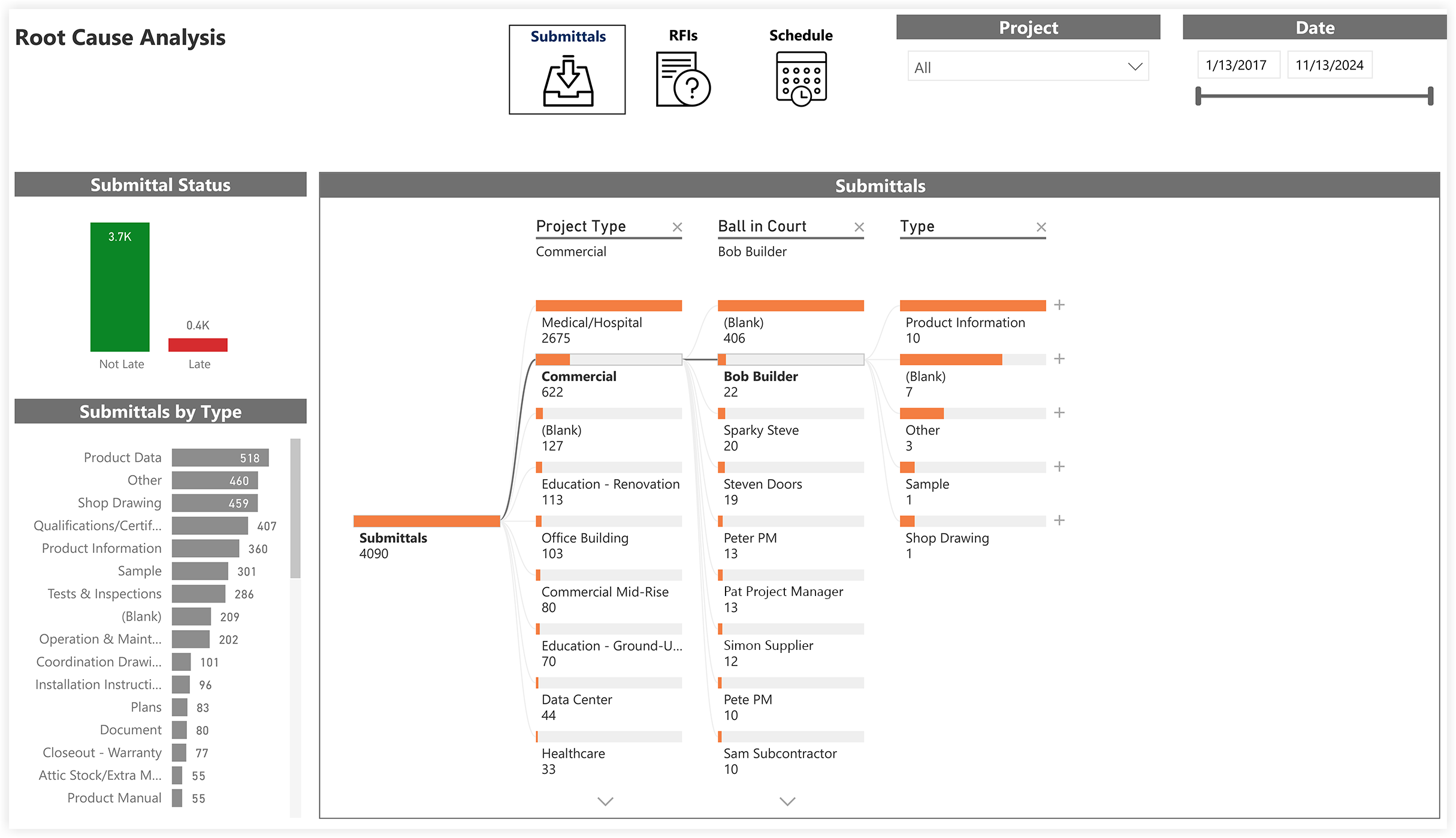
Análisis de causas raíz
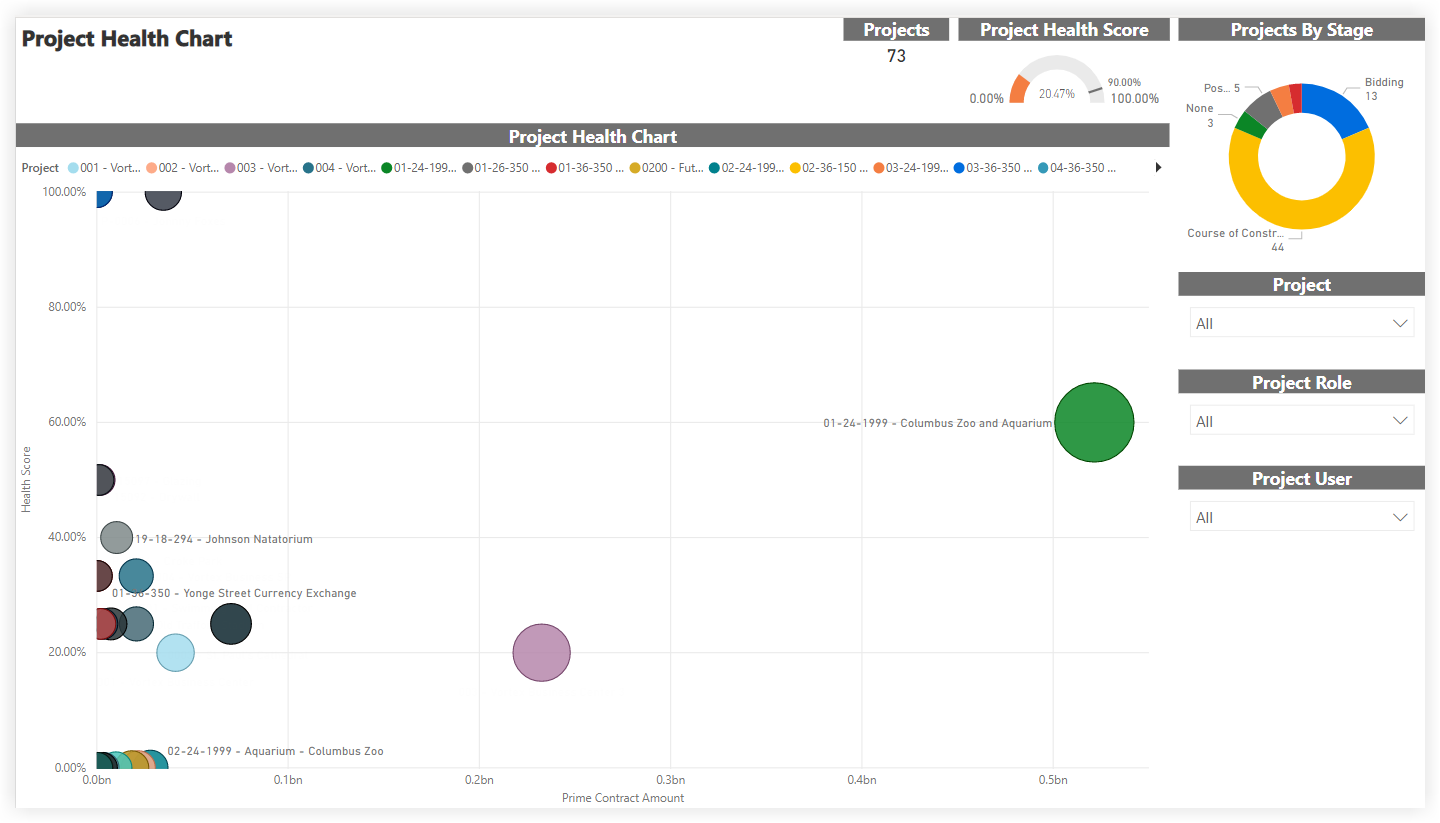
Project Health Chart
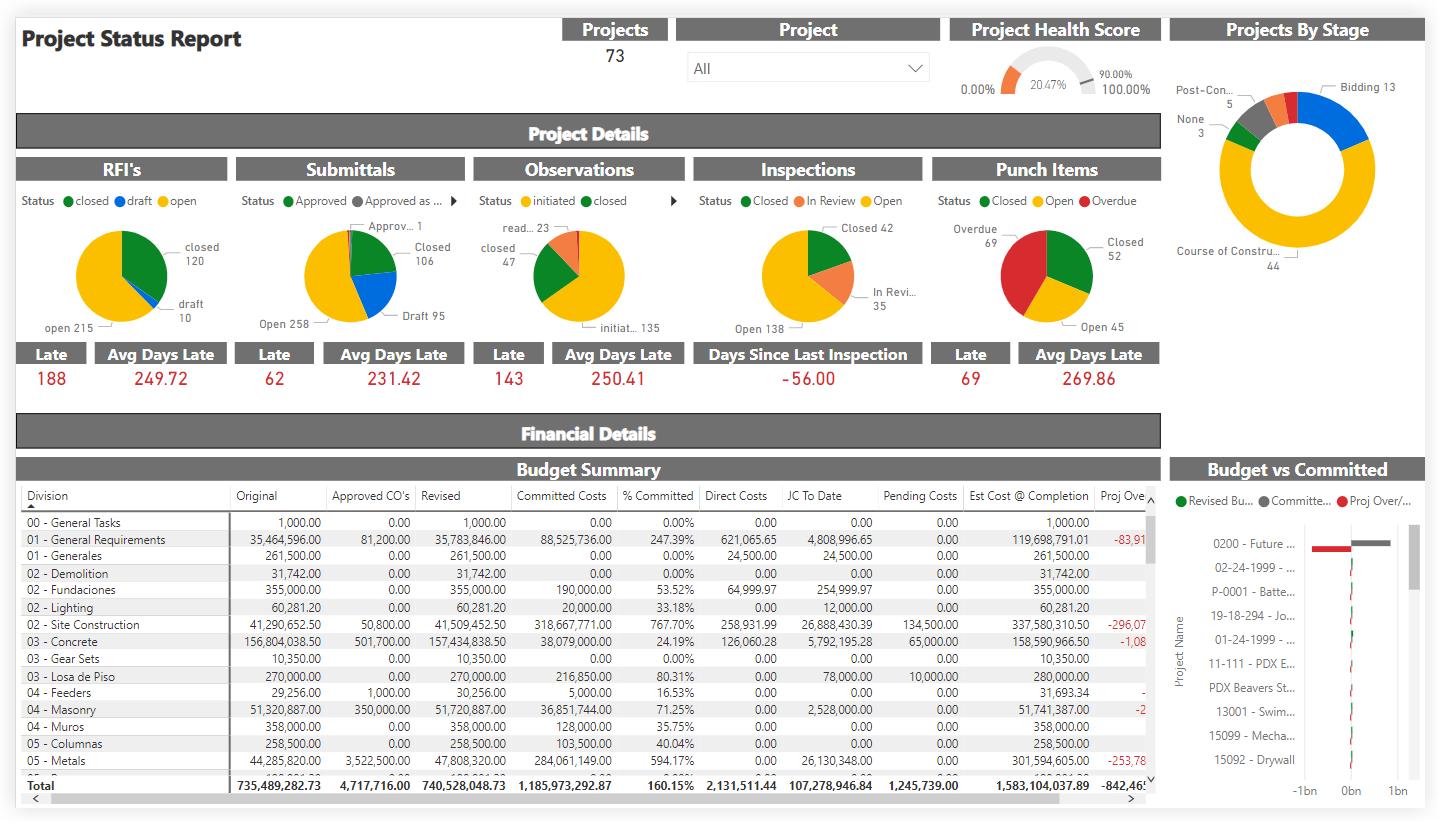
Project Status Report
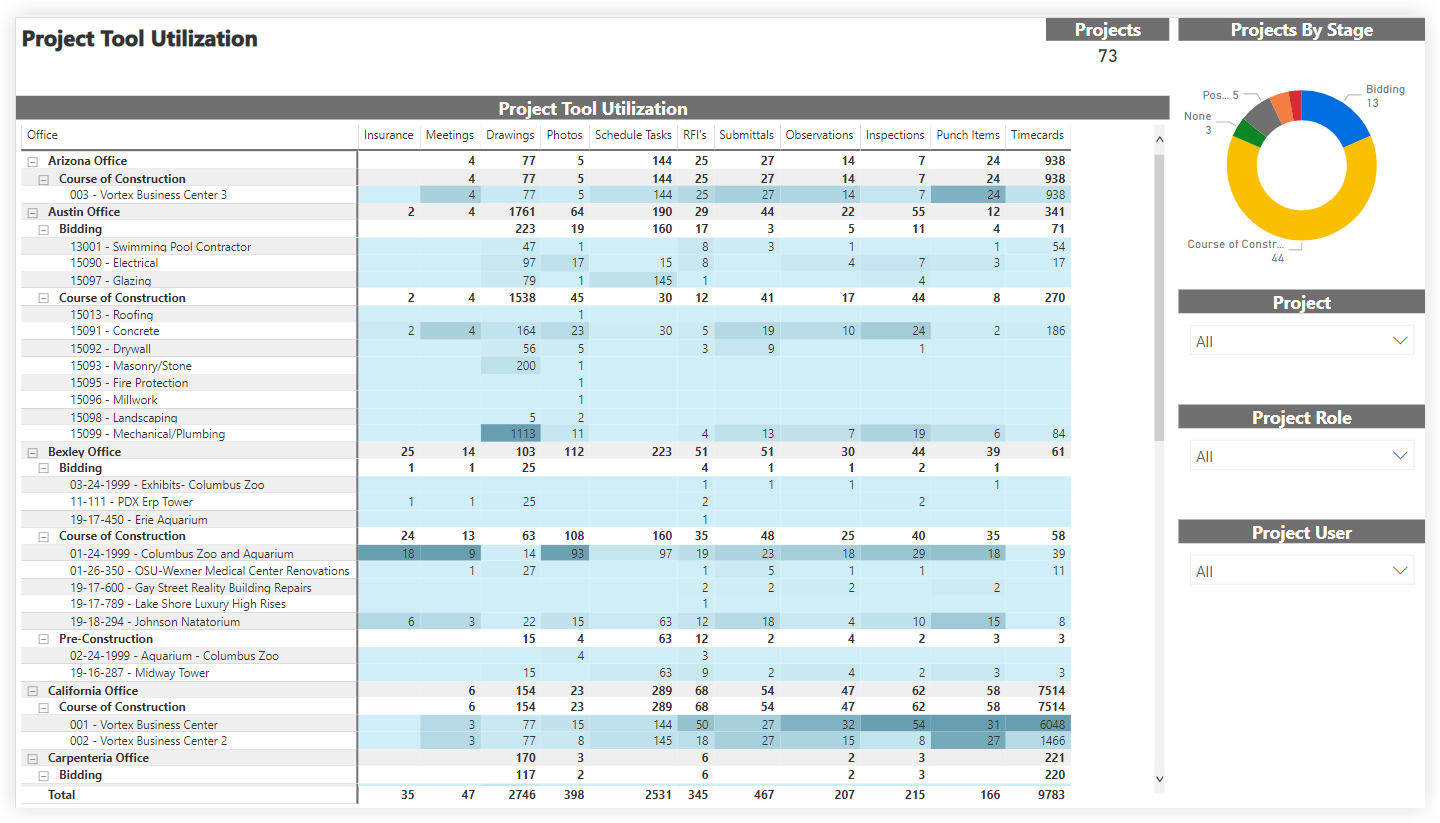
Project Tool Utilization
The Project Tool Utilization report includes a summary of your company's Projects By Stage, with a count of the project(s) in each stage of construction. By applying the Project, Project Role, and Project User filters, you can include all available data or narrow the data plotted.
The Project Tool Utilization table groups your WBS cost code segment data by office location. See Add an Office Location and Assign an Office Location to a Project.
Consejos
¿Por qué no existe el concepto de "División" en Procore? En la WBS de Procore, el segmento "Código de coste" es un segmento por niveles y no existe el concepto de "División". En cambio, una "División" se trata como un nivel en un segmento de varios niveles. Los niveles dentro de un segmento siempre están delimitados por un guión (-). La lista de códigos de coste predeterminada de Procore tiene dos (2) niveles. Sin embargo, su entorno puede tener uno, dos o varios niveles. Para más información, consulte Preguntas frecuentes sobre la estructura de desglose de trabajo.
¿Puedo obtener una copia de la lista de códigos de coste predeterminados? Para descargar una copia de los nombres de los códigos de coste predeterminados para su referencia, haga clic en Procore_Default_Cost_Codes.csv.
Nota: Este archivo CSV es solo de referencia y no está formateado para importarlo a Procore.
The columns in the Project Tool Utilization table provide counts and a color-coded heat map to show the number of items created.
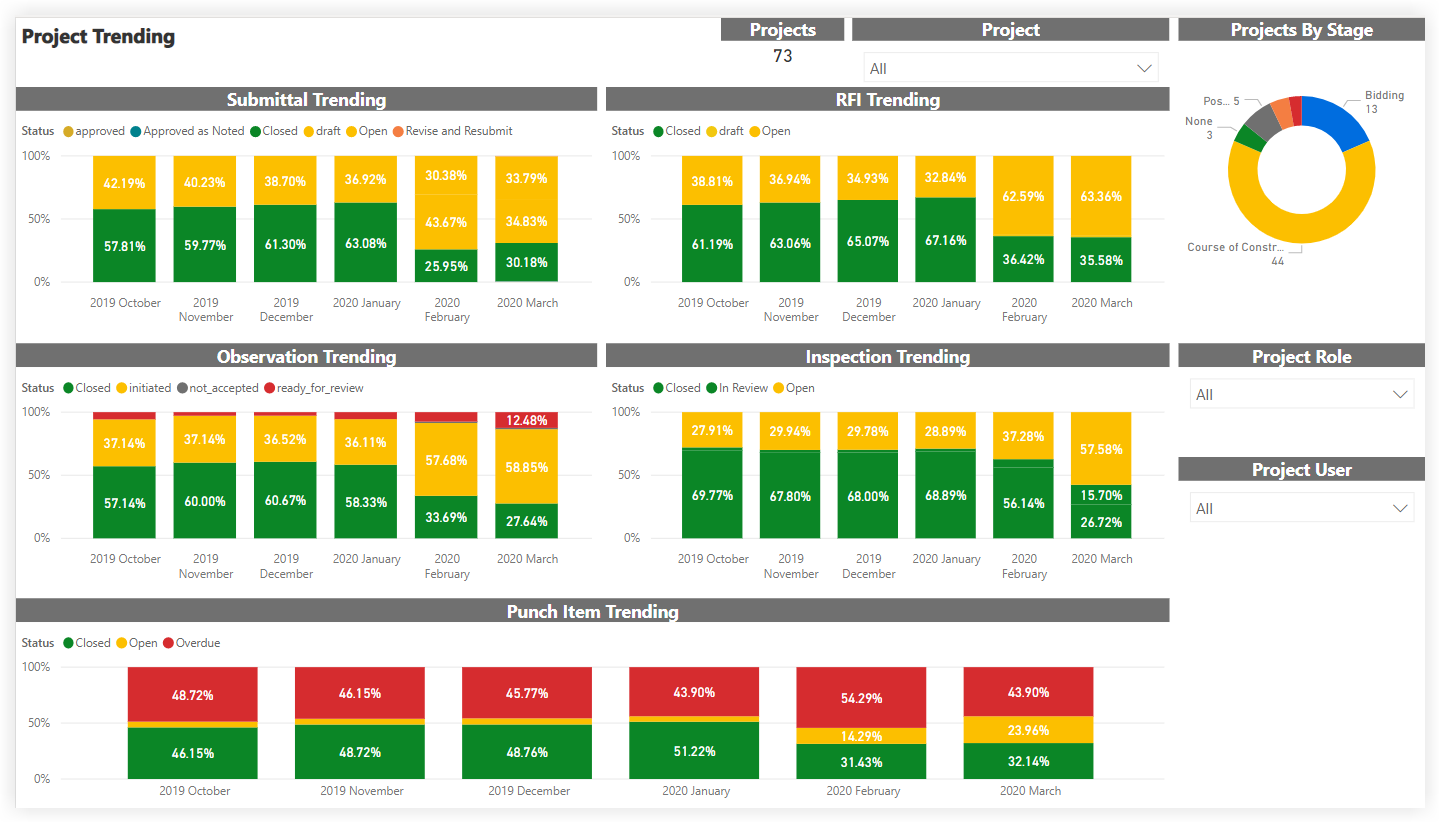
Project Trending
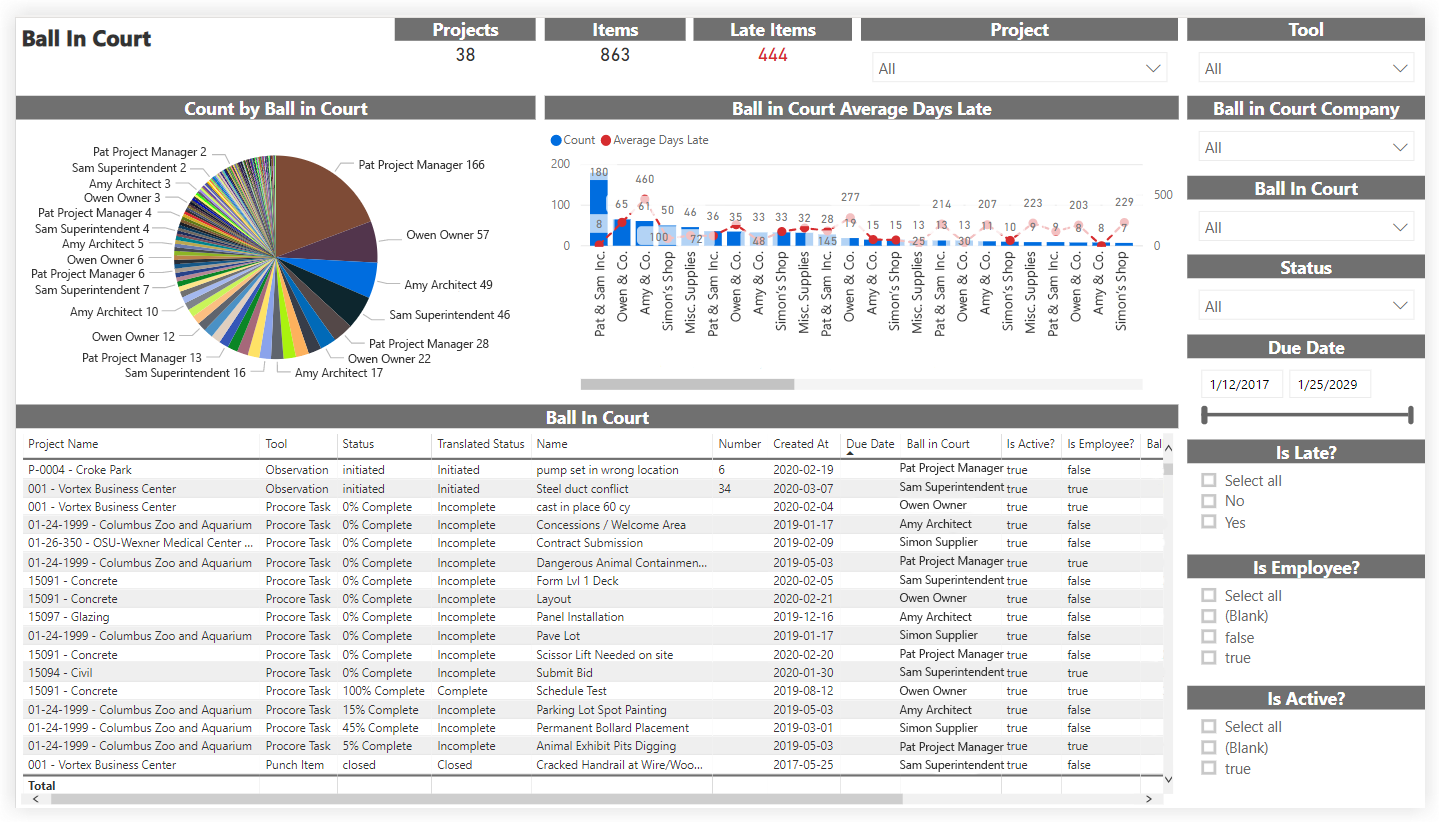
Ball in Court
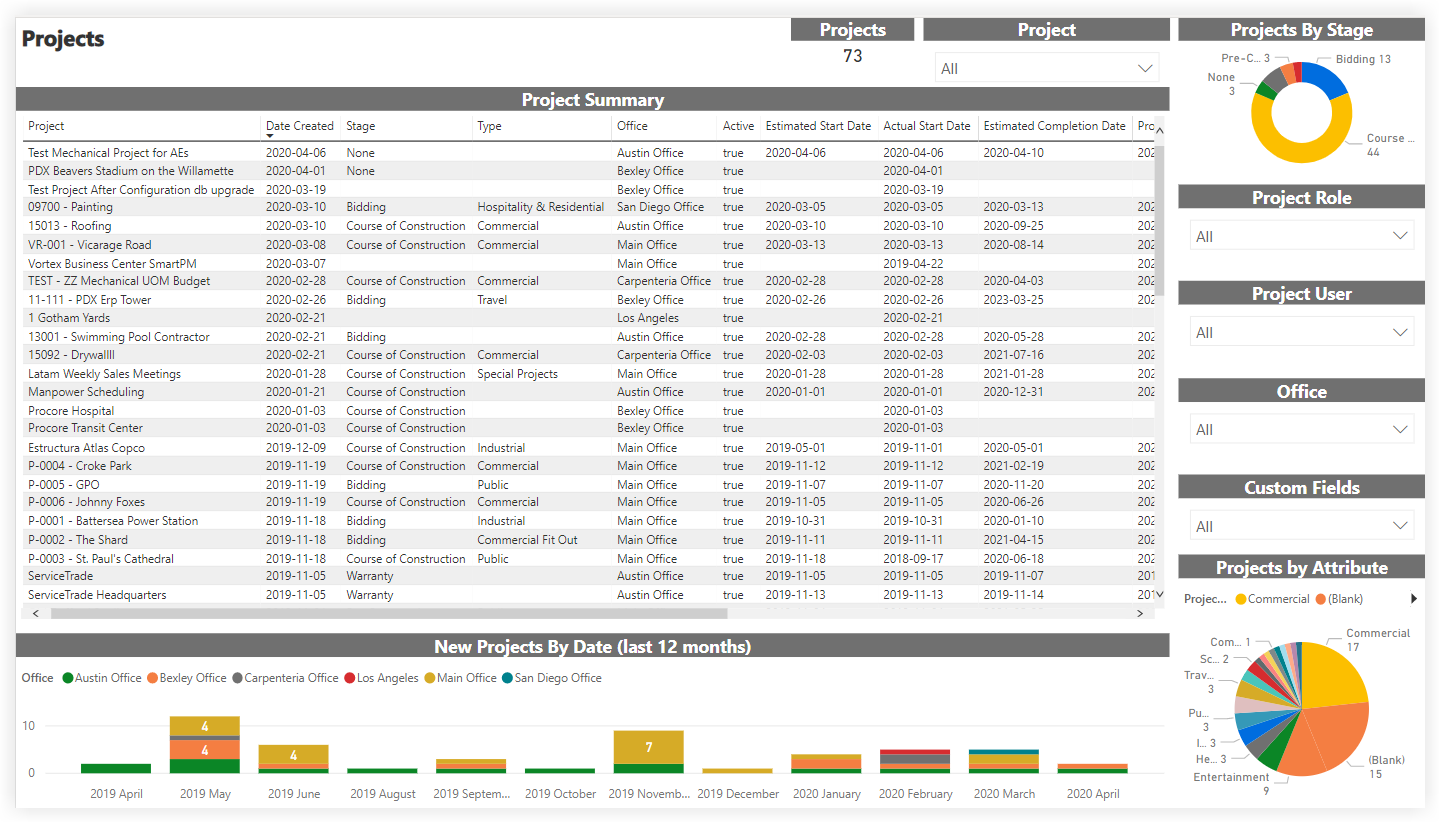
Projects
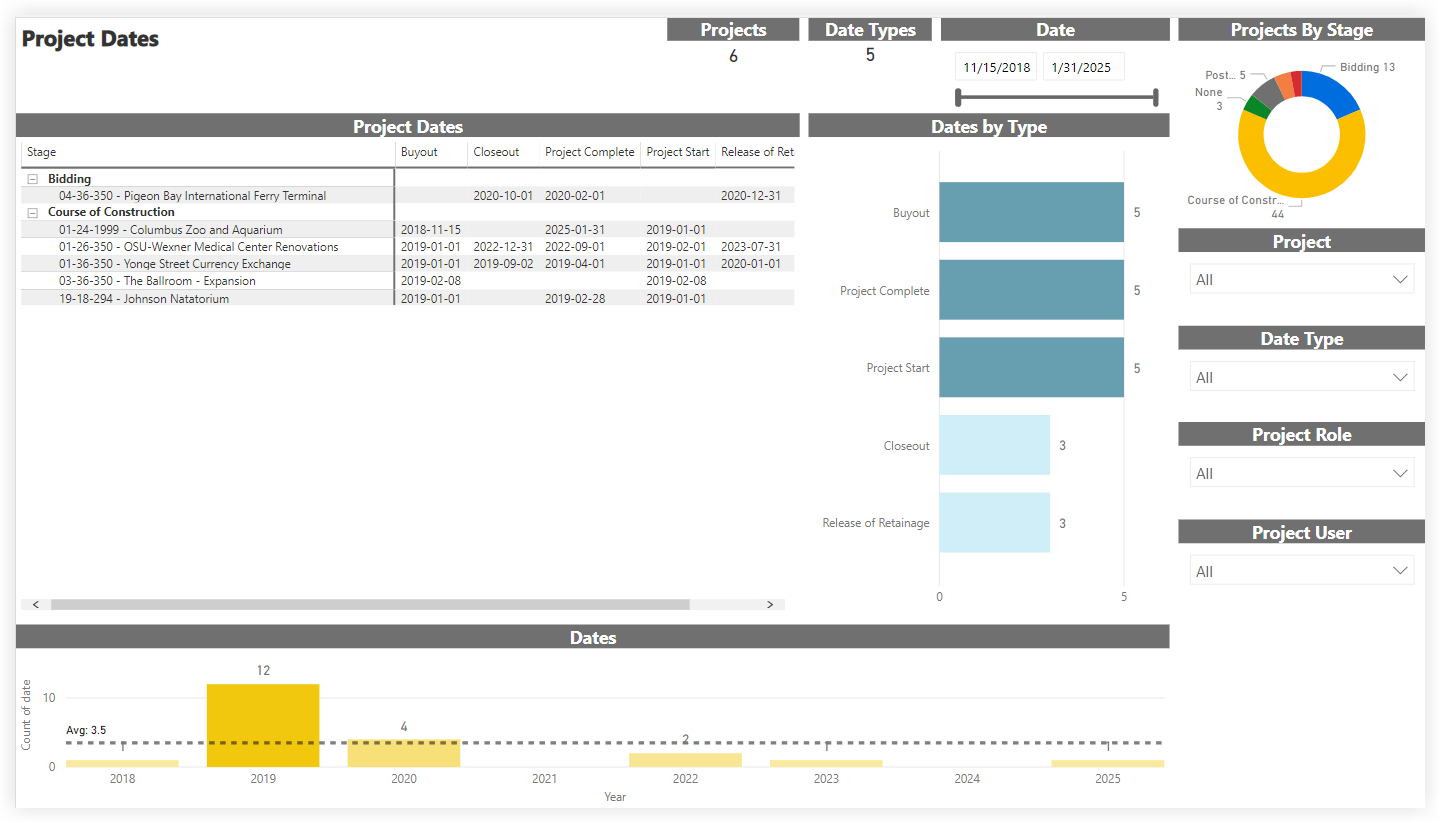
Project Dates
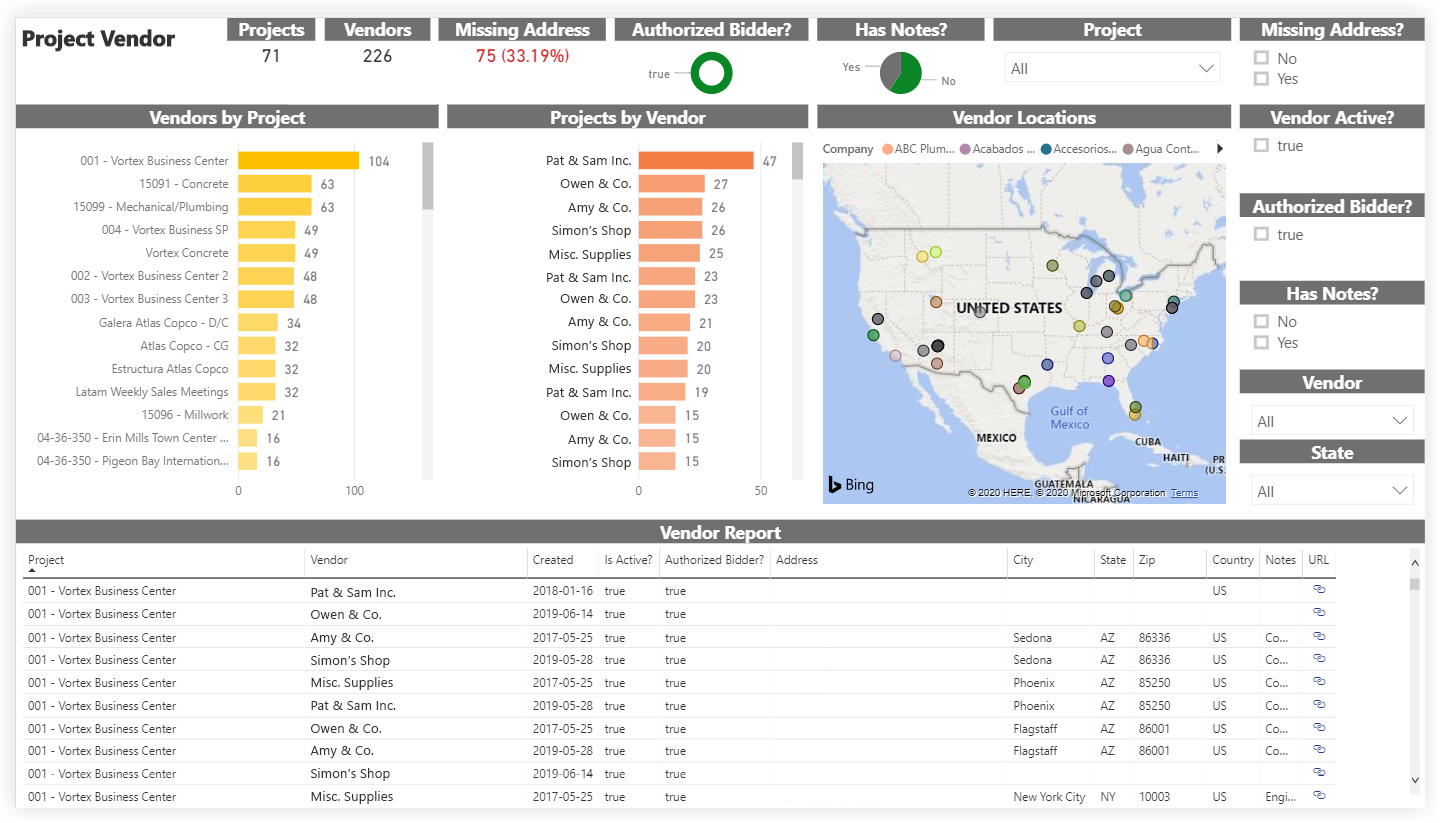
Project Vendor
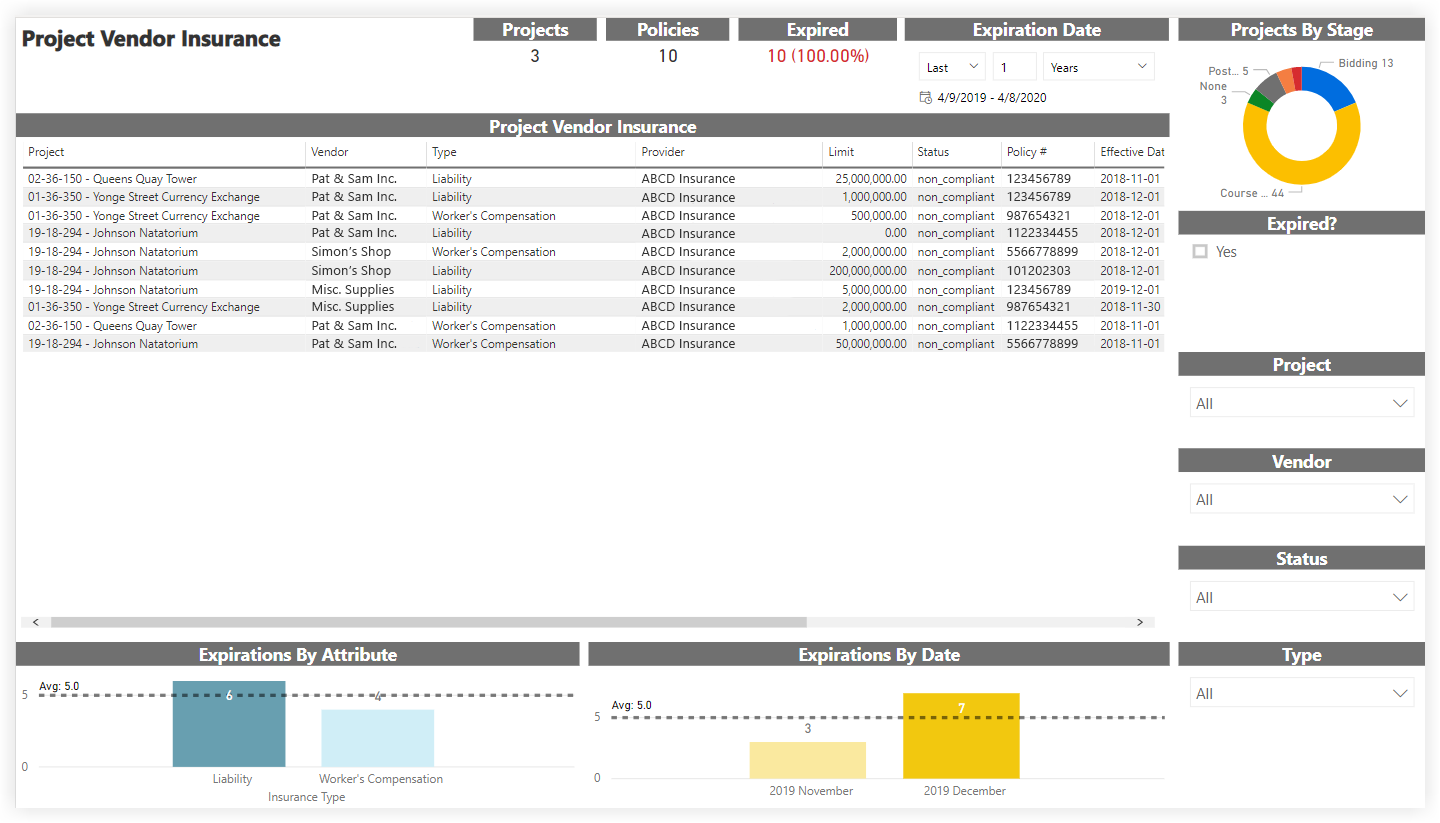
Project Vendor Insurance
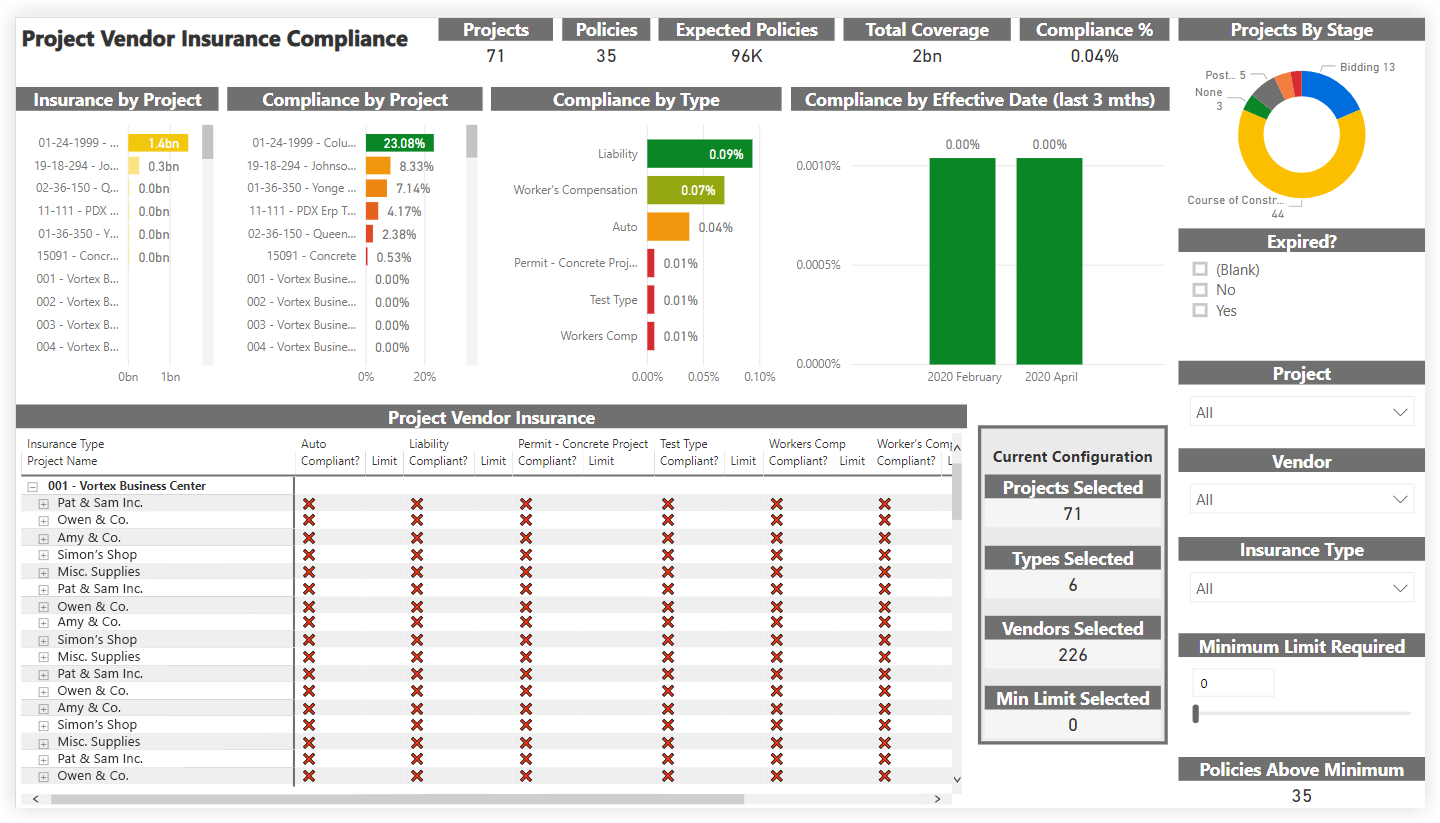
Project Vendor Insurance Compliance
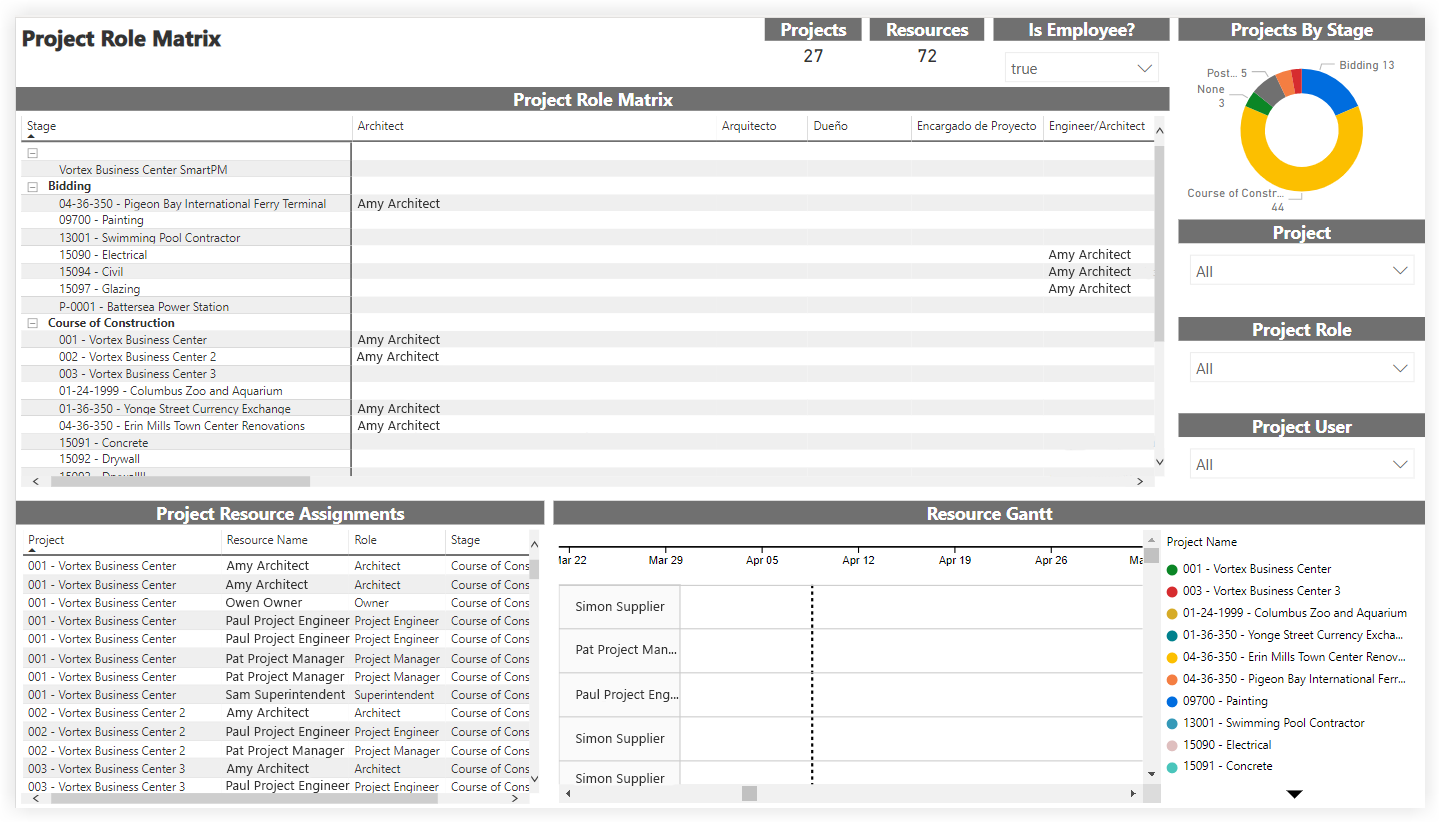
Project Role Matrix
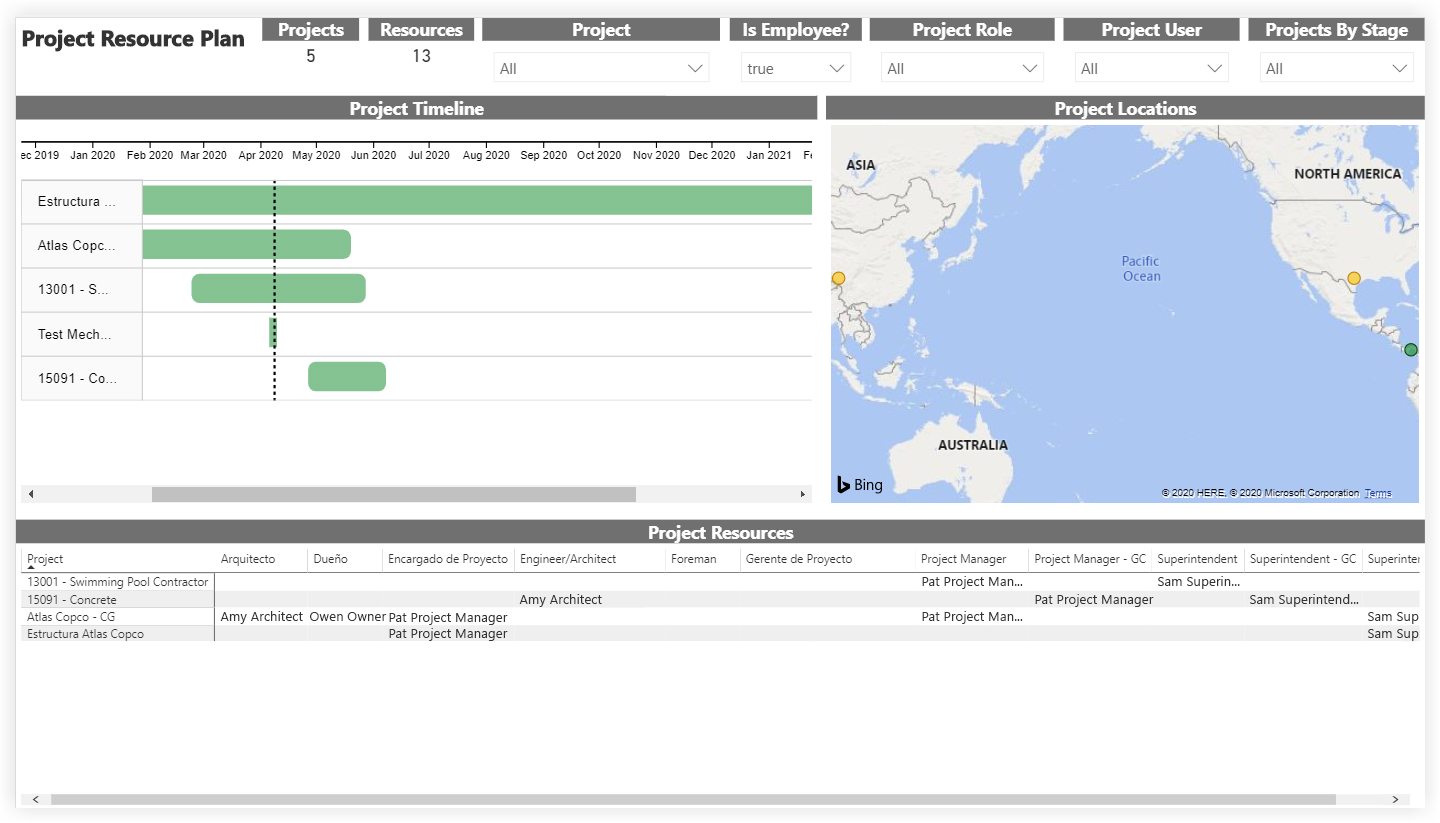
Project Resource Plan
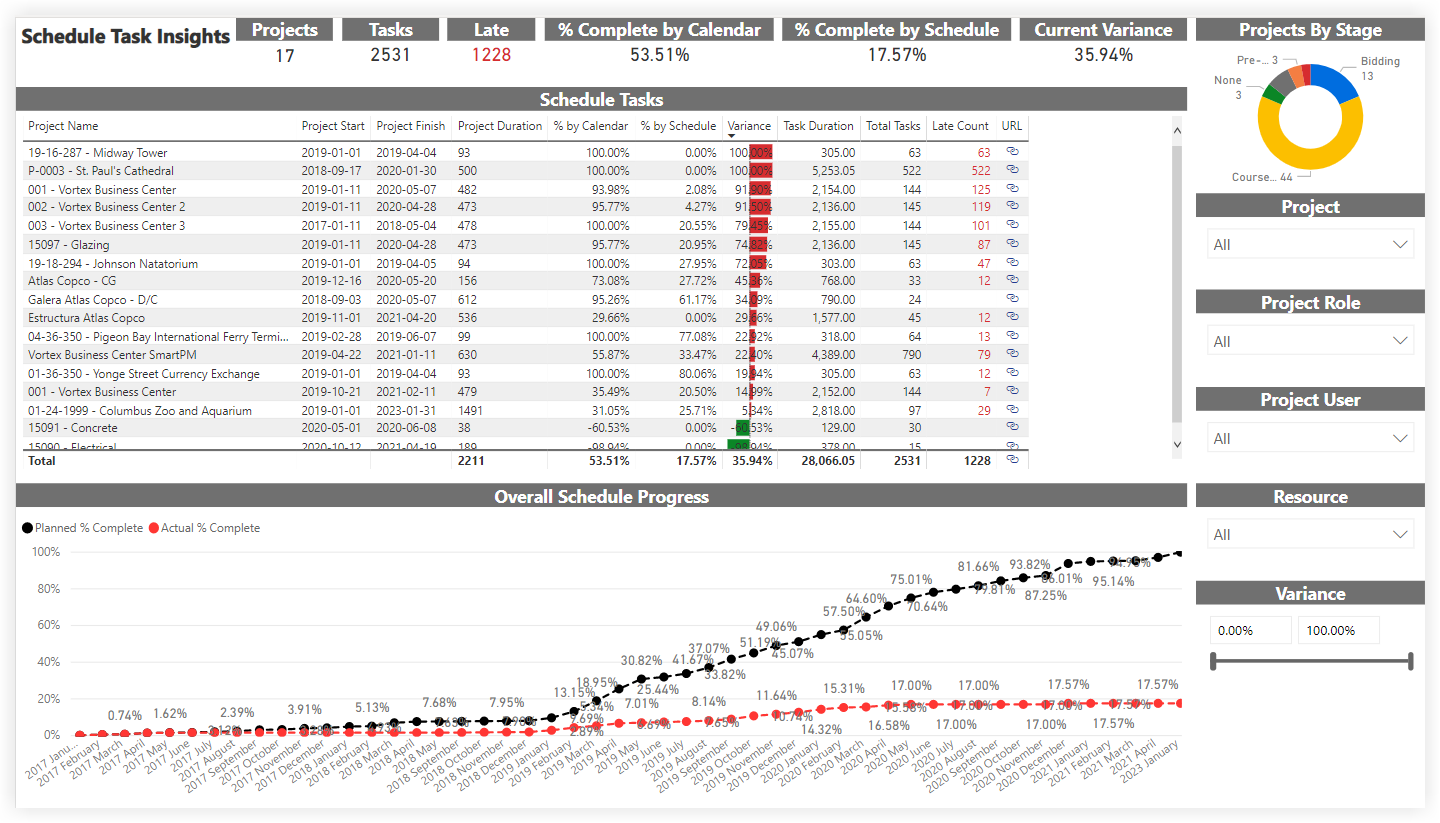
Schedule Task Insights
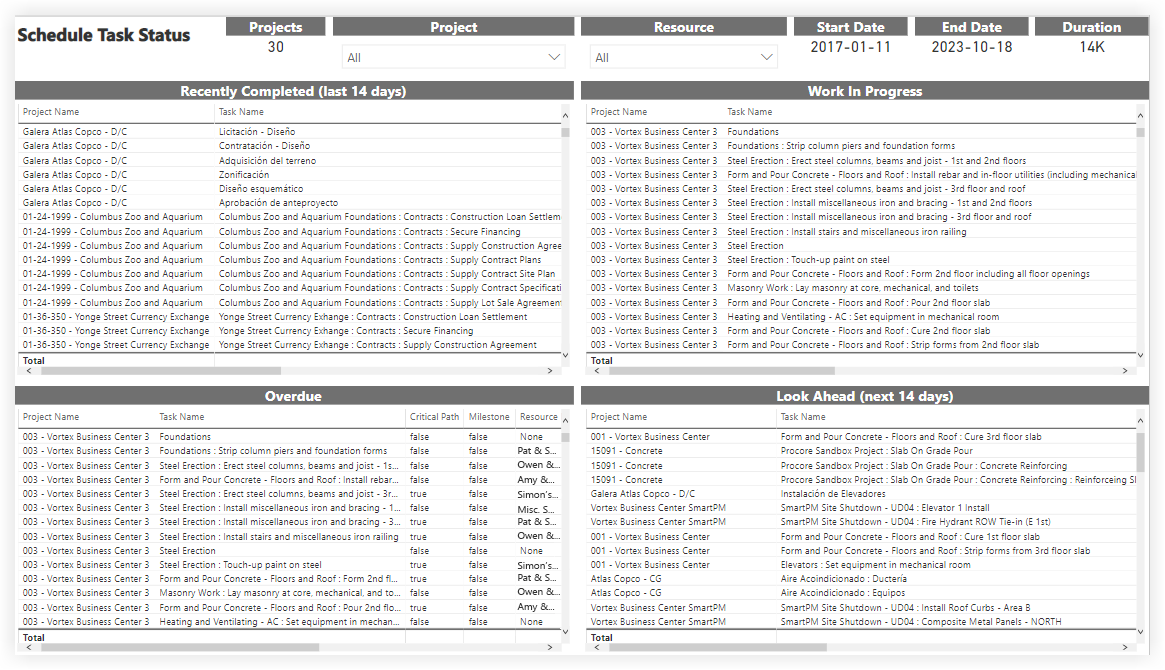
Schedule Task Status
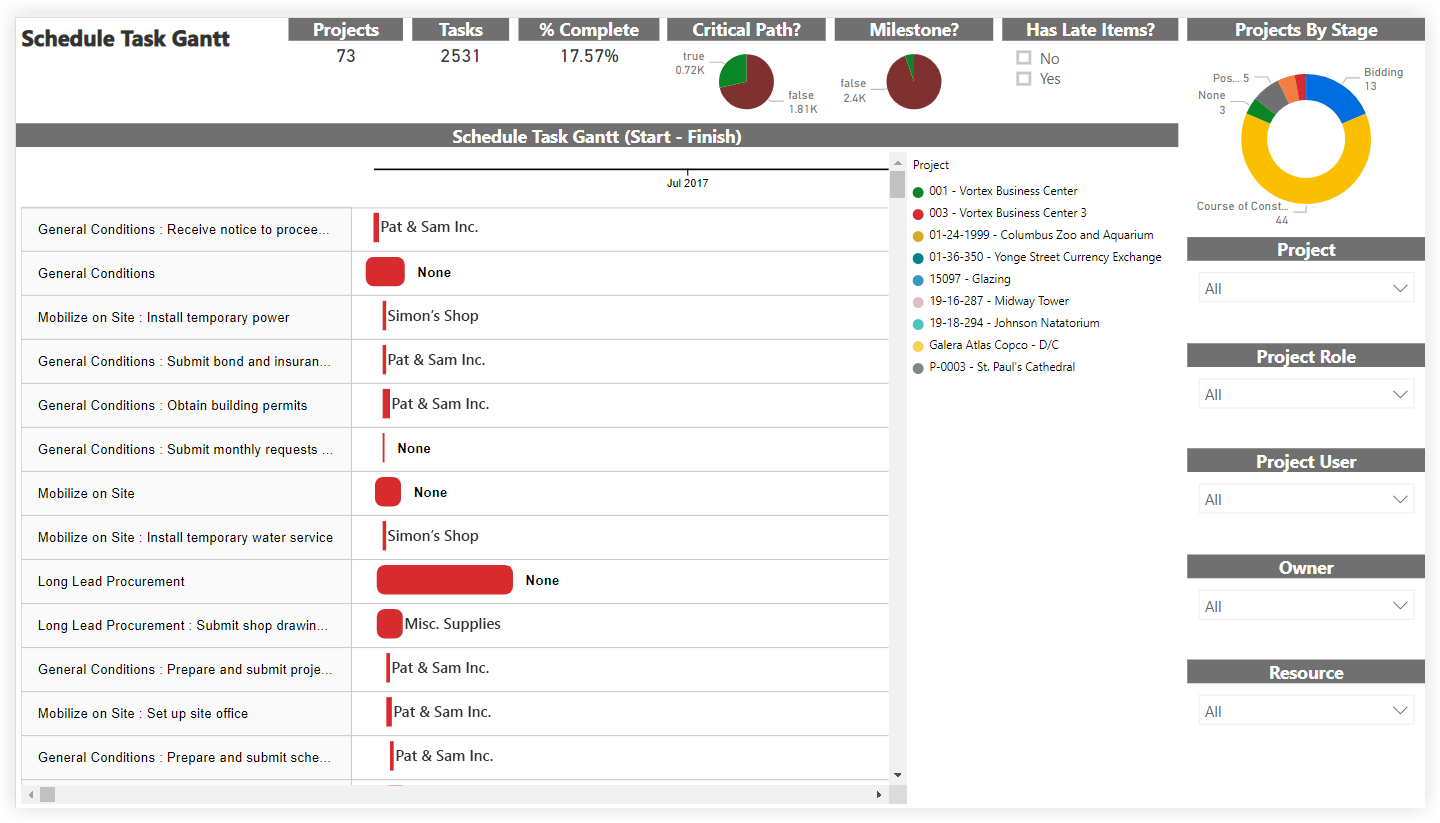
Schedule Task Gantt
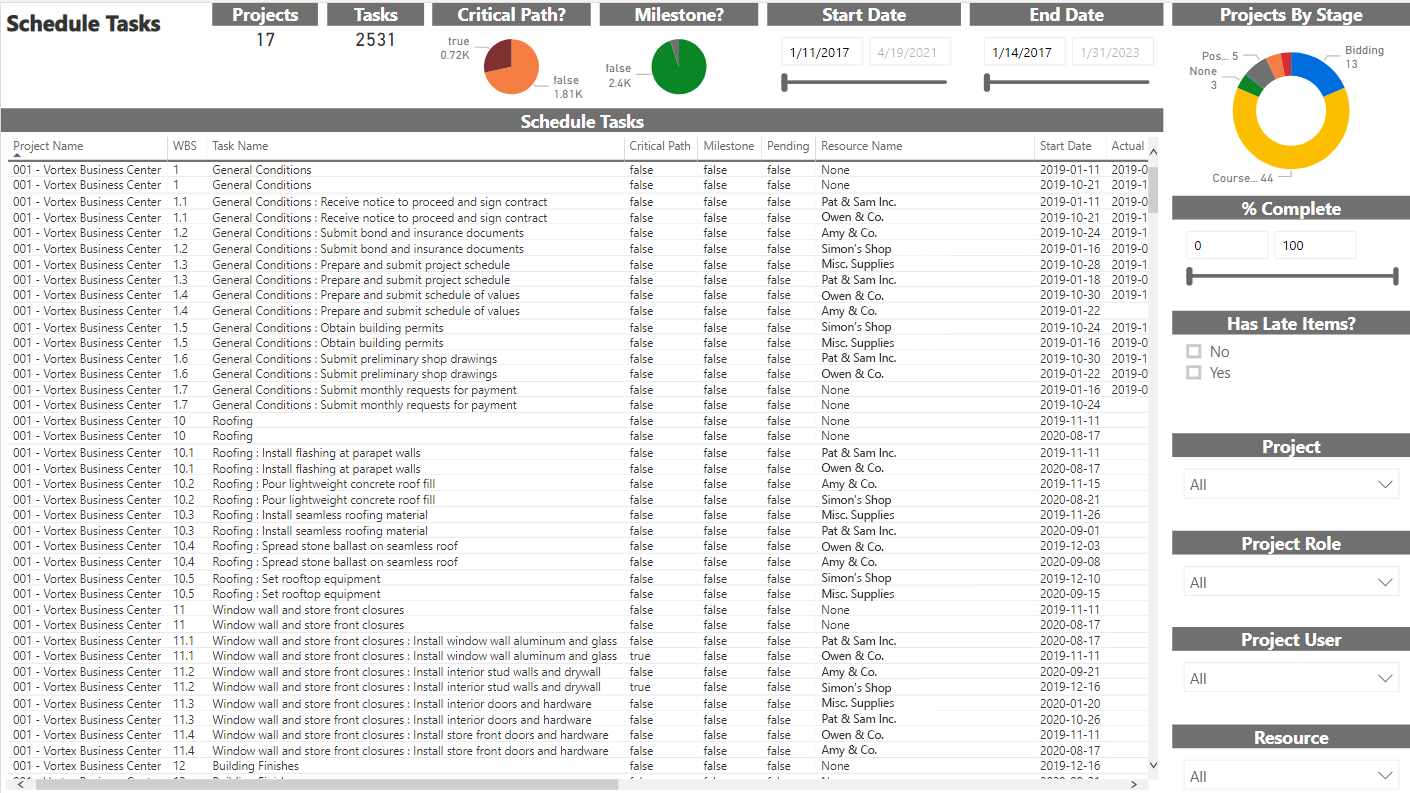
Schedule Tasks
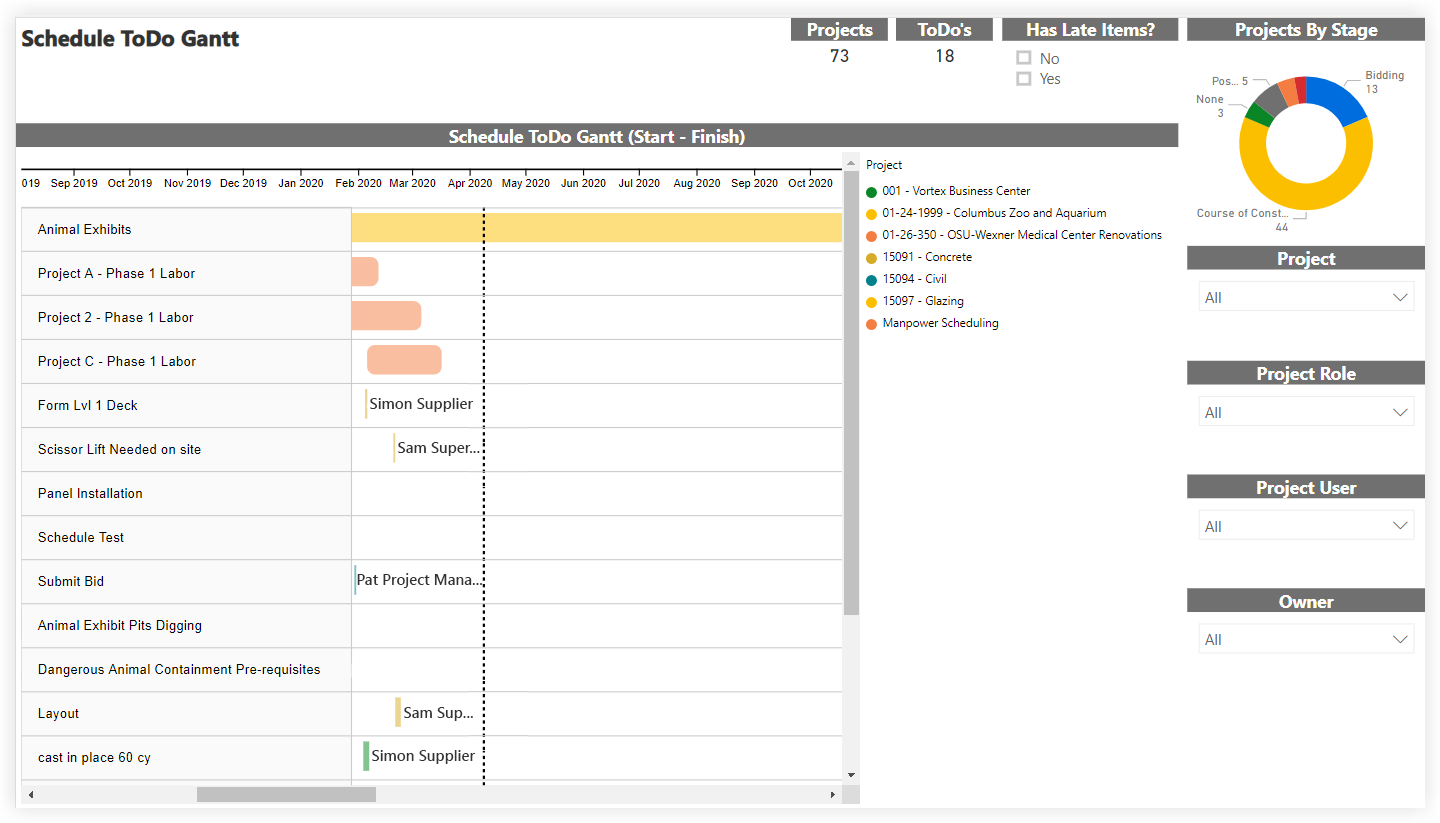
Schedule ToDo Gantt
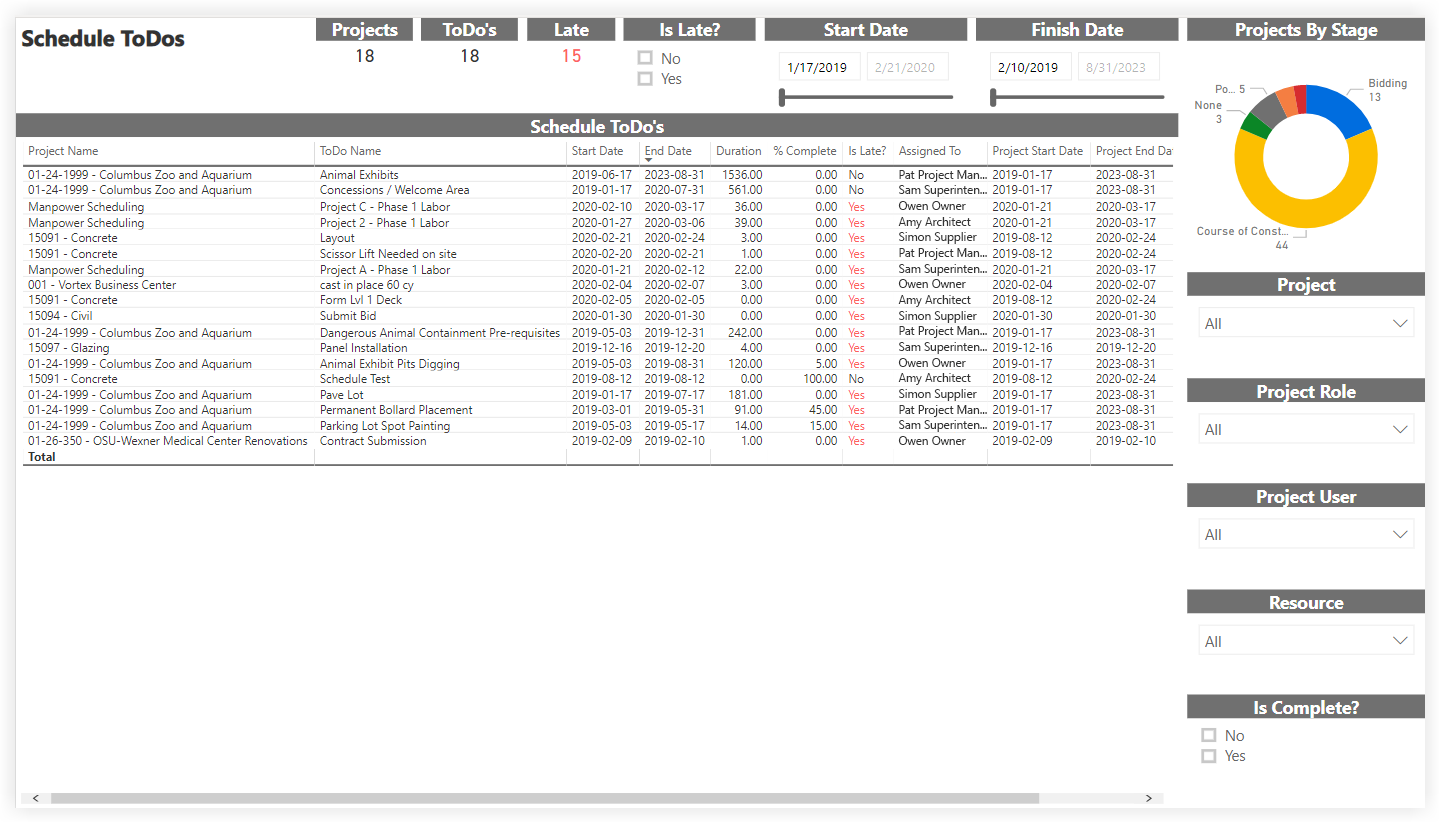
Schedule ToDos
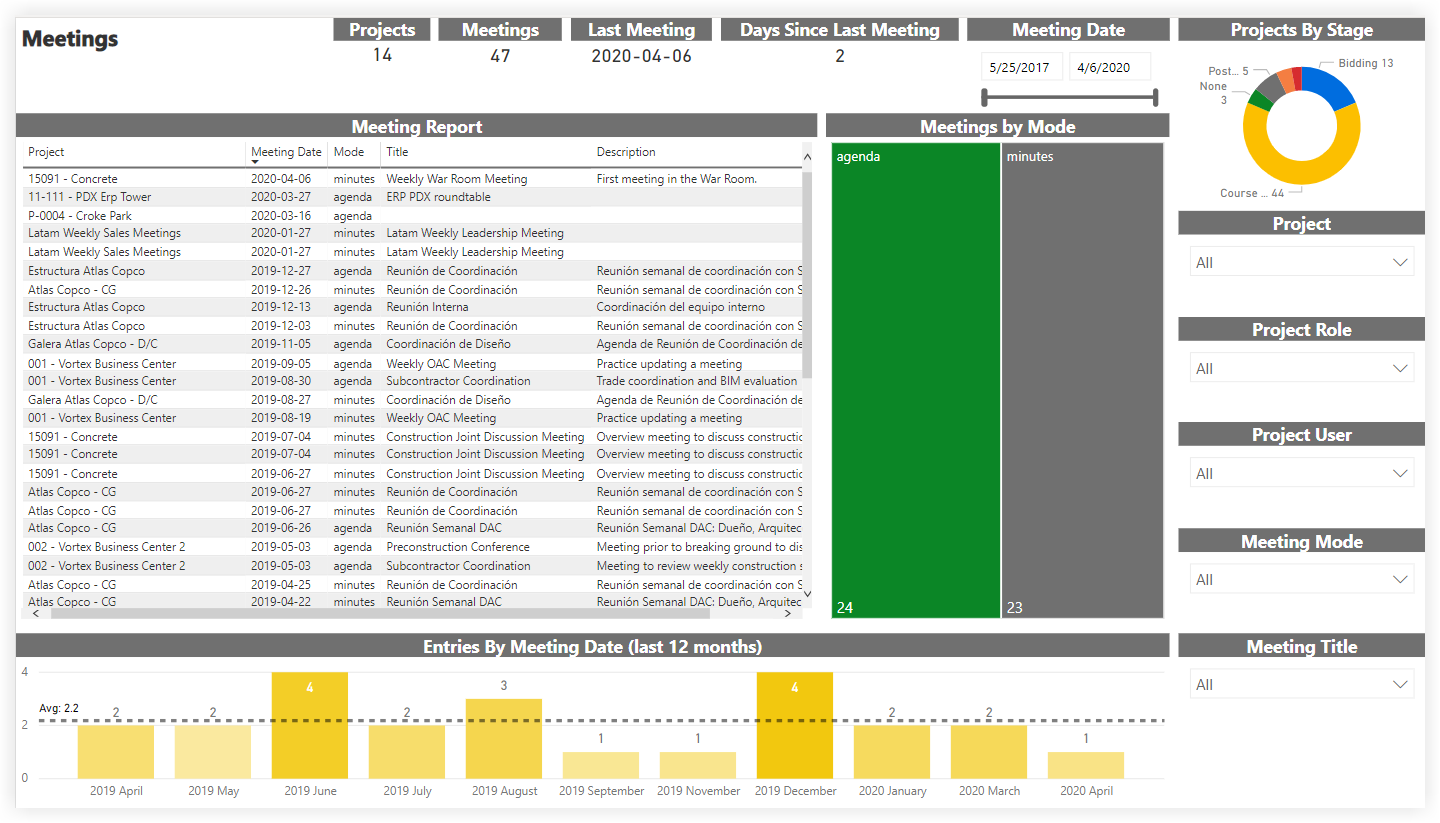
Meetings
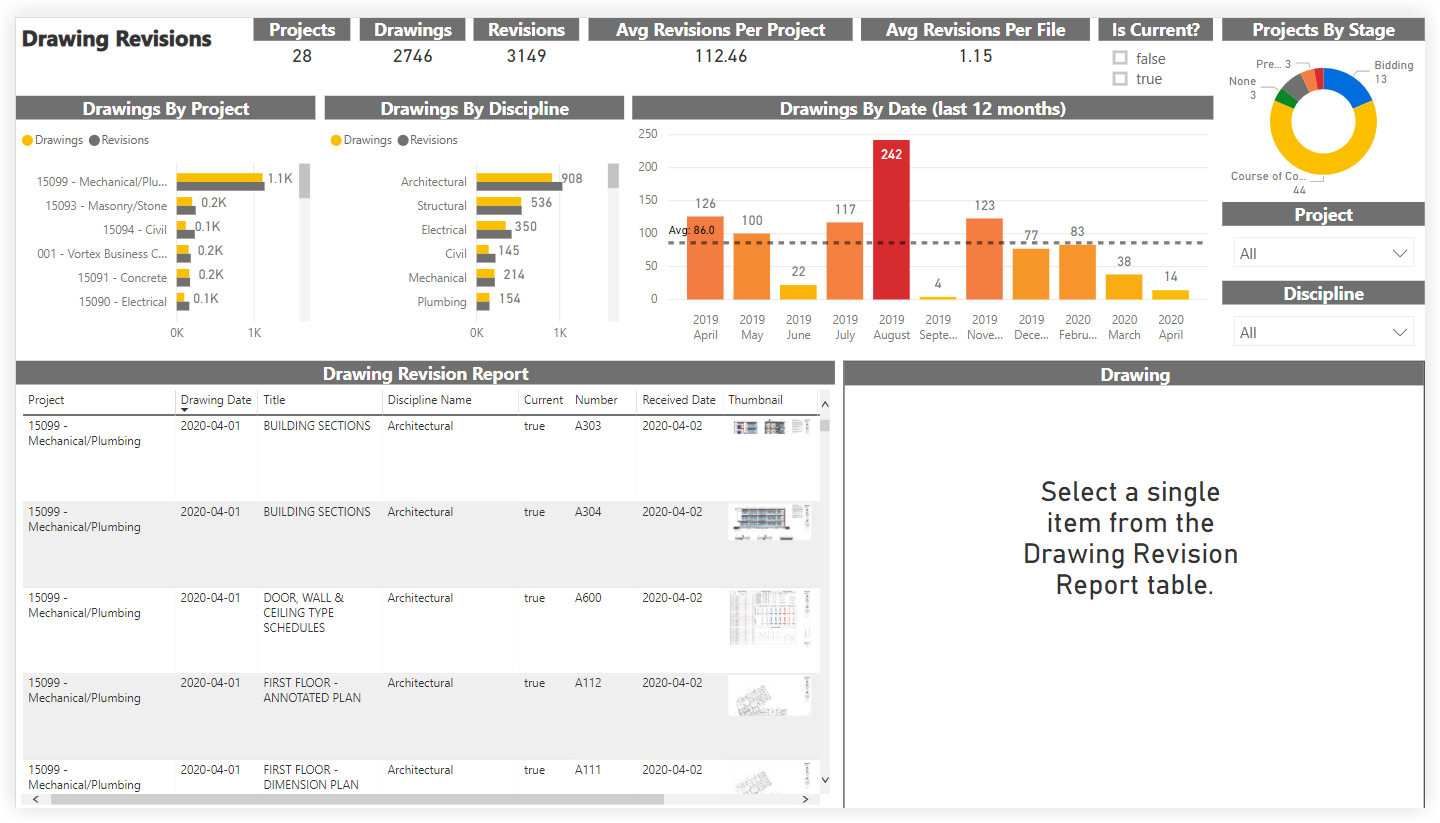
Drawing Revisions
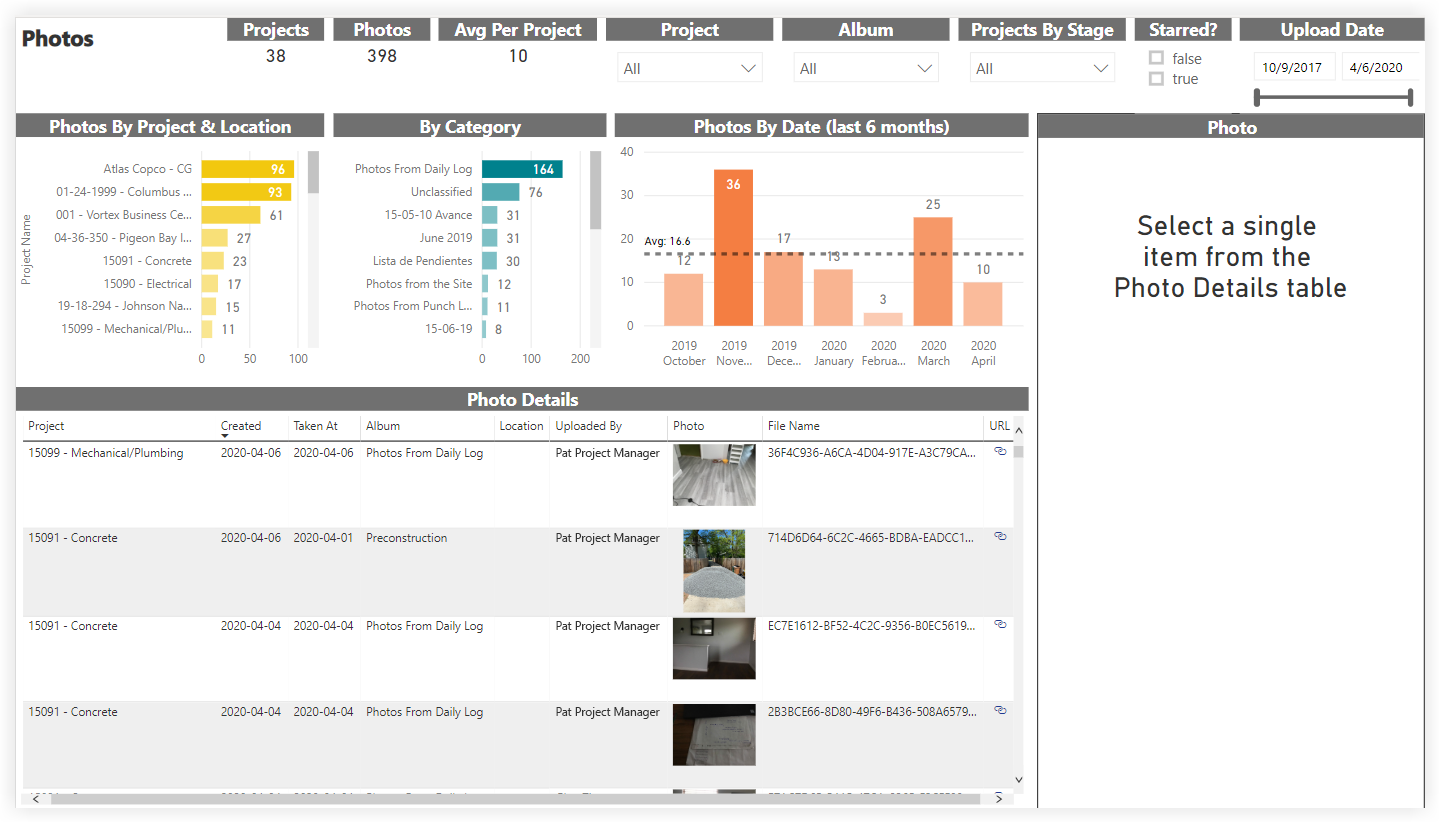
Photos
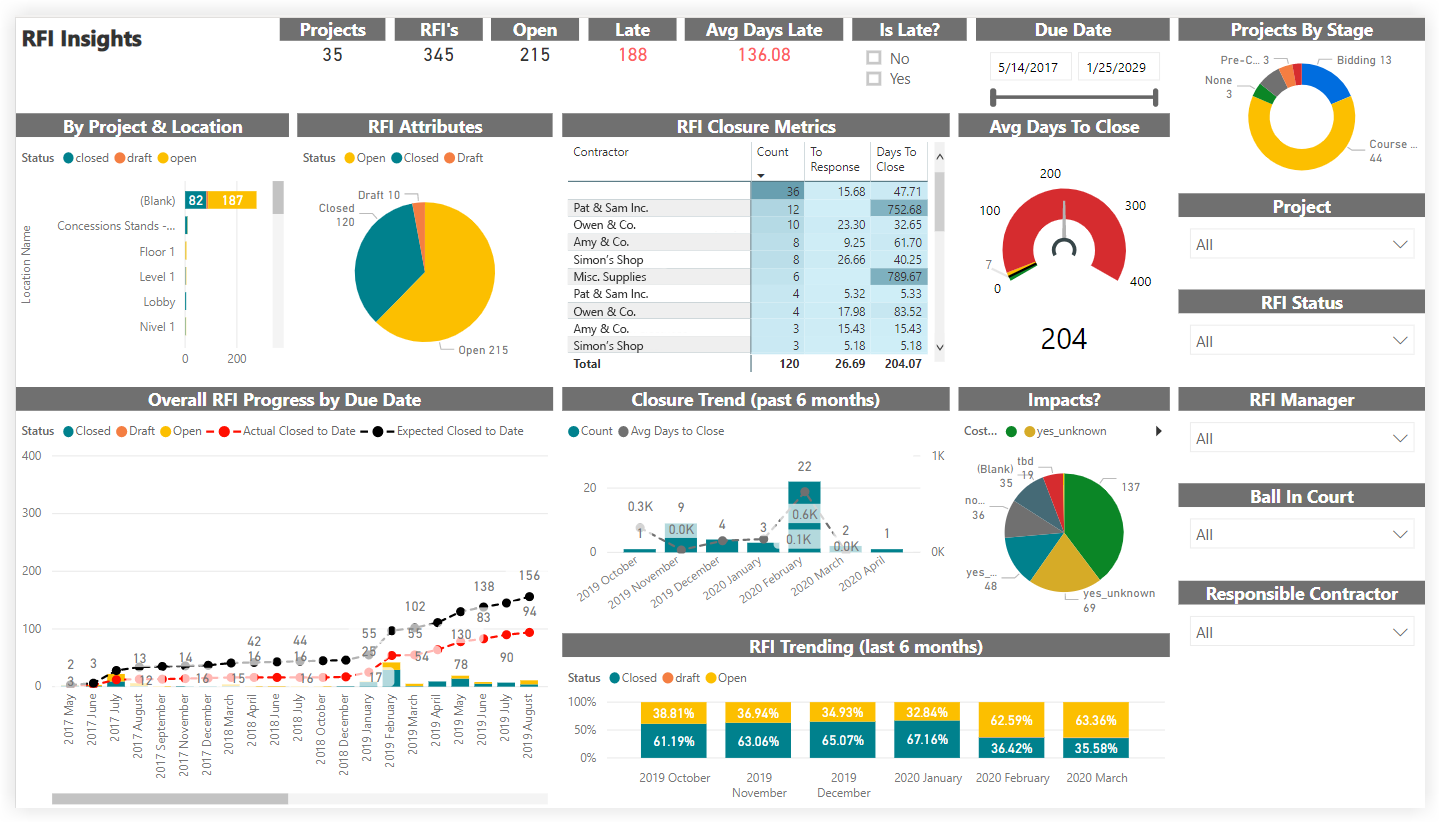
RFI Insights
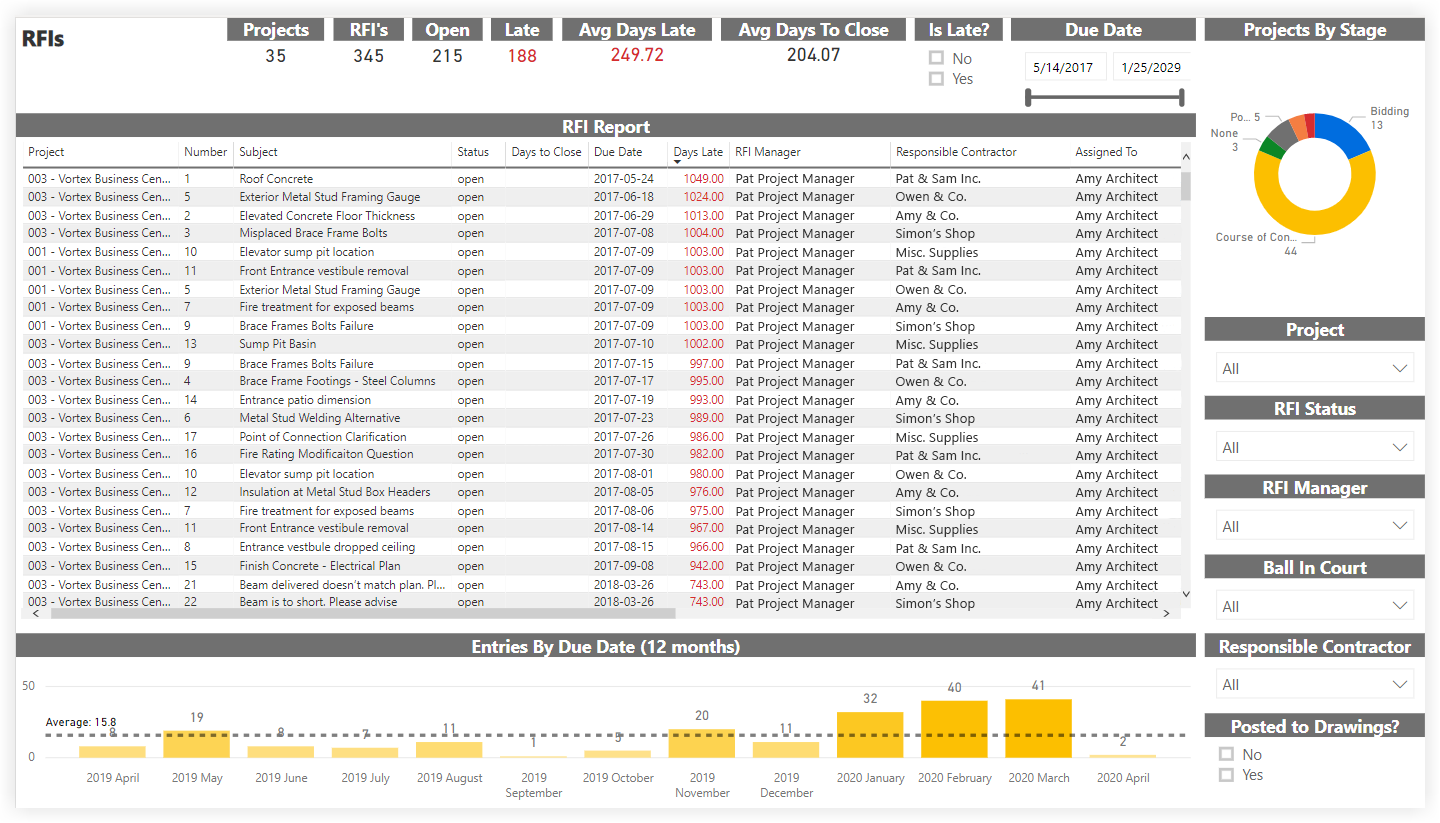
RFIs
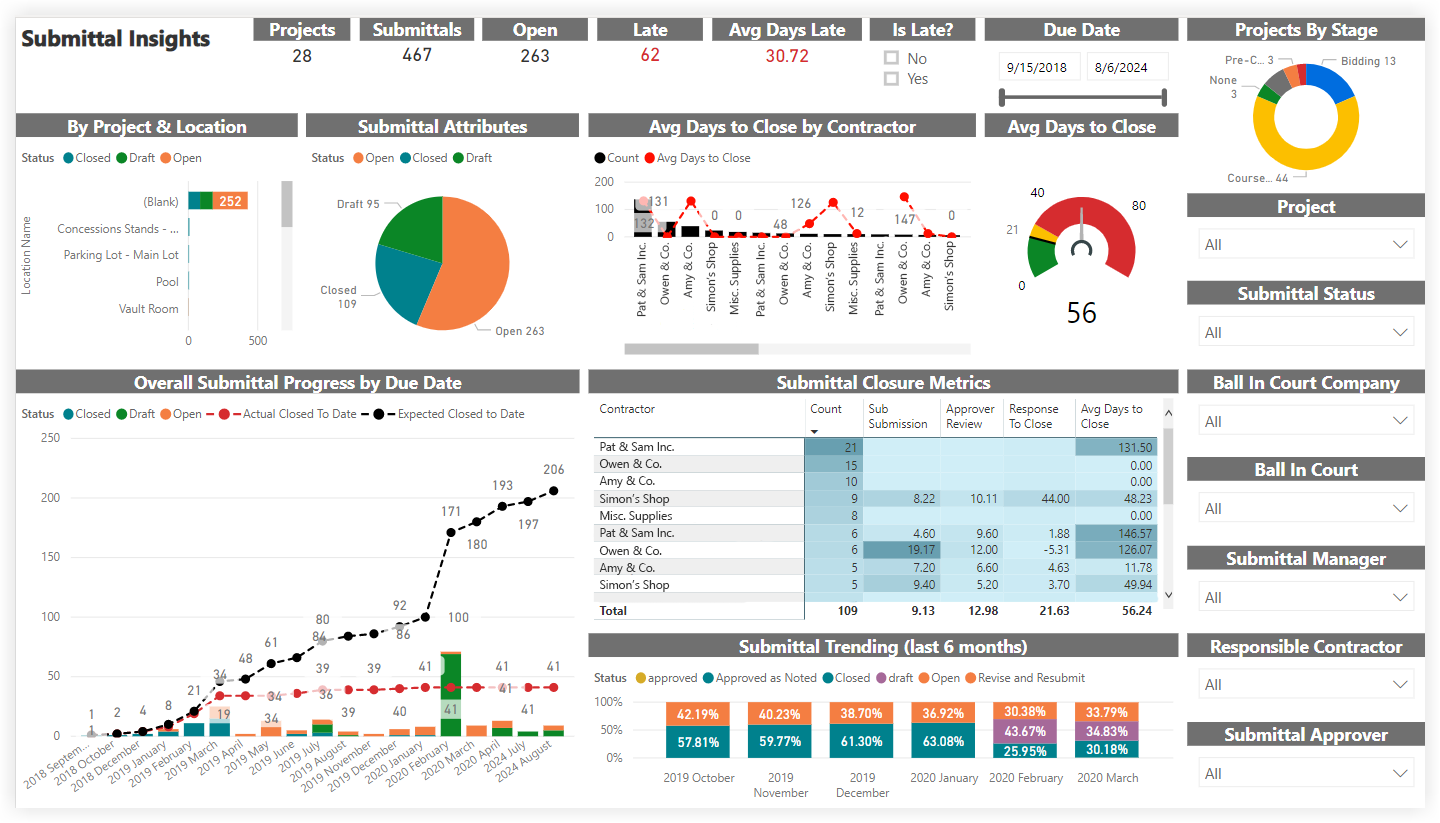
Submittal Insights
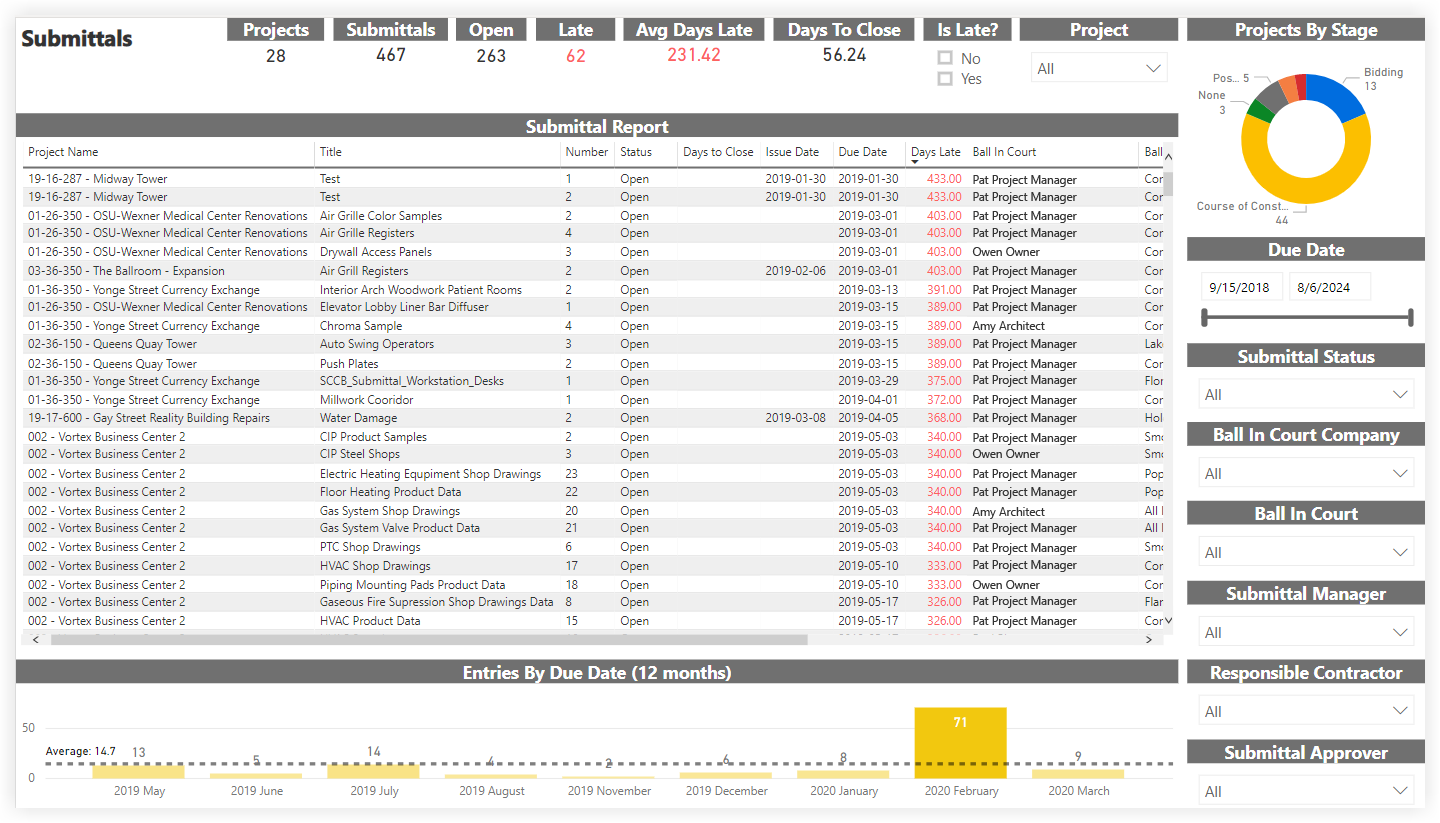
Submittals
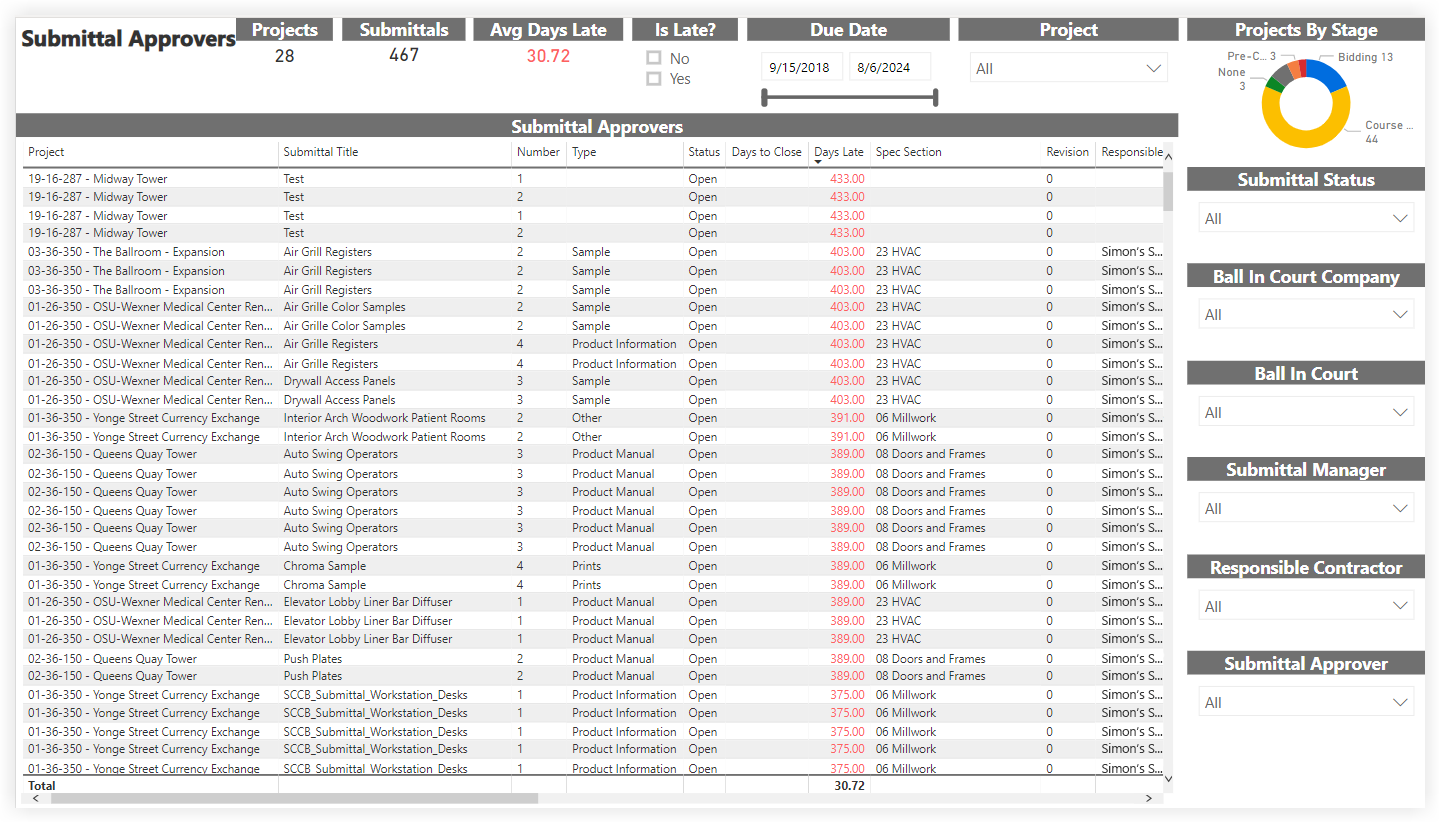
Submittal Approvers
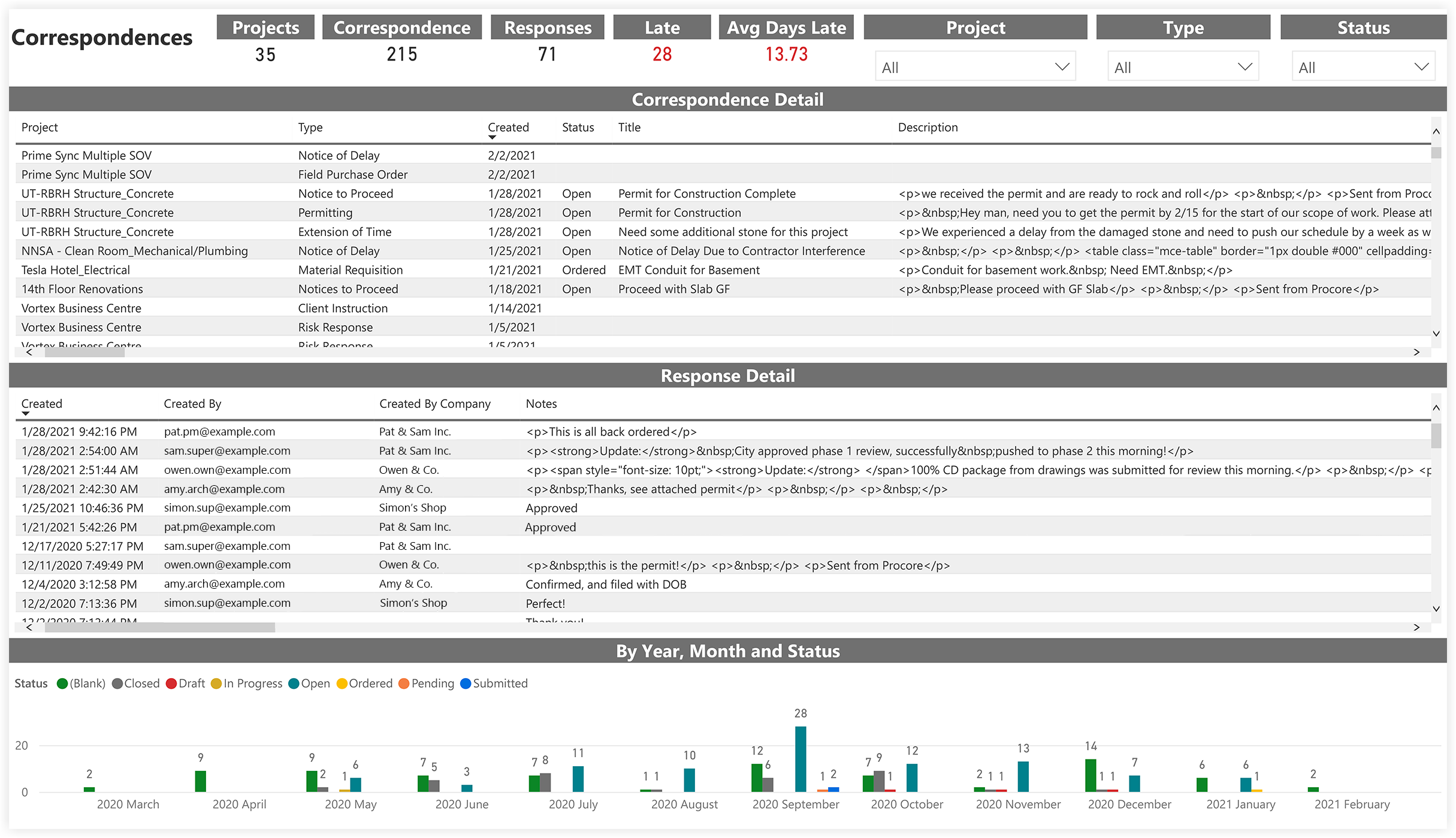
Correspondence Insights
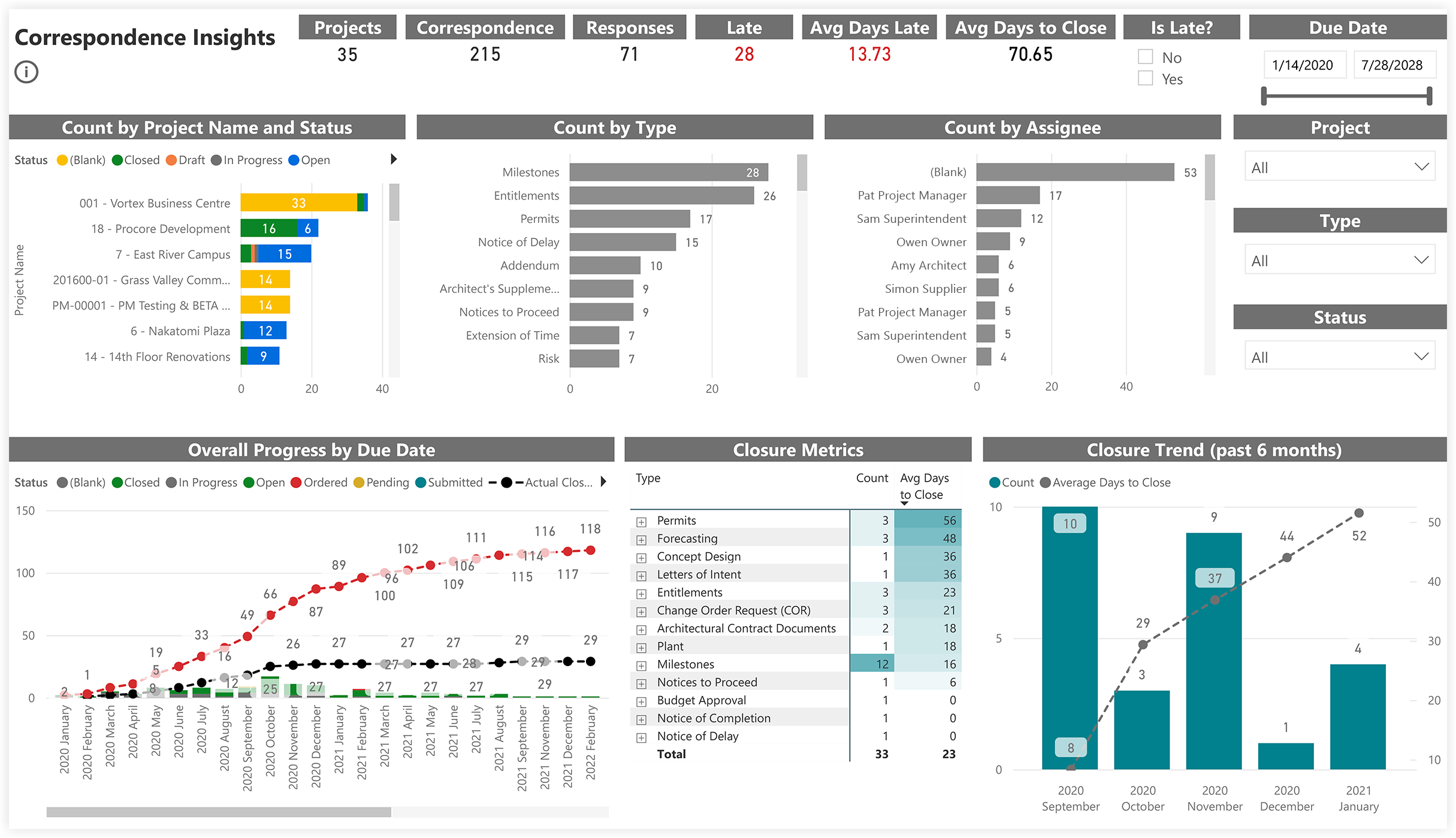
Correspondences