How do I compare a real-world LiDAR site scan against my 3D design model in the Model Manager?

Procore Model Manager - Beta Access & Feedback

The Model Manager (Beta) features and documentation are subject to change without notice. Please be aware that this content is restricted to beta participants and requires a direct link to access.

  • To learn about the beta program, see the Beta Participant Guide.

  • To access the beta and provide feedback Show/Hide Details

    • How to Access: Participating companies must sign the Procore Beta Agreement. Once signed, your Procore Administrator coordinates with your Procore point of contact to enable Model Manager (Beta) on specific Procore projects.

    • How to Provide Feedback During Beta: Contact your dedicated Beta program lead.

    • How to report critical issues: Report breaking changes to Procore Customer Support. For general feedback or non-critical issues, contact your Beta program lead or Procore point of contact.


Currently, only Admin permissions are available. 'Read-Only' and 'Standard' permission levels are coming soon.

Background

The Model Manager (Beta) supports native point cloud files directly inside the Next-Gen Viewer to help teams monitor construction progress. With native Point Cloud support, users can view real-world as-built conditions captured with LiDAR alongside your theoretical 3D models. By combining these data sets, you can easily verify that ongoing on-site construction matches your project's official design requirements without requiring external software.

Answer

You can upload and view your site scans alongside your 3D design models by using the integrated point cloud support inside the Next-Gen Viewer.

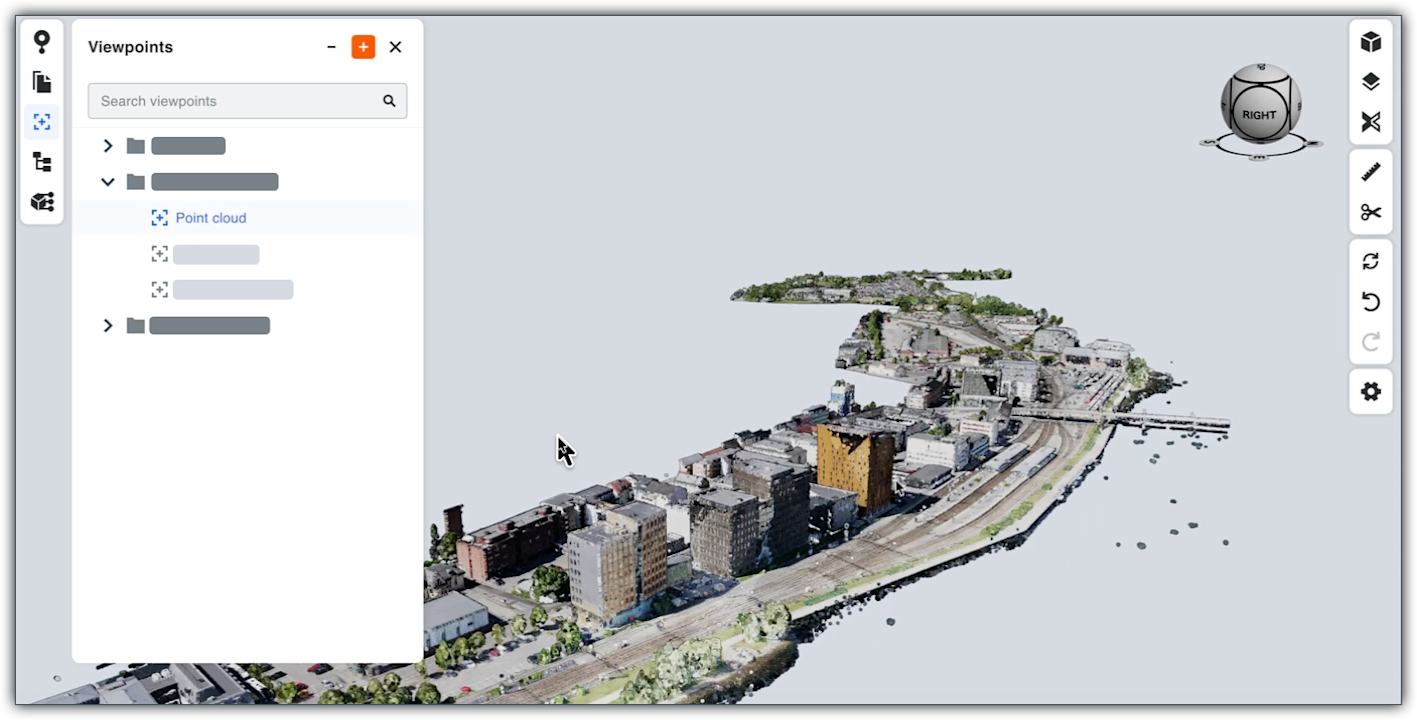
This image shows the Viewpoints panel in the Model Manager's viewer with point cloud data in view.

Supported File Formats

For details, see What file formats does the Model Manager support and do I need to manually process them?

View Options in the Next Gen Model Viewer

You can interact with point cloud data in these ways, depending on your coordination needs:

  • Single File View: Open an individual LAS or RCS viewpoing to inspect a standalone site scan in the Next-Gen Viewer.

  • Federated Project Model: Open the federated project model in the Next-Gen Viewer to merge your point cloud files directly with your existing 3D model's viewpoints. This allows you to compile hundreds of files into one federated scene to instantly cross-reference reality against the design layout.


Windows is a registered trademark of Microsoft Corporation in the United States and other countries. Google Chrome, Android, and Google Play are trademarks of Google LLC. iPhone, iPad, and App Store are trademarks or service marks of Apple Inc., registered in the U.S. and other countries and regions. iOS is a trademark or registered trademark of Cisco in the U.S. and other countries and is used under license by Apple Inc. Autodesk, AutoCAD, Civil 3D, Navisworks, and Revit are registered trademarks or trademarks of Autodesk, Inc., and/or its subsidiaries and/or affiliates in the USA and other countries. All other trademarks are the property of their respective owners.

See Also

Loading related articles...