Export Company Permissions Templates
Background
Exporting your company's company permissions templates allows you to review the permission settings, including any granular permissions, for each permissions template in one file.
Éléments à prendre en compte
Steps
Navigate to the company's Permissions tool.
Click the Company Permissions Templates tab.
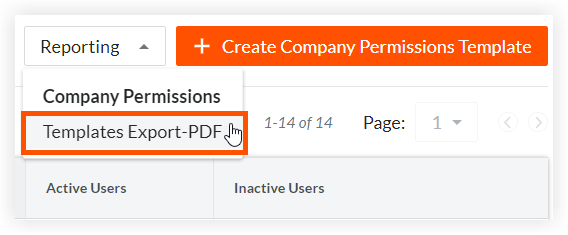
Click Reporting and select Templates Export-PDF to download the file to your computer.
Beta
Company Administrators can enable the New Permissions User Interface beta in Procore Explore. (US 2 | UK)
Navigate to the company's Permissions tool.
Click the Company Level Templates tab.
Click Company Reporting and select Templates Export-PDF.