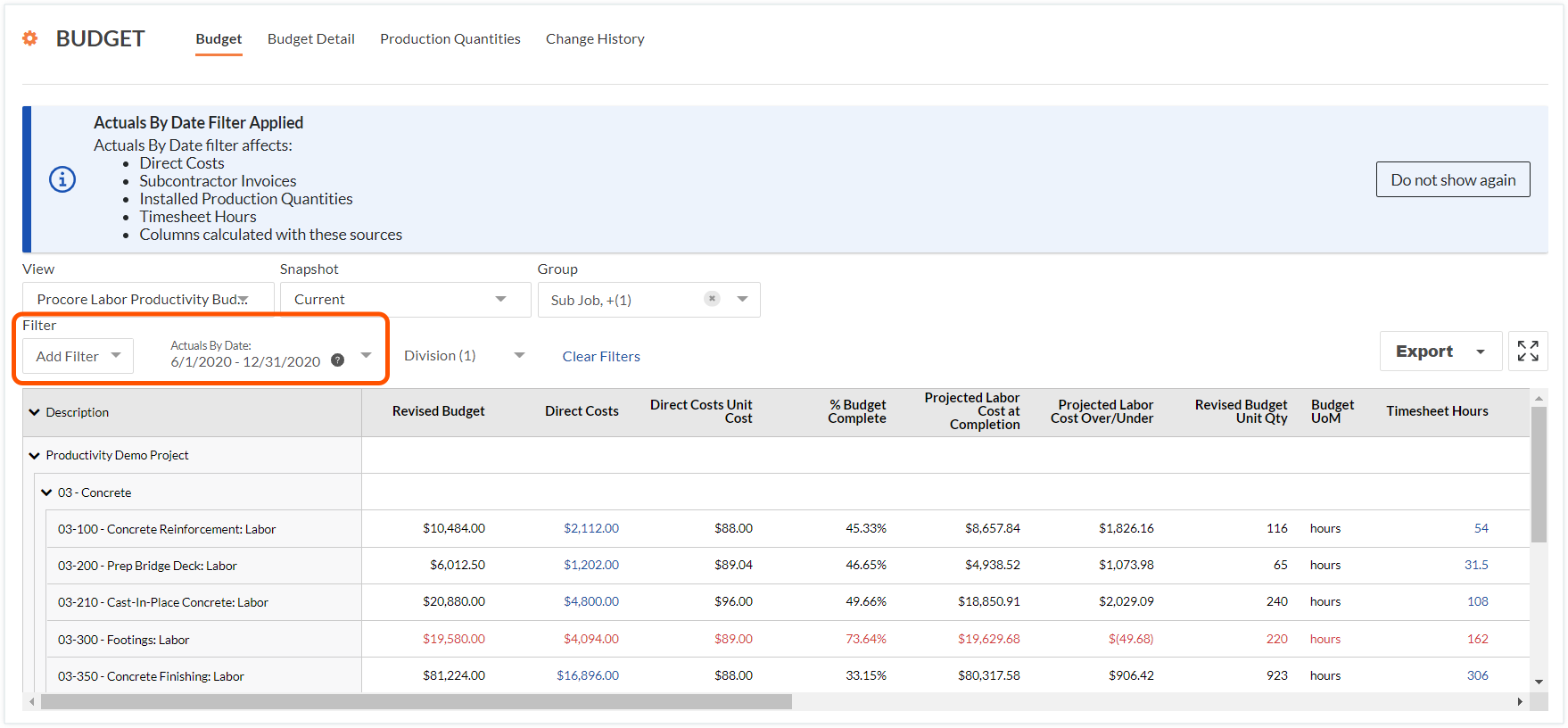
How does the 'Actuals By Date' filter work on a budget view?
Background
When you apply the 'Actuals By Date' filter to a Dans Procore, une vue du budget est un modèle qui définit la disposition des colonnes de données pour l'outil Budget d'un projet. Les vues du budget sont configurées par un administrateur Procore avec l'outil Admin au niveau Entreprise et prennent en charge les colonnes Standard, Calculé et Source. Une ou plusieurs vues du budget sont ensuite assignées à un projet Procore, afin que les utilisateurs de Procore puissent passer d'une vue à l'autre pour analyser les données sous différents angles.
Actual costs: The actual costs of the goods or services with the budget line item.
Actual unit-based quantities: The actual amount of materials associated with the budget line item.
The 'Actual Costs By Date' filter looks through the columns on your budget line items to determine which columns source data from specific project tools. It then limits the line items on the display to the actual costs and actual quantities falling within your specified date range.
Important things to note about this filter include:
It is important to keep in mind that the column data detailed below may also be used to configure calculated columns on the budget views in your environment.
Some cost, timesheet, and production items in the Procore tool's affected by this feature may not have a date associated with it. To include only the line items that have dates, mark the Only Actuals with Dates checkbox.
Example
Below is a picture of the 'Actuals By Date' filter in the project's Budget tool.