Changer l’étape de construction d’un projet
Arrière-plan
Changer l’étape de construction est important pour vos dossiers et votre organisation, et cela permet d’obtenir des rapports plus détaillés dans Procore.
Éléments à prendre en compte
Autorisations utilisateur requises :
Autorisations de niveau Admin dans l’outil Niveau projet Admin.
OUAutorisations de niveau « Lecture seule » ou « Standard » dans l’outil Admin au niveau projet avec l’autorisation granulaire « Mettre à jour les paramètres généraux » activée dans votre modèle d’autorisation.
Informations complémentaires :
Les utilisateurs disposant des autorisations appropriées peuvent également créer des étapes de projet personnalisées dans l’outil Admin au niveau entreprise. Voir Ajouter une étape de projet personnalisée.
Les étapes de projet personnalisées que vous créez peuvent être utilisées pour la numérotation des préfixes FQR. Pour plus d’informations, voir Comment configurer un préfixe et un numéro de début pour les FQR d’un projet ?
Les projets peuvent être créés avec uniquement le champ Nom renseigné (selon la façon dont l’entreprise a configuré ses ensembles de champs), alors tenez compte de l’état de préparation du projet avant de le déplacer vers l’étape suivante.
Escalier
Accédez à l’outil Admin au niveau projet.
Sous « Paramètres du projet » dans la barre latérale, cliquez sur Général.
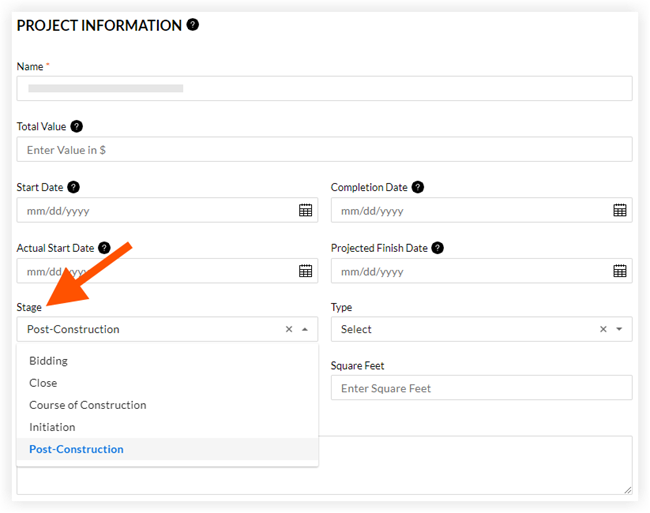
Sous « Paramètres généraux du projet », sélectionnez une étape dans le menu déroulant Étape .
Cliquez sur Mettre à jour.
Voir aussi
Chargement des articles connexes...