Afficher les inclusions et exclusions pour les contrats de sous-traitance (iOS)
Fond
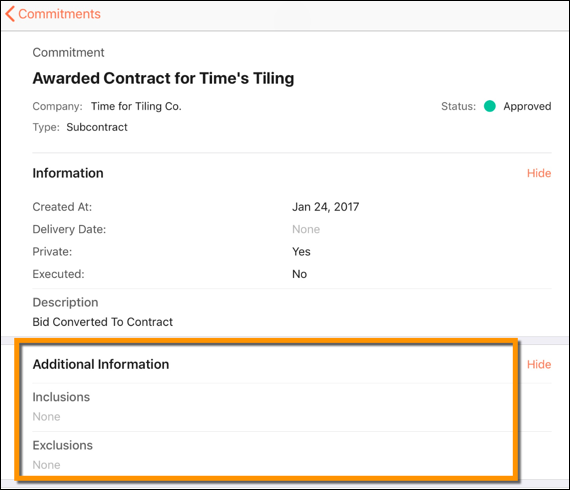
Lors de la création de contrats de sous-traitance, il est important d’indiquer explicitement ce qui est inclus et non inclus dans l’accord. Pour garantir que ces informations sont capturées et documentées, l’outil Engagements fournit les champs Inclusions et Exclusions dans le contrat d’engagement :
Les inclusions décrivent les actions, les éléments, les services et les tâches inclus dans la portée des travaux.
Les exclusions décrivent les actions, les éléments, les services et les tâches qui ne sont pas inclus dans la portée des travaux.
Éléments à prendre en compte
Autorisations utilisateur requises :
Autorisations de niveau « Lecture seule » ou supérieures dans l’outil Engagements du projet.
Cet actif ou élément peut être affiché ou modifié en mode hors connexion s’il a été précédemment affiché et mis en cache sur votre appareil mobile. Les tâches effectuées en mode hors ligne sont synchronisées avec Procore une fois la connexion réseau rétablie.
Conditions préalables
Escalier
Accédez à l’outil Engagements de votre projet à l’aide de l’application Procore sur un appareil mobile iOS.
Appuyez sur le contrat de sous-traitance pour lequel vous souhaitez afficher les inclusions ou exclusions.
Sous « Informations supplémentaires », appuyez sur Inclusions ou Exclusions pour afficher les inclusions et exclusions du contrat de sous-traitance.
See Also
Loading related articles...