Ajouter une explication d’écart dans Gestion financière du portefeuille et Planification des immobilisations

 Legacy

The information in this tutorial applies to accounts with the Portfolio Financials and Capital Planning products in Procore. Reach out to your Procore point of contact for more information.

Background

The Planning tool makes it easy to compare costs per square foot across any number of past projects at the overall project level, all the way down to a specific line item on the Schedule of Values. When looking at variances on a Capital Planning, explanations can be added for variances as comments.

Éléments à prendre en compte

  • Autorisations utilisateur requises:

    • « Admin du bâtiment » ou « Admin de l’entreprise » dans Gestion financière du portefeuille et Planification des immobilisations.

  • Informations complémentaires:

    • Cette fonctionnalité nécessite l’ajout du produit Planification des immobilisations au compte de votre organisation dans Gestion financière du portefeuille. N’hésitez pas à contacter votre Procore point of contact pour toute question.

Escalier

  1. Dans le tableau de bord, cliquez sur l’onglet Planification .

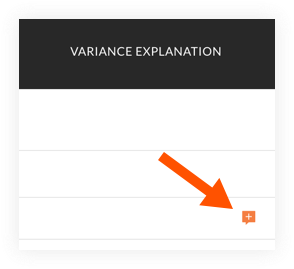
  2. Sur le plan d’immobilisations, faites défiler vers la droite pour afficher la colonne « Explication de l’écart ».

  3. Cliquez sur l’icône de commentaire sur la ligne d’un projet pour lequel vous souhaitez expliquer un écart.
    add-variance-explanation.png

  4. Saisissez un commentaire dans la zone de texte.

  5. Cliquez sur Enregistrer.

  6. Un aperçu du commentaire s’affiche dans la colonne.
    Pointe! Passez la souris sur le commentaire pour afficher l’intégralité du commentaire.

See Also

Loading related articles...