Déplacer un document vers un autre dossier dans Gestion financière du portefeuille

 Legacy

This information is intended for accounts with Portfolio Financials product in Procore. Please reach out to your Procore point of contact for more information.

Fond

La section Documents de la page du projet de Gestion financière du portefeuille est l’endroit où les documents importants liés au projet peuvent être stockés et consultés. Une fois les documents chargés, ils peuvent être déplacés et organisés dans des dossiers.

Éléments à prendre en compte

  • Autorisations utilisateur requises:

    • Accès « limité » au projet ou supérieur.

  • Informations complémentaires:

    • Un seul fichier peut être déplacé dans un dossier à la fois.

Conditions préalables

Steps

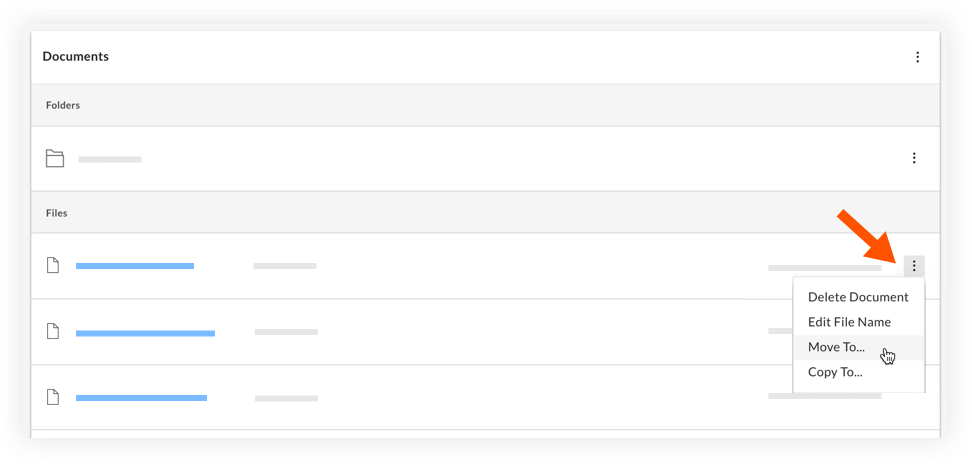
  1. Navigate to the relevant project and scroll to the Documents section.

  2. Click the vertical ellipsis icon-ellipsis-vertical.png icon and select Move To.
    move-to-another-folder.png

  3. Select the folder you want to move the file to.

  4. Click Save.

See Also

Loading related articles...