Voir les commentaires et le fil d’activité dans Gestion financière du portefeuille
Legacy
This information is intended for accounts with Portfolio Financials product in Procore. Please reach out to your Procore point of contact for more information.
Le fil de commentaires et d’activité de Gestion financière du portefeuille fournit un emplacement unique pour afficher les mises à jour en temps réel et suivre les modifications apportées à un projet.
Autorisations utilisateur requises:
« Accès complet » au projet ou supérieur.
Navigate to the Project Page of the project you want to view comments and activity for.
Click the comment
icon to expand the 'Comments and Activity' feed.
Note: This field can be expanded by default, depending on the size of your screen or browser window.
Each action lists the user who performed the action, a description of the action, and a timestamp.
Optional: To filter the feed by all activity, or only comments:
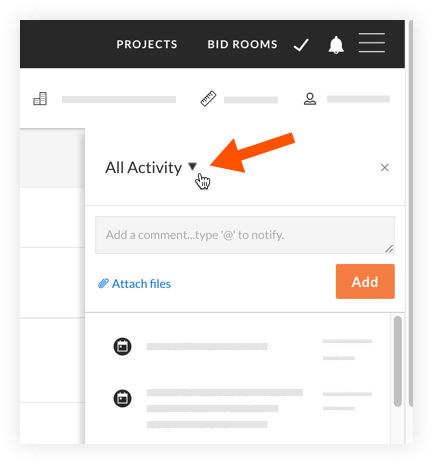
Click the drop-down menu at the top of the feed.

Select one of the following options:
All Activity: Shows all updates and comments in the project.
Comments Only: Shows only comments that have been added to the project.
Loading related articles...