View a Disbursements List

 General Availability in Select Markets (United States)

flag-us.png Procore Pay is available in the United States. It is designed for General Contractors and Owner-Builders who act as their own General Contractors on a job. Procore Pay extends the Invoice Management functionality in the Procore web application to handle the payment process between general and specialty contractors.
Background

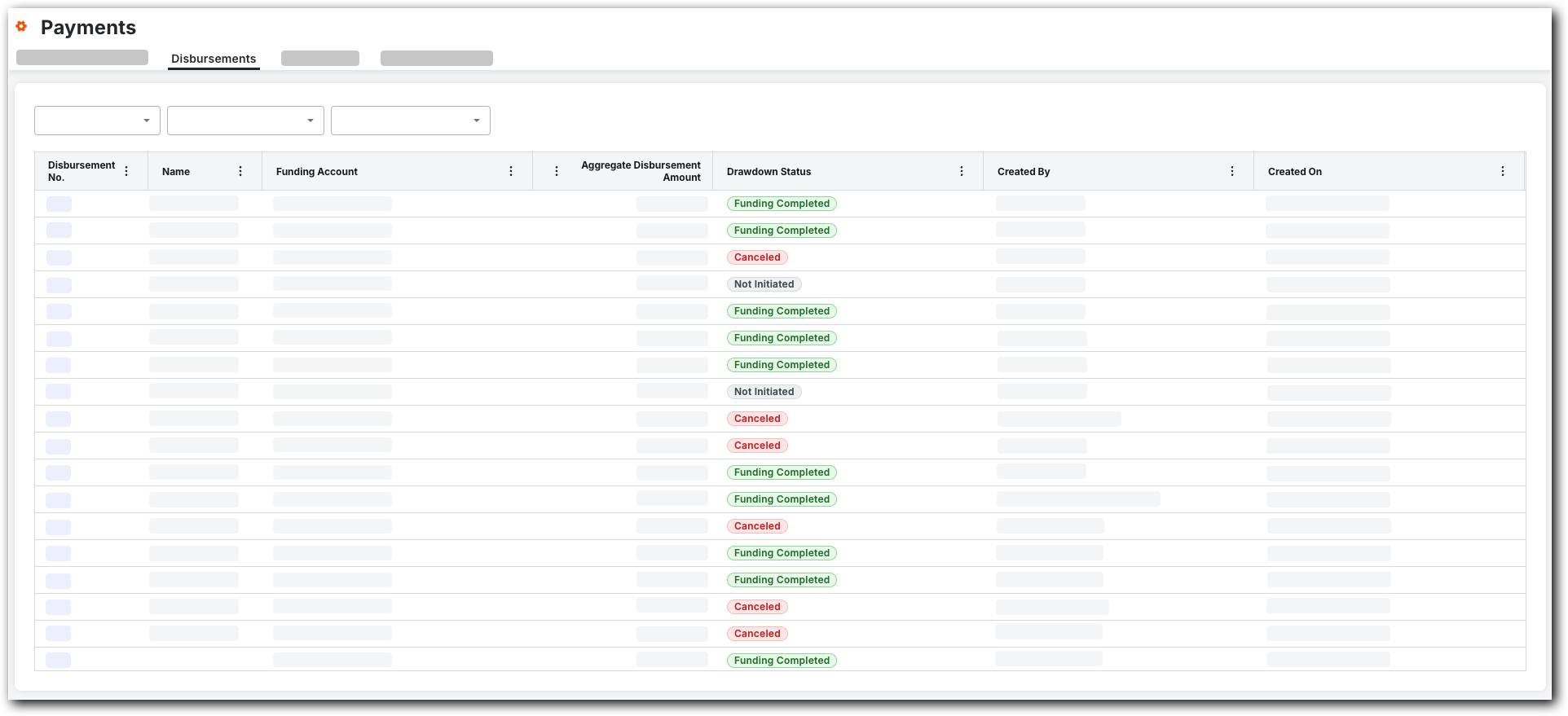
Payments Admins and Payments Disbursers can see all of the disbursements that have been created.

Éléments à prendre en compte

Prerequisites

Steps

  1. Navigate to the Company level Payments tool.

  2. Click the Disbursements tab.

     Pointe

    Vous ne voyez pas l’onglet Débours ? Pour afficher cet onglet, votre compte utilisateur Procore doit être affecté au rôle Débourseur de paiements ou Administrateur de paiements.

  3. In the Disbursements tab, the table lists all the disbursements.
    payments-disbursements-tab.png

  4. Optional. Filter the data table by selecting one (1) or more of these options:

    • Created On. Click the button and select one of these options:* Last 30 days. Shows only the disbursements created in the last thirty (30) days.* Last 60 days. Shows only the disbursements created in the last sixty (60) days.* Year to Date. Shows all of the disbursements created in the past year.

    • Funding Account. Click the button to select one (1) or multiple company's funding account options.

       Pointe

      Comment ajouter un compte de financement au menu déroulant ? Consultez l’article Ajouter des comptes de financement.

    • Drawdown Status. Click the button to select one (1) or multiple company's funding account options. See

See Also

Loading related articles...