Configure the Tool Order for a Project (Android)
Background
You can customize the order of project tools on the Project Overview screen so that you have easier and more efficient access to the tools you use the most.
Éléments à prendre en compte
Vous ne pouvez configurer que les outils auxquels vous avez accès sur le projet.
Steps
Open the Procore app on an Android mobile device and select a project.
Tap the Tools
 screen with the Project Overview.
Click the filter
 icon.
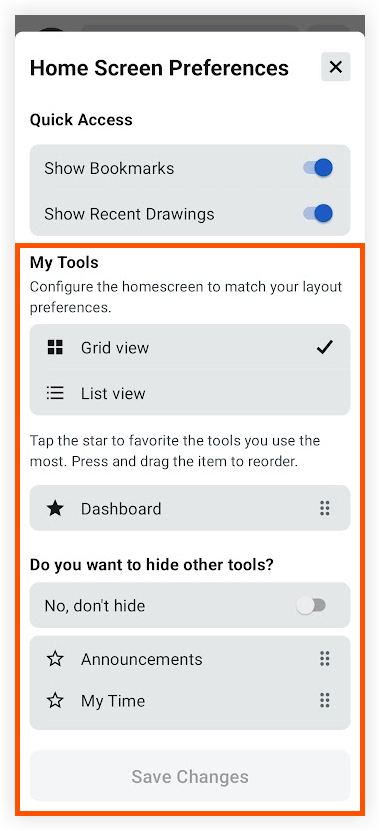
icon.Tap Grid View or List view depending on how you want tools to appear on the home screen.
Tap the star
 icon next to each tool that you want to show at the top of the My Tools section of the Project Overview screen.
Press and hold the reorder
 icon next to a tool to drag it into a different order.
Continue reordering tools to your preference.
Optional: If you want to hide the remaining tools so that they do not appear on the home screen, tap the toggle
 icon to the ON position.
Tap Save Changes.
See Also
Loading related articles...