プロジェクト ツールの追加と削除
Background
Users with Admin permissions on the project's Admin tool can enable or disable project level tools. While a tool is enabled, users with the appropriate permissions can view the tool in the Project Tools menu. While a tool is disabled, it is not visible to anyone in the menu and cannot be used.
Things to Consider
Removing a tool as an active tool on the project only removes the tool name from the Project Tools menu. It does not remove the tool's data.
Some tools are
 Active by default and cannot be removed.
ステップス
プロジェクトの [管理者 ] ツールに移動します。
「プロジェクト設定」で、[ アクティブ ツール] をクリックします。
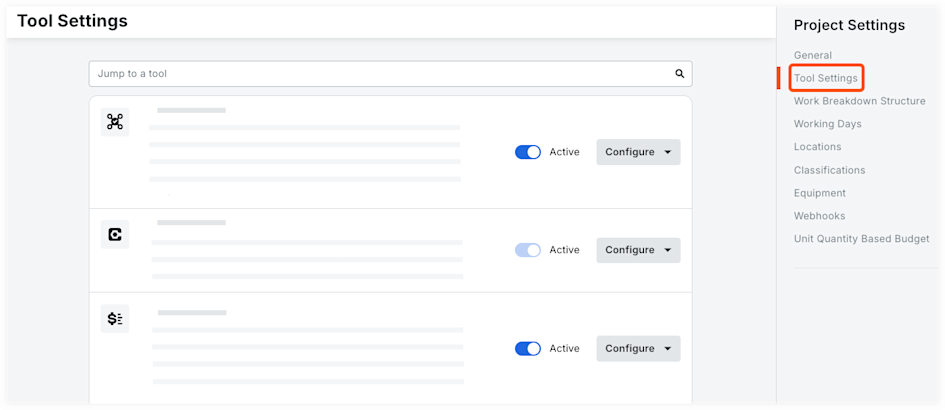
プロジェクトでアクティブにして使用できるようにするツールの横にあるチェックボックスをオンにします。
手記:「すべて選択」の横にあるチェックボックスをオンにしてアカウントで使用可能なすべてのツールを選択するか、製品カテゴリの横にあるチェックボックスをオンにしてカテゴリ内のすべてのツールを選択できます。チェックボックスをもう一度クリックすると、すべてのツールの選択が解除されます。プロジェクトで使用しないようにするツールの横にあるチェックボックスをオフにします。
オプション: ツールをクリックして新しいシーケンスにドラッグし、すべてのプロジェクト ユーザーの [プロジェクト ツール] メニューでのツールの表示方法を並べ替えます。
「 更新」をクリックします。
See Also
Loading related articles...