Update the Percent Complete for a Schedule Task (iOS)
Things to Consider
Required User Permissions:
You need one of the following:
'Admin' level permissions on the Project level Schedule tool.
'Read Only' or 'Standard' level permissions with the 'Update Task Completion Percentages' granular permission enabled on the permission template.
Additional Information:
Updating the percent complete on mobile does not update the percent complete in the native schedule file. See How do I get the percent complete updated in the native schedule file?
Percent Complete cannot be updated for Summary schedule tasks or Milestones.
Percent Complete for calendar items cannot be updated in the mobile application
Prerequisites
The setting for updating schedule tasks must be enabled on the Schedule tool's Configure Settings page. See How do I allow users to update the 'Percent Complete' field in the Schedule tool?.
Steps
Navigate to the project Schedule tool using an iOS mobile device.
Tap the schedule task you want to update.
Tap Edit.
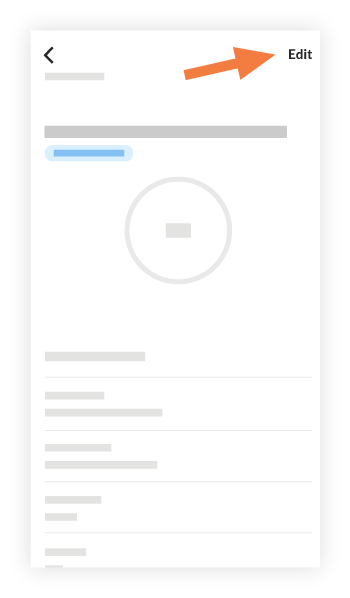
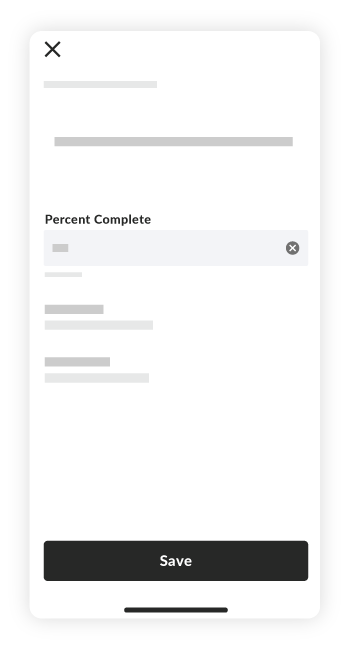
Note: Percent Complete cannot be updated for Summary schedule tasks or Milestones.Enter the current percent complete for the task and tap Done.
Note: You can enter a numeric value from 0 to 100. The value enter must be a whole number.Tap Save.
The schedule task on the mobile device updates to show the amount you entered for Percent Complete.
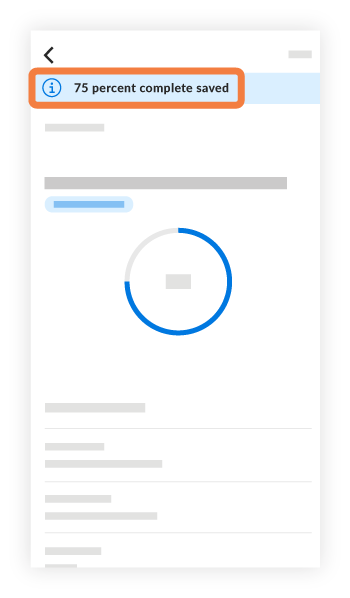
Note: These changes are also shown in the Schedule tool on the web application.
See Also
Loading related articles...