Remove a Worker
Background
For projects using Procore's Resource Tracking tools, you can remove workers from the project's Crews tools. After you remove a worker from Procore, the worker's name is no longer available for future use in the Timesheets, Timecard, Daily Log, or Crews tools. However, historical information is retained.
Things to Consider
Required User Permissions:
'Admin' level permissions on the Project level Directory tool.
Additional Information:
The worker will still be listed on any timesheets that they were previously entered on.
If the 'Can company employees be tracked on all projects?' setting is enabled, the worker WILL remain on the Resource Tracking tools Employee list. See Configure Advanced Settings: Company Level Timesheets.
Workers can also be viewed in the Project and Company level Directory tools under the 'Contacts' tabs. See What is a 'contact' in Procore and which project tools support the concept?
Prerequisites
Steps
Navigate to the project's Crews tool.
Click the Workers tab.
Locate and hover over the worker you want to remove.
Choose one of these options:
Click the trash bin icon to the right of the worker's information.
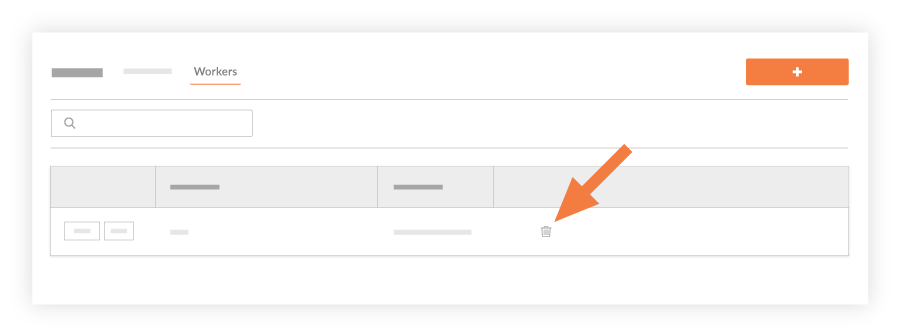
ORClick Edit next to the worker you want to remove.
In the 'Edit Worker' window, click Remove.
 Notes
NotesThis removes the worker from the project and the worker is no longer available for selection in the Timesheets, Timecard, Daily Log, or Crews tools.
The worker is NOT removed from any historical timesheets.