Log in to Procore Using SP-Initiated SSO with Google SSO
Background
Single Sign-On (SSO) lets you access Procore using your existing company credentials, eliminating the need to manage multiple passwords. Once your organization enables Google SSO, go to the Procore login page and enter your email to sign in through Google Workspace. After Google verifies your account, Procore opens automatically, giving you access to your Procore projects.
Things to Consider
Required User Permissions:
You must be invited to join Procore. To receive a "Welcome to Procore" email, a user with 'Admin' permissions on the Company Directory must create your account in their Directory tool. See Add a User Account to the Company Directory or Add a User Account to the Project Directory.
Additional Information:
Once you log in, your role determines what you can access.
Your organization's company and project administrators manage access permissions.
Prerequisites
A Procore Administrator and/or your Google Workspace super administrator must complete the steps in Configure Google SSO for Procore.
Steps
Open your browser and go to: https://login.procore.com
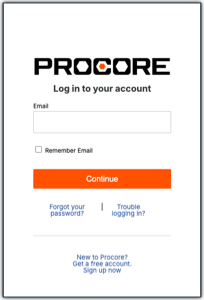
Enter your email address and click Continue. Use your work email address or the email where you received your Procore invitation.
Finish signing in:
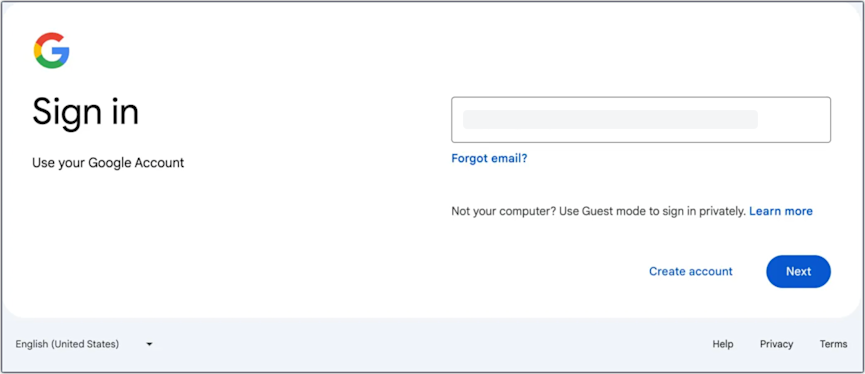
If your screen redirects you to your company's sign-in page: Enter your email address and click Next. Then, enter your password and click Log In.
If your screen simply reveals a password field: Enter your Password and click Continue to sign in.
TipNeed Help Logging In? Contact your company’s IT department or IdP administrator. Procore Support does not have access to your private credentials.