Apply Filters to the Project Status Snapshots Tool
Beta
Periods for project status snapshots are currently in beta. To enable this feature, join the Budget: Periods on Project Status Snapshots beta program through Procore Explore.
Periods for project status snapshots are currently in beta. To enable this feature, join the Budget: Periods on Project Status Snapshots beta program through Procore Explore.
The Project Status Snapshots tool lets users view, filter, and open snapshots from your company's Procore projects. This is useful for Procore clients who manage high volumes of construction projects in their Procore company account.
Required User Permissions:
'Standard' level permissions or higher on the Project level Budget or Company level Project Status Snapshot tools.
Navigate to the Company level Project Status Snapshots tool.
Select a budget view from the View drop-down list.
 (Optional) Filter by period or comparison period:
Period. Select one or more periods from this drop-down list.
You can choose from options such as Current, Last Period, None, or specific financial periods.
By default, the Current period is selected until changed.
Comparison Period. Select a period from this drop-down list to compare against the primary period. See Analyze Variance Between Snapshots in the Project Status Snapshots Tool.
You can choose from options such as Current, Previous, or specific financial periods.
If you select the Previous option from the Comparison Period drop-down list, the prior period is automatically selected based on the period currently chosen in the Period drop-down list.
By default, the Previous period is selected until changed.
The Period and Comparison Period fields are available only when the Financial Periods setting is enabled. See Enable or Disable Financial Periods for Project Status Snapshots.
If you want to view the snapshot, click the Open  icon in the Project column.
Click All Filters.
This opens the Filters panel. 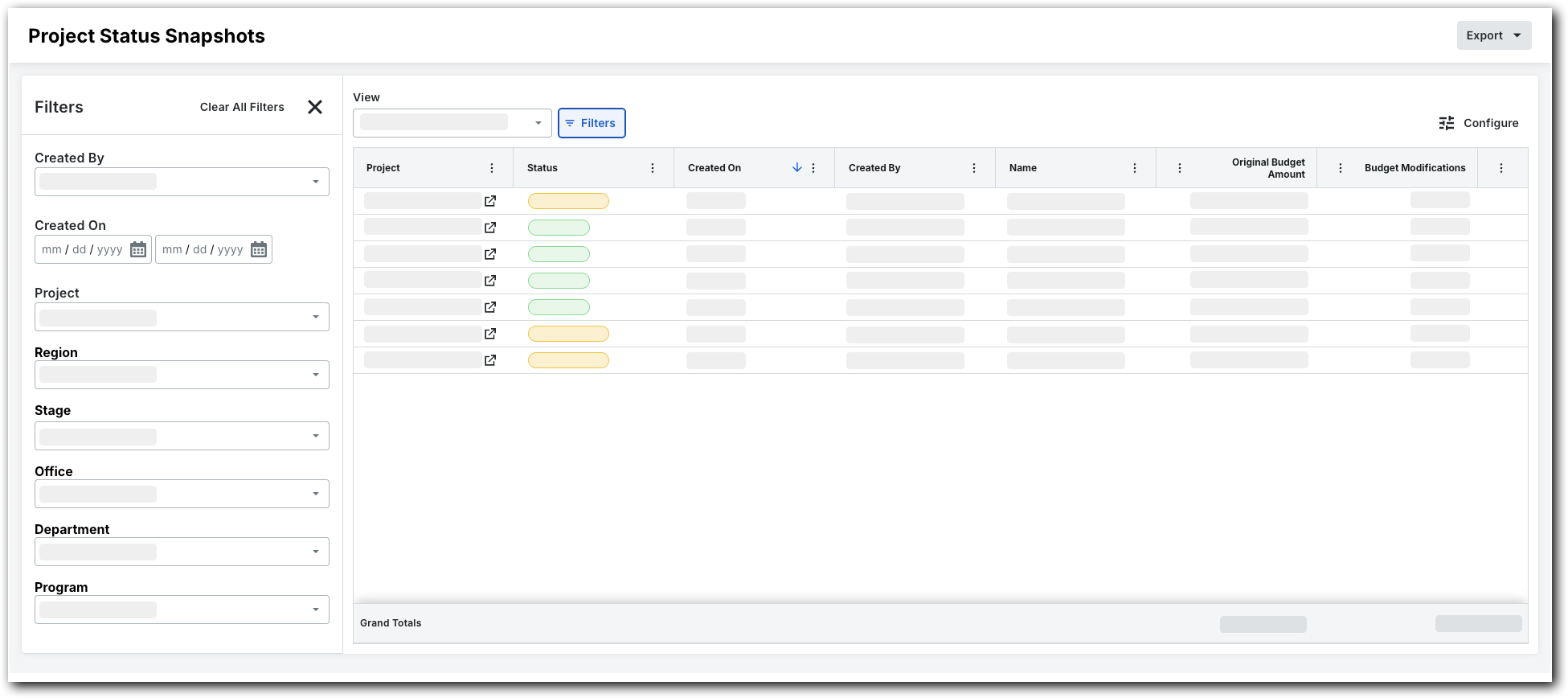
Set the available filters to focus on the snapshots you want to view. Options are:
Created By. Choose one or more snapshot creators.
Created On. Set a time frame using the calendar.
Project. Select specific projects to view their snapshots.
Region. Pick a project region.
Stage. Choose a project stage.
Office. Select an office.
Department. Pick a department.
Program. Select a program.
Status. Select a status.
Loading related articles...