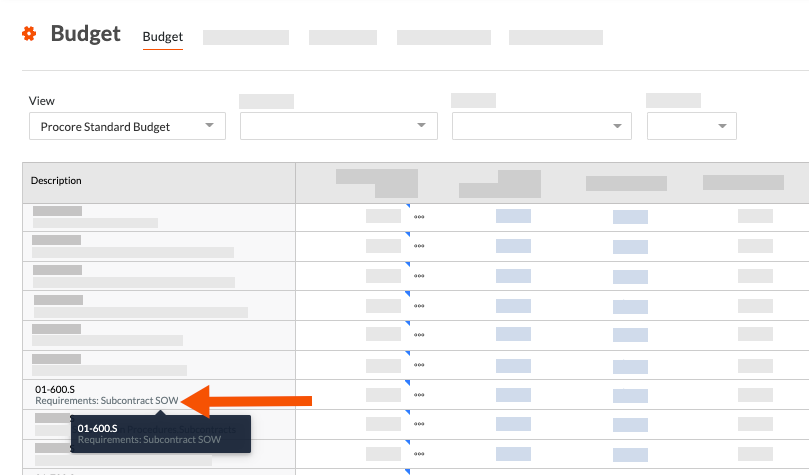
为什么以及如何为 Procore 的项目财务工具创建自定义预算编号描述?
背景
Procore 项目财务管理工具中的"创建预算编号"功能可让团队创建自定义预算编号描述以满足不同的用例。一些示例包括:
捕获有关单个预算编号的细分详细信息
提高预算编号描述的可读性
缩短预算编号描述以节省空间
要了解如何创建自定义预算编号说明,请参阅下面的答案。
捕获有关单个预算编号的细分详细信息
如果希望获取有关单个预算编号的更详细信息,请查看此示例。
Let's assume your Procore project is using only the default segment items in Procore's Work Breakdown Structure (WBS). In the 'Cost Code' segment, which is based on the CSI The MasterFormat is an organization standard that defines the master list of Divisions, Sections, and Section Titles for construction project specifications in the United States and Canada. It is authored by the Construction Standards Institute (CSI) and Construction Specifications Canada (CSC). See CSI MasterFormat®.
When the budget code for a financial line item is associated with an allowance
An allowance is an amount included in a contract sum to cover the costs of any items not specified in the contract.When the budget code for a financial line item is associated with a contingency
A contingency is an amount set aside in a contract to cover the costs of any additions to the scope of work due to unknown risk factors.
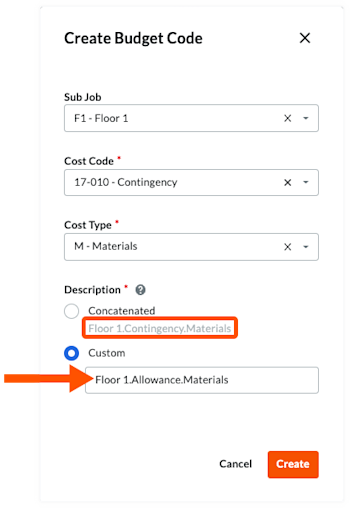
To address this scenario, you can use Procore's custom budget code description option to create two (2) descriptions for a single budget code. This allows your team to distinguish between the budget code is used for an allowance versus when its used for a contingency. In the illustration below:
The budget code is: F1.17-010.M
The custom budget code description is: Floor1.Allowance.Materials
The default budget code description is: Floor1.Contingency.Materials
You can also create additional budget code descriptions for each budget code to suit your organizations specific needs.

提高预算编号描述的可读性
使用 Procore 创建细分时的 预算编号结构是细分用于根据组织建立的模式构建有意义的预算编号。在 Procore 的工作分解结构中,公司或项目的预算编号结构可以由多个部分组成。
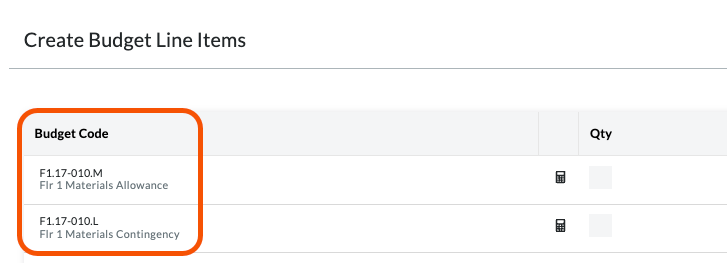
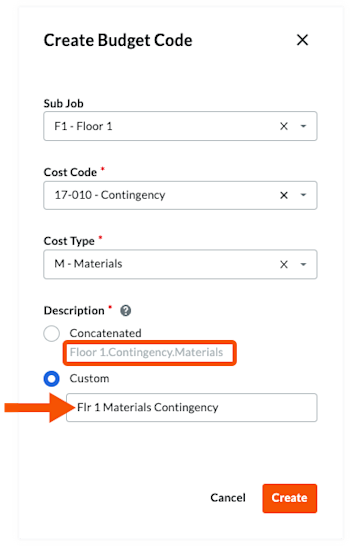
Using the same example as above, you can also use Procore's custom budget code description option to simplify and improve readability of your budget codes. This can improve readability of your budget codes, as shown in the illustration below:
The budget code is: F1.17-010.M
The custom budget code description is: Flr 1 Materials Allowance
The custom budget code description is: Flr 1 Materials Contingency
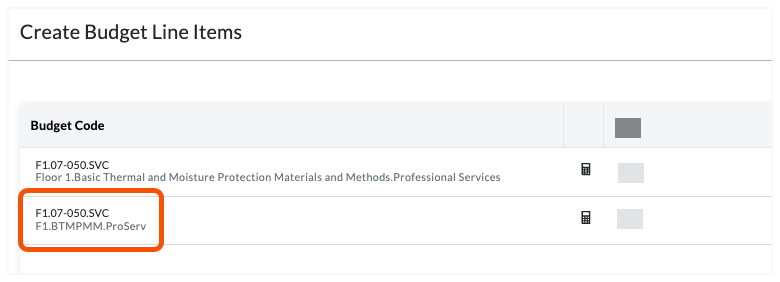
The illustration below shows you how the custom descriptions can improve readability.