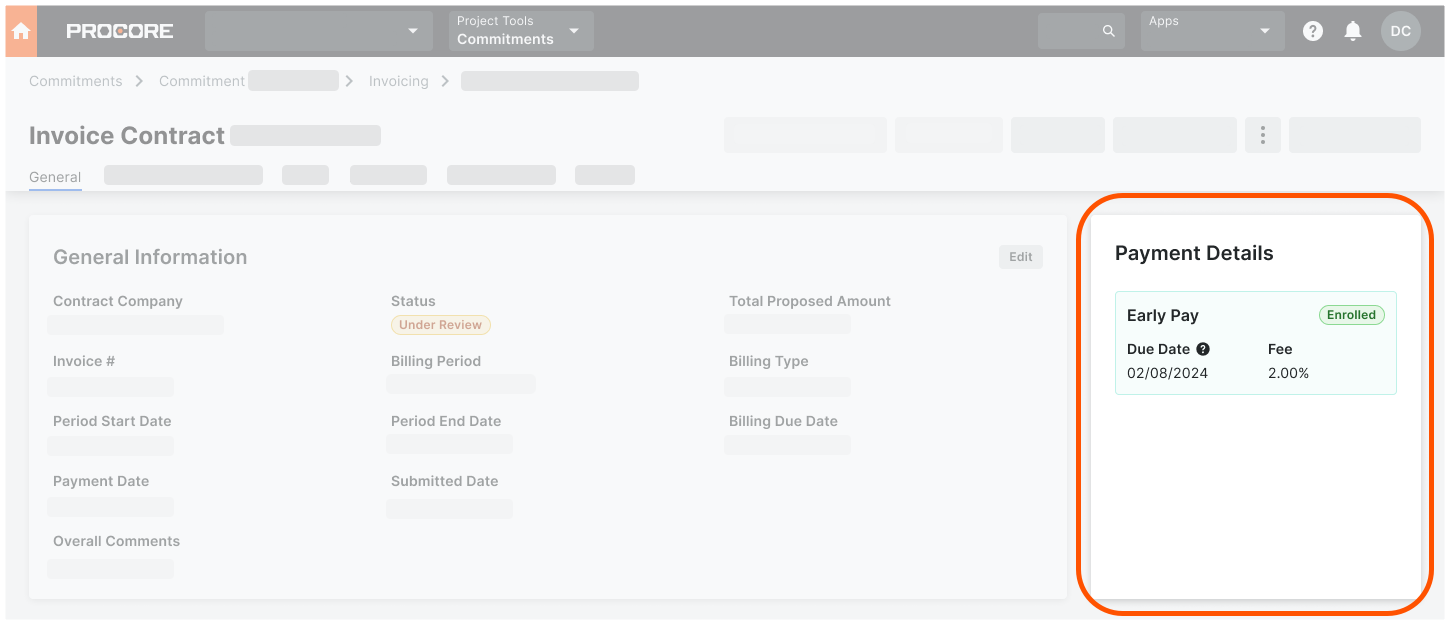
Track Early Pay Due Dates
Track Early Pay Due Dates in Payments
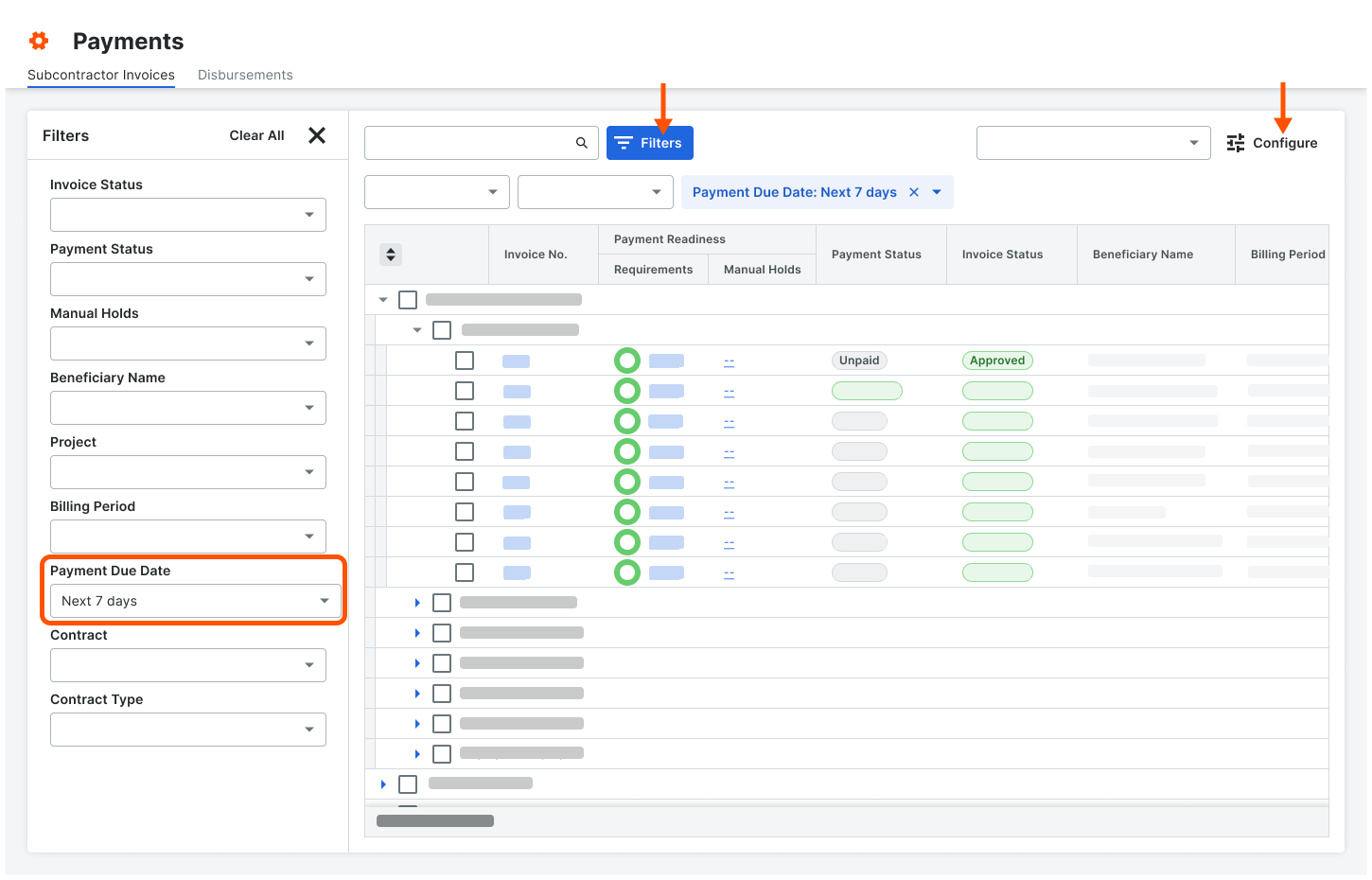
Payments Admins and Payments Disbursers can track Early Pay Due Dates in the Payments tool in the Subcontractor Invoices tab. Click the Configure button to open the Filters pane or click the Filters button apply these new filter options to the tab: Overdue Today, Next 7 Days, or a Custom date range.
See About the Subcontractor Invoices Tab in the Payments Tool.
Example
This is an example of the Filters options in the Subcontractor Invoices tab of the Payments tool.