在项目中启用工种

Background

In Procore, a classification is a way for a company to categorize its employees on a project. To provide your company with flexibility, you can create a customized classification list that suits your business's specific needs in the Company level Admin tool. After creating a classification, you can then use the steps below to enable them to use with Procore's Resource Tracking tools.

示例
  • 你可能希望自己的工种反映建筑行业中的角色,例如瓦工电工等。

  • 你可能希望工种反映行业中的等级,例如学徒熟练工等。

需要考虑的事项

Prerequisites

  • To access the Classifications tab in the Project Admin tool, your company must have a license for the Timesheets and T&M Tickets tools.

  • You must create one or more classifications at the company level. See Add a Classification or Update the User Import Template.

Steps

  1. Navigate to the project's Admin tool.

  2. Under Project Settings, click Classifications.

  3. Choose from these options:

    • To set up classifications on your project for the first time
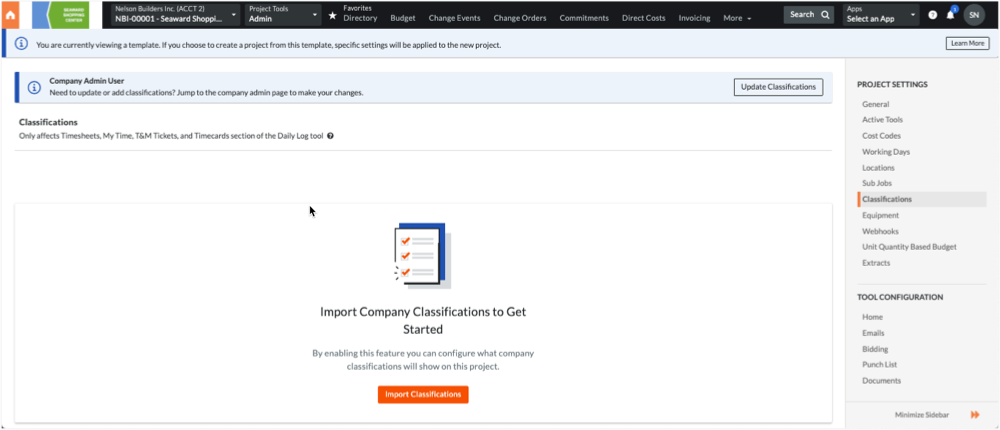
      Click the Import Classifications button. This imports the classifications from the Company level Admin tool into your project. From this point on, any changes to the classifications at the company level are automatically updated in your project and you'll need to manually disable any new classifications that you don't want in this project. To jump to the Company level Admin tool to make changes, click Update Classifications. Then see Add a Classification.

      Project Admin Import Classifications

    • To disable all classifications
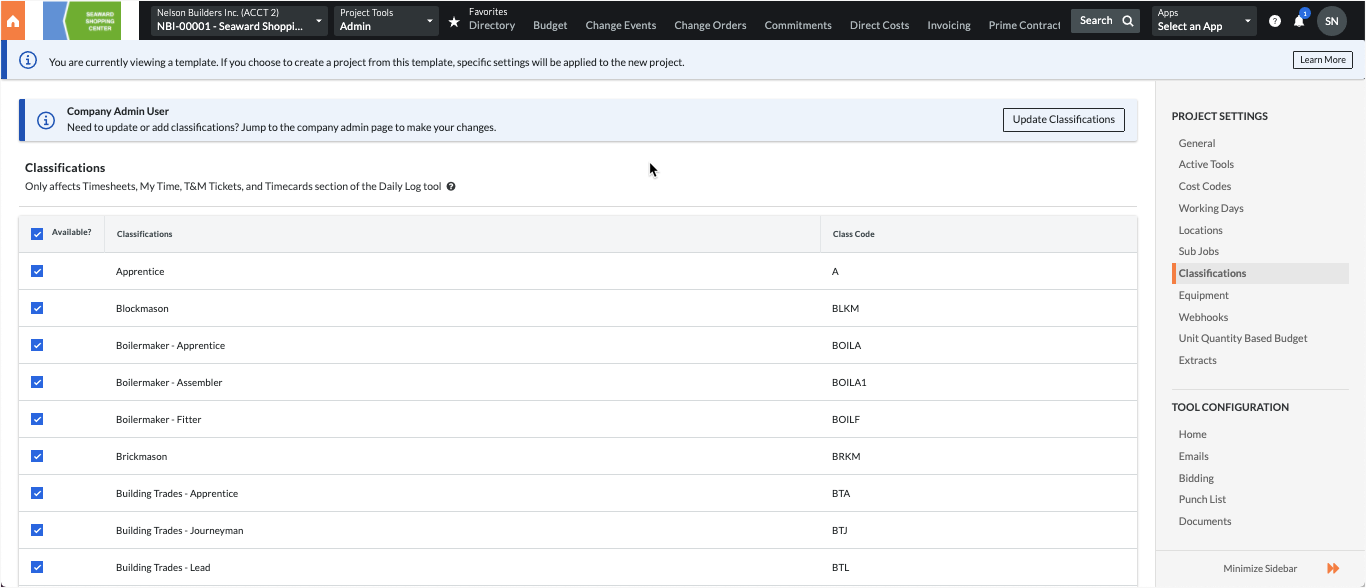
      By default, all of your company's classifications are turned ON so you can remove the mark from the Available? checkbox in the table's header row to select the ones you want one-by-one.

    • To enable specific classifications
      Mark the individual checkboxes as appropriate for your project.

      Project Admin Enable Classifications

Procore automatically saves your settings.

Next Steps

See Also

Loading related articles...